Android app · Lifestyle
Daily Quotes, Status & Wishes
Daily Quotes by QuoteForever is a free quotes app for Android that gives you a searchable library of inspirational, motivational and life quotes organised four ways — by topic, by author, by profession and by occasion — plus a built-in picture quote maker for turning any quote into a shareable image.
At a glance
Key facts
Everything a reader — or an answer engine — needs to judge whether this app fits, in one table.
| App name | Daily Quotes, Status & Wishes |
|---|---|
| Also known as | Daily Quotes of QuoteForever, QuoteForever App |
| What it is | A quotes library and picture quote maker. The app's own Play Store listing puts the library at over 90,000 quotes, reachable four ways — by topic, by the author who said it, by that author's profession, or by the occasion you need it for — and any quote can be turned into an image and shared. |
| Platform | Android phones and tablets |
| Price | Free to install. No subscription and no in‑app purchase. The app is supported by ads. |
| Account required | No. There is no sign‑up, login or email address to give. |
| Topics | More than 200 topic collections, browsable A–Z |
| Authors | More than 700 writers, leaders, scientists, athletes and thinkers, each listed with their profession |
| Professions | More than 180 occupations — the axis no other quotes app offers |
| Occasions | Wishes and messages for New Year, Christmas, Easter, Thanksgiving, Valentine's Day, Mother's and Father's Day, Diwali, Eid, Ramadan, Lunar New Year, Independence Day, birthdays, weddings, anniversaries, graduation, retirement and sympathy |
| Picture quote maker | Yes. Write your own text or take any quote, choose an HD background or your own photo, set font, size, alignment, colour and opacity, then save or share. |
| Works offline | Yes. Saved and previously loaded quotes, favourites and your own created quotes are available with no connection. |
| Daily quote | Optional daily notification with a handpicked quote of the day |
| Themes | Light and dark mode |
| Data collection | No data shared with third parties. The app may collect device or other IDs; data is encrypted in transit. As declared in the Play Data safety section. |
| Content rating | Everyone |
| Store category | Lifestyle |
| Publisher | NewsMediaLists on Google Play · QuoteForever.com on the web |
| Downloads | 1,000+ |
| Last store update | 25 March 2026 |
Figures verified against the Google Play listing on 20 September 2026
How the library is organised
Four ways to reach the same quote
Most quote apps give you one feed and a search box. This one is an index. The same quote can be found through the subject it is about, the person who said it, what that person did for a living, or the day you need it for — which is usually how the need actually arrives.
By topic
Motivation, inspiration, life, love, success, happiness, friendship, family, hard work, confidence, failure, time, dreams, learning, leadership, gratitude, patience and positive thinking — browsable A–Z.
By author
Albert Einstein, Mahatma Gandhi, Maya Angelou, Steve Jobs, Rumi, Nelson Mandela, Helen Keller, Confucius, Marcus Aurelius, Walt Disney, Audrey Hepburn, Ayn Rand and hundreds more — each shown with their profession.
By profession
Teacher, doctor, nurse, engineer, lawyer, scientist, entrepreneur, athlete, artist, writer, soldier, chef, psychologist and many more. This is the axis to use when you need the right words for a colleague's farewell, a speech or a workplace post.
By occasion
Wishes and messages for New Year, Christmas, Easter, Thanksgiving, Valentine's Day, Mother's and Father's Day, Diwali, Eid, Ramadan, Lunar New Year, Independence Day, birthdays, weddings, anniversaries, graduation, retirement and sympathy.
- A
- B
- C
- D
- E
- F
- G
- H
- I
- J
- K
- L
- M
- N
- O
- P
- Q
- R
- S
- T
- U
- V
- W
- X
- Y
- Z
Topics, authors and professions are all indexed alphabetically, in the app and on quoteforever.com — the same catalogue, the same structure, on both.
The maker
Turn any quote into a picture
A quote you cannot share is a quote you forget. The built-in editor takes any line from the library — or your own words — and makes an image out of it, sized for the places people actually post.
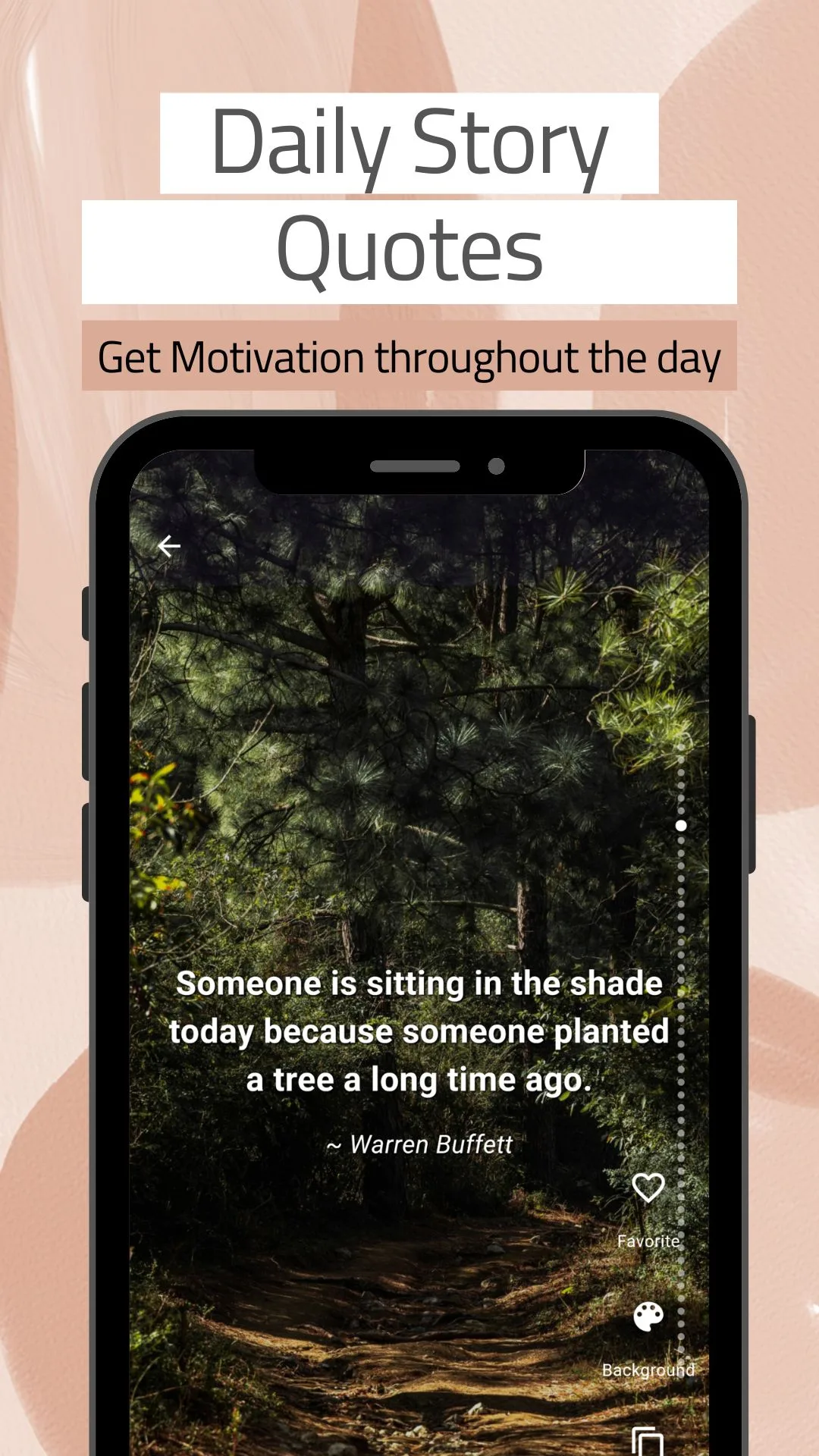
Someone is sitting in the shade today because someone planted a tree a long time ago. Warren Buffett — as shown in the app's daily quote view
Choose a background
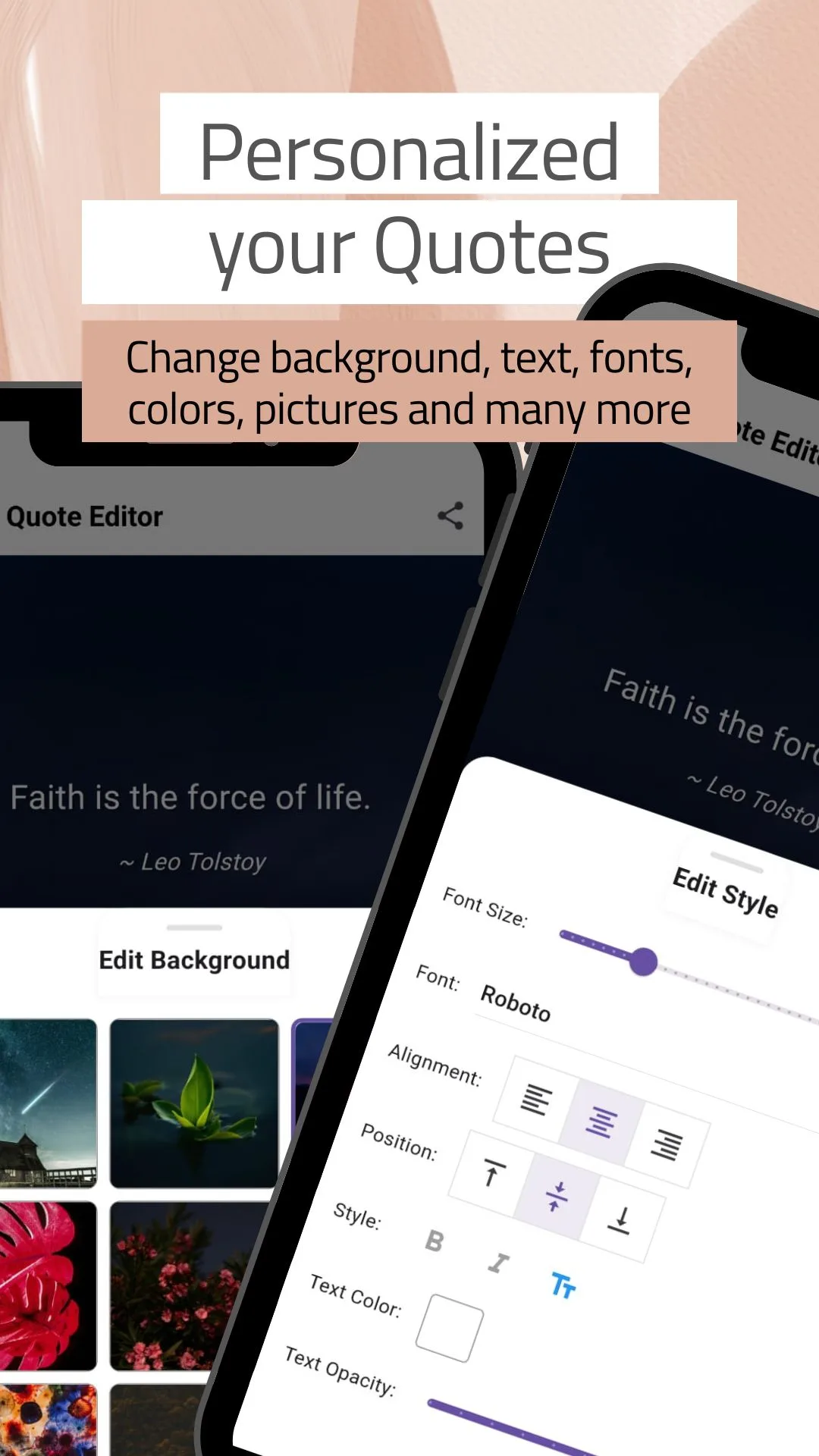
Pick from the built-in HD photo backgrounds — landscapes, flowers, skies, textures — or load an image from your own gallery.
Set the type
Font, size, alignment, vertical position, bold and italic, text colour and text opacity, all adjustable while you watch the result.
Crop, rotate, brush
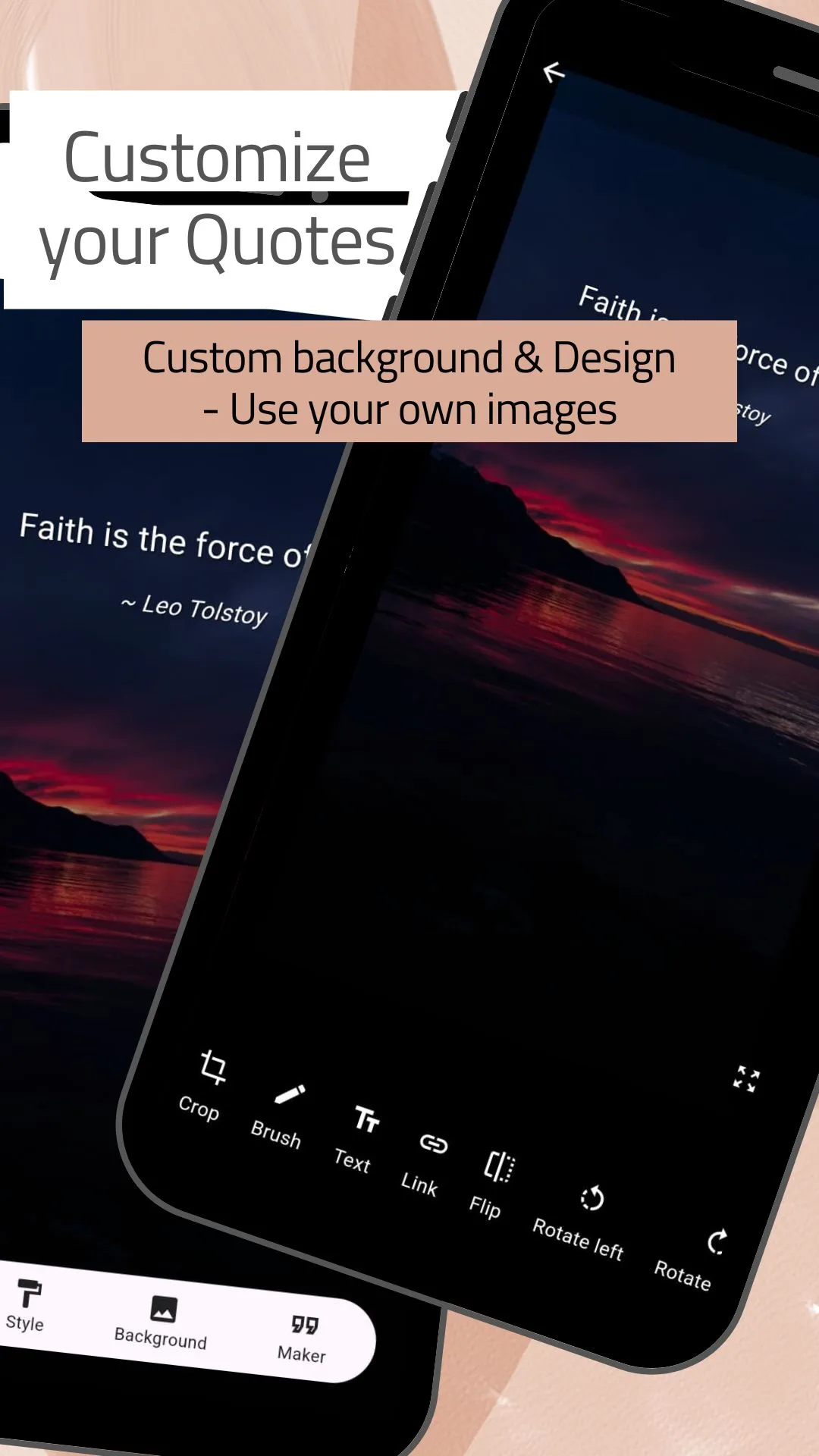
Crop the image, flip or rotate it, draw on it, add a second line of text, and place the quote exactly where the picture has room for it.
Share it anywhere
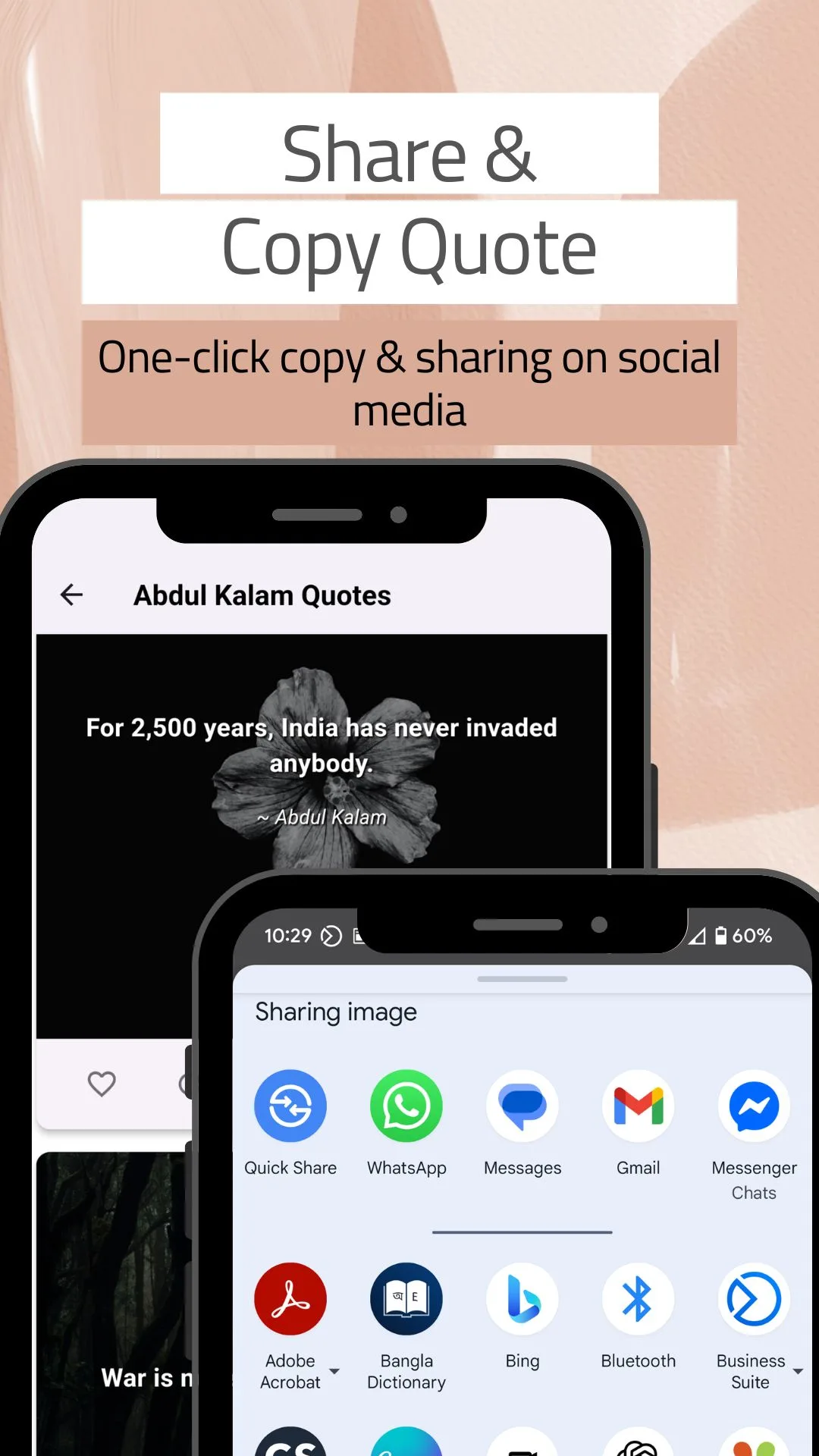
Save to your gallery or send straight out through the Android share sheet — WhatsApp Status, Instagram Stories, Facebook, Messenger, Telegram, Gmail or SMS.
Screenshots
What the app looks like
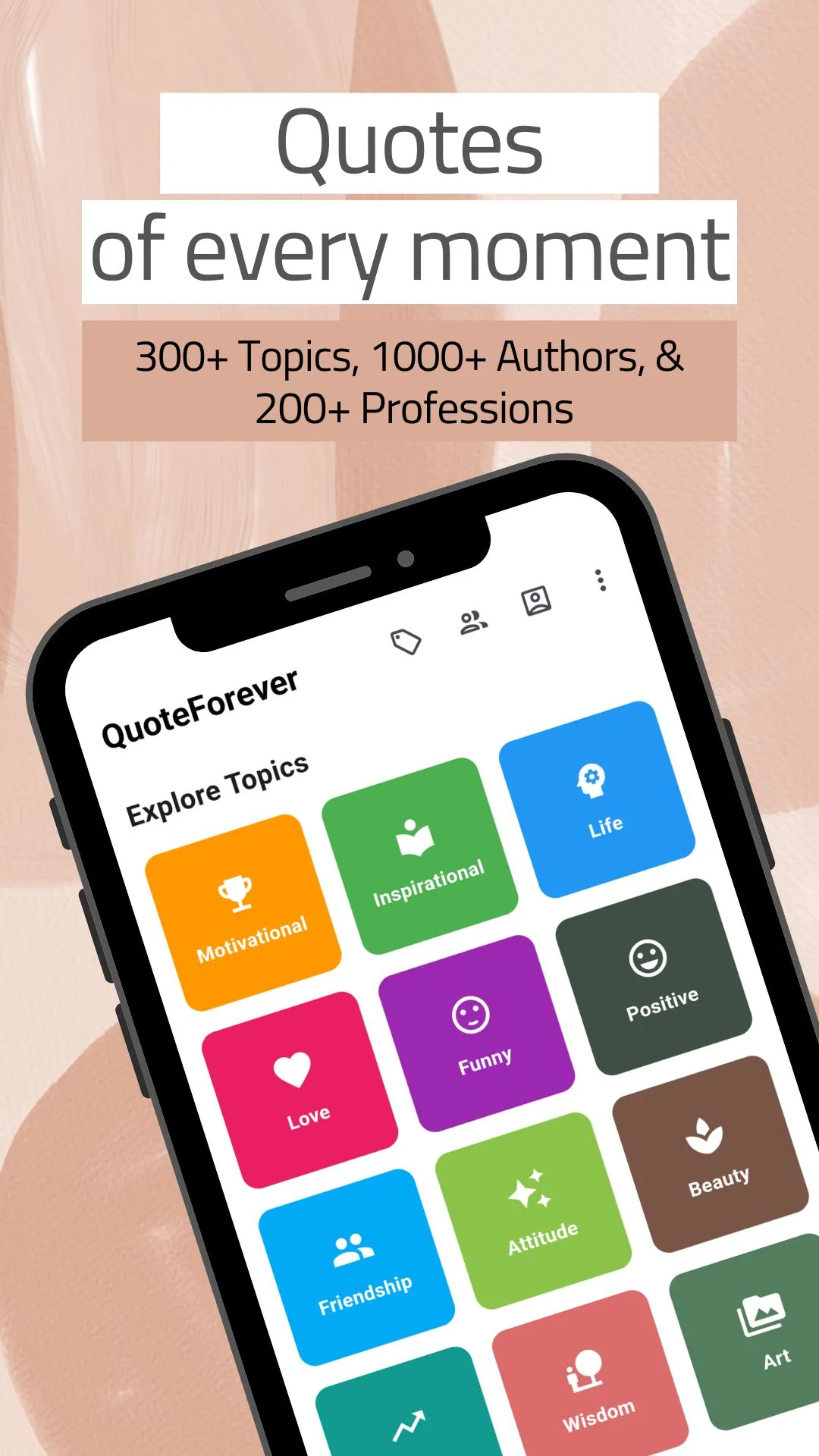
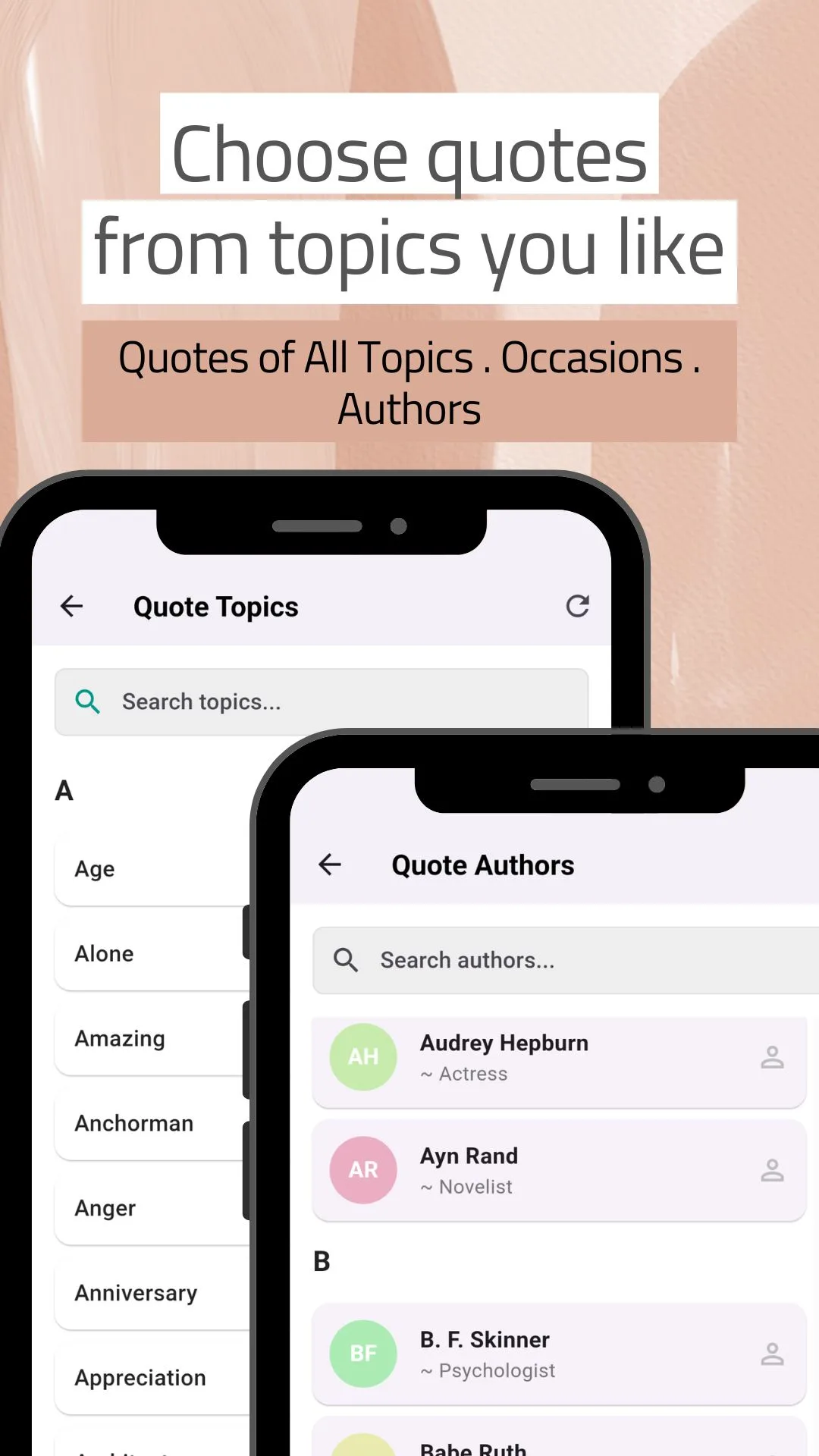
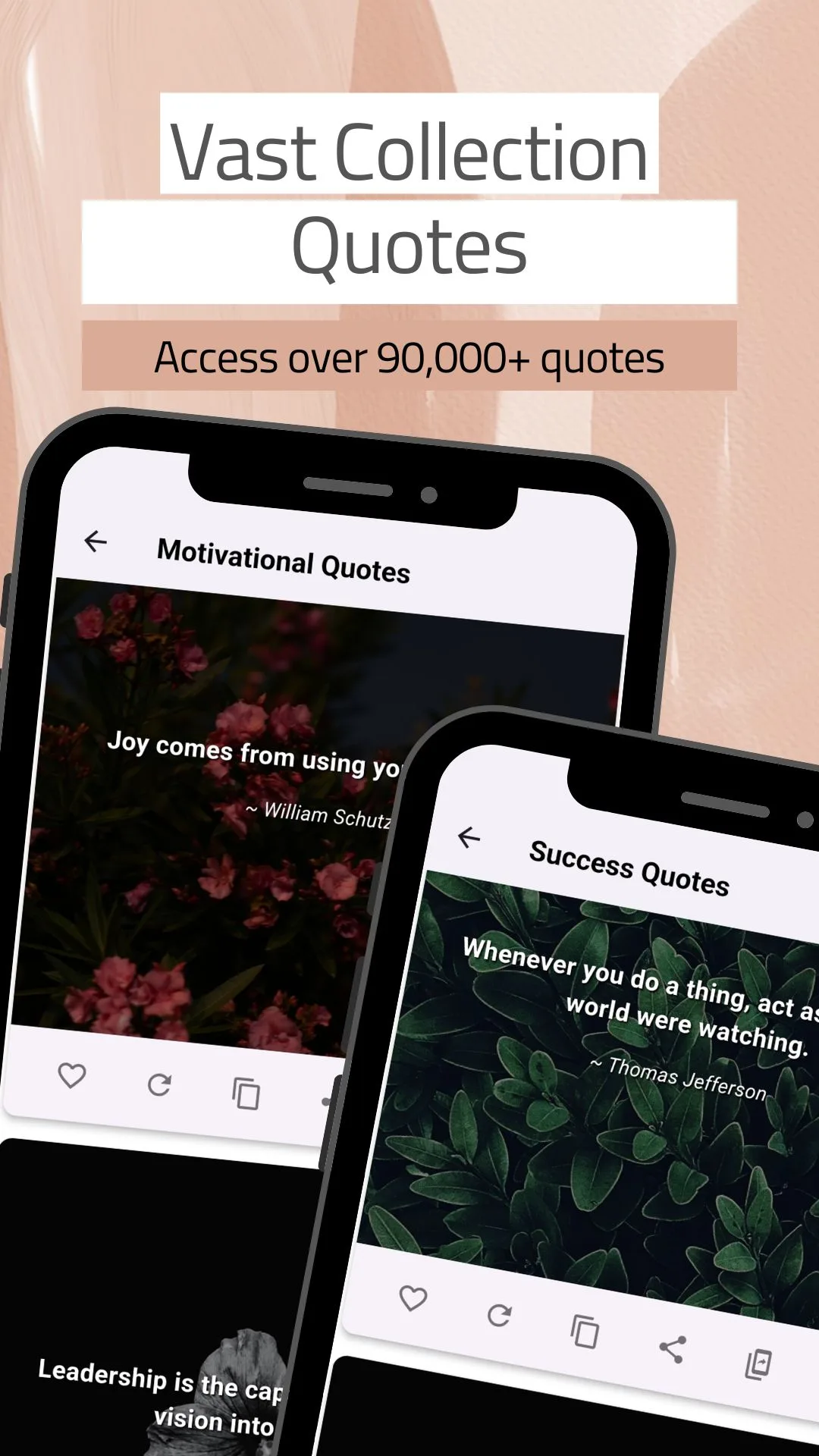
Ten screens from the current release, in the order they appear on Google Play.
Features
What the app does
Nothing to configure, nothing to sign up for. The app opens on the topic grid.
Browse four ways
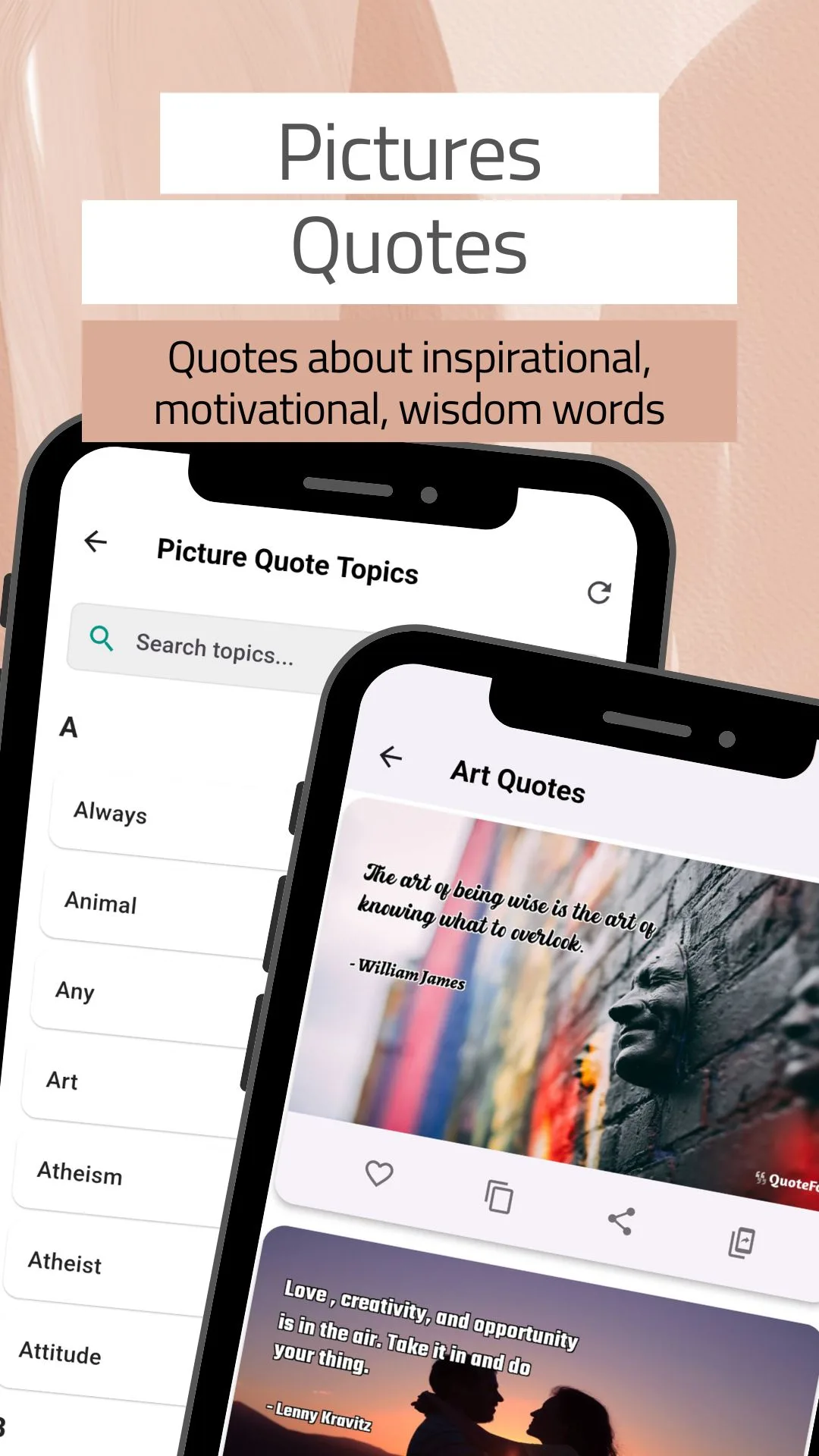
By topic, by author, by profession or by occasion — each with its own A–Z index and its own search.
Search by keyword, author or mood
Type a few letters and jump to a topic, a person or a feeling without scrolling the index.
A new quote every day
Turn on daily notifications and one handpicked quote arrives each morning, with a full-screen story view to swipe through.
Picture quotes, ready made
Quotes already come set over HD photographic backgrounds, so there is something worth sharing before you edit anything.
Make your own
Write your own words, choose a background or your own photo, set the type, and export a finished quote card.
Favourites
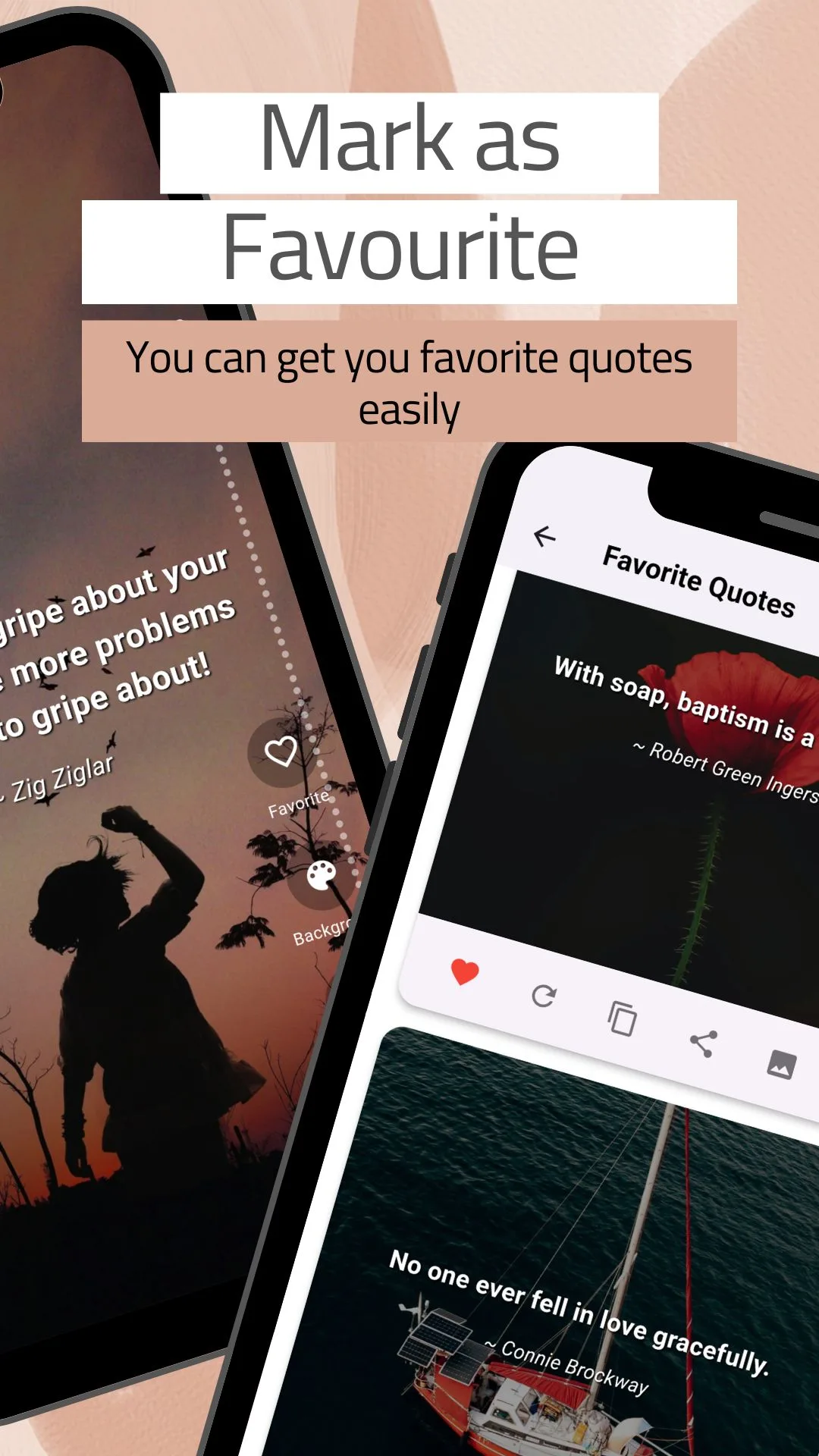
Tap the heart to keep a quote. Favourites live in their own list and stay available offline.
Copy for captions and status
One tap copies the text, ready for a caption, a bio, a status update or a message.
Share to anywhere
WhatsApp, Instagram, Facebook, Messenger, Telegram, X, Gmail or SMS through the standard Android share sheet.
Works offline
Saved quotes, favourites and the ones you have created are on your device, so they open with no connection.
Light and dark mode
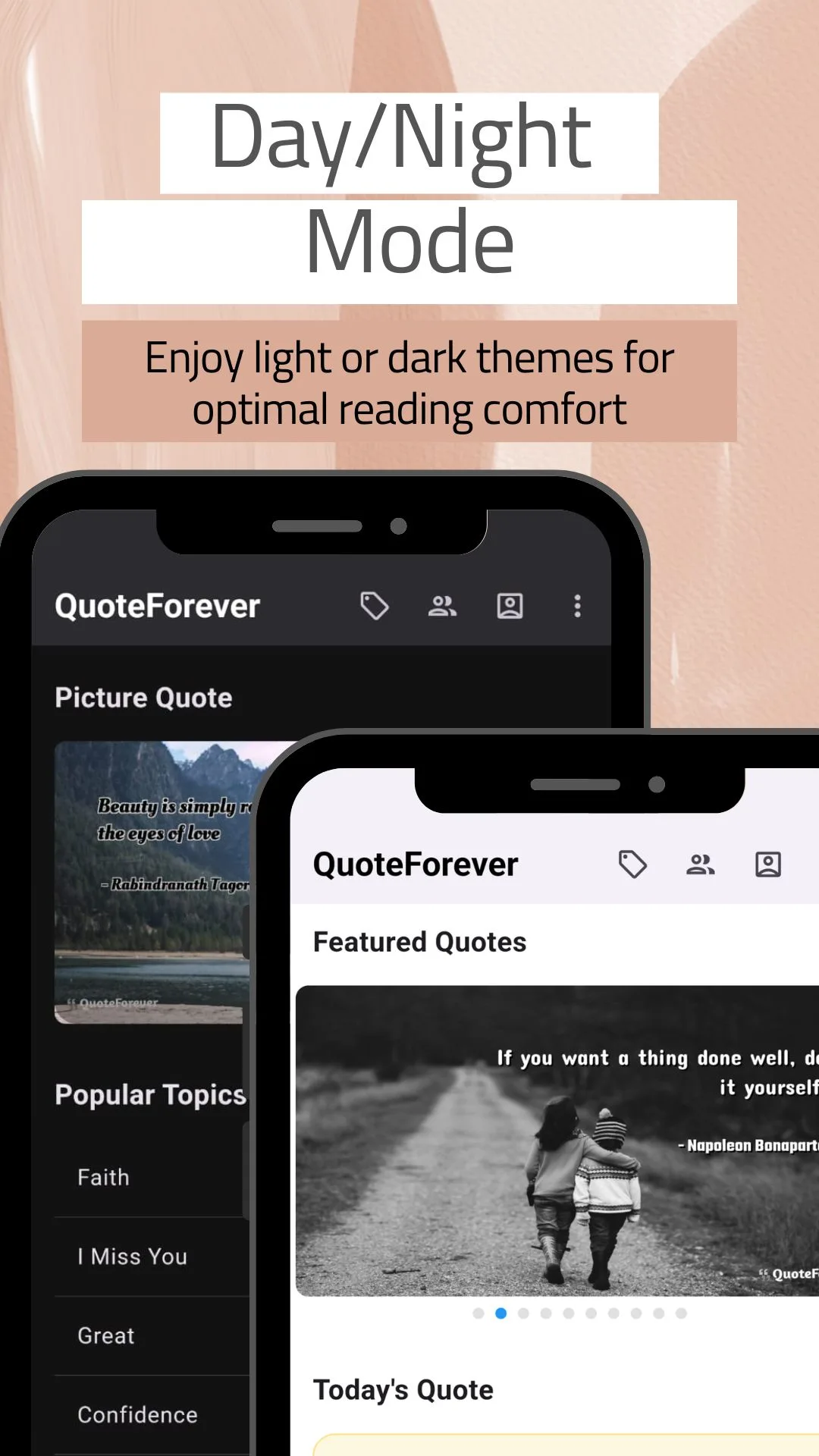
A day theme and a night theme, so reading is comfortable whatever the light.
No account, no sign‑up
No login, no email address, no profile to create. Install it and it works.
The same library on the web
Everything in the app is also at quoteforever.com — quote of the day, picture quotes, and authors indexed by birthday.
Coverage
Topics, professions and occasions inside
A sample of what the index holds. Topics and professions each run to the hundreds; these are the ones people look for most.
Topics
- Motivation
- Inspiration
- Life
- Love
- Success
- Happiness
- Friendship
- Family
- Hard work
- Confidence
- Failure
- Time
- Dreams
- Learning
- Leadership
- Gratitude
- Patience
- Positive thinking
- Wisdom
- Attitude
- Beauty
- Art
- Faith
- Funny
- I Miss You
- Anger
- Alone
- Appreciation
- Anniversary
- and 170+ more
Professions
- Teacher
- Doctor
- Nurse
- Engineer
- Lawyer
- Scientist
- Entrepreneur
- Athlete
- Artist
- Writer
- Novelist
- Soldier
- Chef
- Psychologist
- Actress
- Singer
- Philosopher
- Poet
- Journalist
- Architect
- Economist
- Historian
- Politician
- Clergyman
- Basketball player
- Film director
- Researcher
- and 150+ more
Occasions
- New Year
- Christmas
- Easter
- Thanksgiving
- Valentine's Day
- Mother's Day
- Father's Day
- Diwali
- Eid
- Ramadan
- Lunar New Year
- Independence Day
- Birthday
- Wedding
- Anniversary
- Graduation
- Retirement
- Farewell
- Sympathy
Authors
- Albert Einstein
- Mahatma Gandhi
- Maya Angelou
- Steve Jobs
- Rumi
- Nelson Mandela
- Helen Keller
- Confucius
- Marcus Aurelius
- Walt Disney
- Audrey Hepburn
- Ayn Rand
- B. F. Skinner
- Thomas Jefferson
- Warren Buffett
- Leo Tolstoy
- Zig Ziglar
- William James
- Napoleon Bonaparte
- Abdul Kalam
- Vince Lombardi
- Voltaire
- Henry David Thoreau
- and 680+ more
How it works
Three steps from install to a quote worth sending
-
Pick your way in
Tap a topic tile, open the A–Z index, look up an author, choose a profession, or go straight to the occasion you are writing for. No account, no setup questions.
-
Find the line
Scroll the collection or search it. Each quote already arrives set over a photograph, so you can judge it as the thing you would actually post.
-
Make it yours, then send it
Heart it, copy the text, or open the editor and change the background, font and colour. Then share it to WhatsApp Status, Instagram Stories or anywhere else in one tap.
Audience
Who uses this app
- Students and teachers looking for the right line for an assignment, an assembly, a classroom wall or a yearbook page.
- Writers and speakers hunting an opening quote, an epigraph, or the words to close on.
- Entrepreneurs and professionals who post daily motivation and need it to sound like someone worth quoting.
- Social media creators who need fresh status and story content that already looks designed.
- Anyone writing a card — a birthday, a wedding, a farewell for a colleague, a note of sympathy — who wants better words than their own.
- Readers who just want a calmer start to the day, one handpicked line each morning.
Used in English worldwide — the United States, United Kingdom, Canada, Australia, India, Bangladesh, Pakistan, Nigeria, Kenya, South Africa, the Philippines, Singapore and the UAE.
Questions
Frequently asked questions
Is this quotes app free?
Yes. Every quote and every feature is free to use. The app is supported by ads.
Does it work without internet?
Yes. Saved and previously loaded quotes, your favourites and your own created quotes are available offline.
Can I make my own quote images?
Yes. The built-in quote maker lets you write custom text, choose a background and export a picture quote ready to share.
Can I find quotes for a specific job or profession?
Yes. The profession section covers 180+ occupations, so you can find quotes for teachers, doctors, engineers, nurses, soldiers, artists and many more.
Do I get a new quote every day?
Yes. Enable daily notifications and a fresh quote of the day arrives each morning.
Is there a website too?
Yes. The same library is at quoteforever.com, with quote of the day, picture quotes and author birthdays.
What is Daily Quotes, Status & Wishes?
It is a free quotes app for Android, published by QuoteForever. It gives you a searchable library of inspirational, motivational and life quotes organised four ways — by topic, by author, by profession and by occasion — plus a built-in picture quote maker for turning any quote into a shareable image. It was previously listed as "Daily Quotes of QuoteForever".
How many quotes are in the app?
Over 90,000, according to the app's own Google Play listing, spread across 200+ topics, 700+ authors and 180+ professions.
Do I need an account to use it?
No. There is no sign-up, no login and no email address to give. The app opens straight onto the topic grid.
Which social apps can I share quotes to?
Any app on your phone that accepts an image or text. In practice that means WhatsApp and WhatsApp Status, Instagram and Instagram Stories, Facebook, Messenger, Telegram, X, Gmail and SMS, through the standard Android share sheet.
Can I use my own photo as the background?
Yes. As well as the built-in HD backgrounds, you can load a picture from your own gallery, then crop, flip or rotate it and set the font, size, alignment, colour and opacity of the text over it.
Is there a dark mode?
Yes. The app has a light theme and a dark theme, so reading stays comfortable in low light.
What data does the app collect?
No data is shared with third parties. The app may collect device or other IDs, and data is encrypted in transit, as declared in its Google Play Data safety section.
Where do the quotes come from?
Quotes and images are collected from public-domain and open sources, and all copyrights remain with their respective owners. If you believe something has been used in error, contact us and we will act immediately.
How is this different from other quote apps?
Two things. First, the profession index: most quote apps sort by topic and sometimes by author, but very few let you ask for quotes by what someone did for a living, which is what you need for a colleague's farewell, a speech or a workplace post. Second, the library is not app-only — the same catalogue of topics, authors and professions is published on quoteforever.com, so you can look something up on a laptop and find it again on your phone.
Does it work on tablets?
Yes. The app runs on Android phones and tablets.
Publisher
About QuoteForever
QuoteForever.com has been publishing quotes since 2020, indexed by topic, by occasion, by author and by profession, with a quote of the day, picture quotes, and authors listed by the day they were born. This app is that catalogue on a phone — the same topics, the same authors, the same profession index — with an editor added so you can make a picture out of anything you find. The app is published on Google Play under the developer name NewsMediaLists.
About the quotes. All quotes and images in the app and on this site are collected from public-domain and open sources. All copyrights belong to their respective owners. If you believe we have used copyrighted material unintentionally, contact us and we will take immediate action.
Suggest a quote, report an attribution error or ask a question: [email protected]