
Android app · Tools
Phone Test: Device Info & CPU
Phone Test: Device Info & CPU is a free Android app that tests your phone hardware and shows complete device information. It runs sixteen built-in hardware tests — speaker, microphone, touchscreen, sensors, charging, fingerprint reader and more — and reads full specifications across eleven sections: CPU and GPU, battery health in mAh, RAM and storage, display, network, camera, sensors and installed apps. Everything runs on the device, offline, with no root and no account.
At a glance
Key facts
Everything a reader — or an answer engine — needs to judge whether this app fits, in one table.
| App name | Phone Test: Device Info & CPU |
|---|---|
| Also known as | Device Info – Monitor & Tests, Device Info app by NewsMediaLists |
| What it is | A hardware tester and device information app. Sixteen hardware tests with a clear result for each, plus eleven read-only specification sections covering the device, system, CPU and GPU, battery, network, display, memory and storage, sensors, camera, installed apps and a live dashboard. |
| Platform | Android phones and tablets |
| Price | Free to install. Ad‑supported. No subscription, no paid unlock and no in‑app purchase. |
| Account required | No. There is no sign‑up, login or email address to give. |
| Root required | No. Every reading comes from the standard Android system APIs. |
| Number of hardware tests | 16 — display, multi‑touch, flashlight, loudspeaker, ear speaker, microphone, ear proximity, light sensor, accelerometer, charging, headset, vibration, Bluetooth, fingerprint, volume up and volume down |
| Specification sections | 11 — dashboard, device, system, CPU and GPU, battery, network, display, memory and storage, sensors, camera, apps |
| Works offline | Yes. Specifications and tests both run on the device with no connection. Network readings such as IP address and link speed need an active connection to have anything to report. |
| Battery readings | Health, temperature, voltage, capacity in mAh, live current in mA, live power draw in watts, power source and cell technology, refreshed every few seconds |
| Chipsets | Reads Qualcomm Snapdragon, MediaTek Dimensity and Helio, Samsung Exynos, Google Tensor and Unisoc |
| APK extractor | Yes. Any installed app can be backed up and shared as an APK file. |
| Themes | Light and dark, with Material You dynamic colour |
| Permissions | Camera, Location and Phone, used only to read the technical specifications of those modules. The app does not take photographs, record audio or track position. |
| Content rating | Everyone (rated for 3+) |
| Store category | Tools |
| Publisher | NewsMediaLists — onlinewebtoolkit.com |
| Play rating | Not yet rated. The app is new to the store and has not passed the minimum number of ratings Google needs before it shows a star average. |
| Last store update | 27 May 2026 |
Figures verified against the Google Play listing on 20 September 2026
The tests
All 16 hardware tests, and what each one proves
Most device-information apps only read numbers. This one also makes the hardware do something, so you find out whether a part actually works rather than whether the phone claims to have it. A full pass takes a few minutes.
| # | Test | What it proves |
|---|---|---|
| Screen & touch | ||
| 1 | Display | The screen fills with solid colours in turn, so dead pixels, stuck pixels, backlight bleed and discoloured patches stand out against a flat field |
| 2 | Multi‑touch | How many fingers the digitiser registers at once, and whether any area of the panel fails to respond |
| Audio | ||
| 3 | Loudspeaker | The main speaker produces sound at volume, without rattle or silence on one channel |
| 4 | Ear speaker | The earpiece works — the part that fails quietly, because you only notice on a call |
| 5 | Microphone | The microphone picks up input and the level responds to your voice |
| 6 | Headset | Wired headphones are detected and audio routes to them |
| Sensors | ||
| 7 | Ear proximity | The proximity sensor triggers when covered — if it fails, the screen stays on against your cheek during calls |
| 8 | Light | The ambient light sensor responds, which is what automatic brightness depends on |
| 9 | Accelerometer | Motion and orientation are reported as you tilt the phone |
| Power & connectivity | ||
| 10 | Charging | The port and charger deliver current, with the live rate shown while it charges |
| 11 | Bluetooth | The Bluetooth radio switches on and discovers nearby devices |
| Hardware controls | ||
| 12 | Flashlight | The LED fires at full brightness |
| 13 | Vibration | The vibration motor responds — commonly dead on a phone that has been dropped |
| 14 | Fingerprint | The fingerprint reader registers a touch and authenticates |
| 15 | Volume up | The physical volume-up key registers a press |
| 16 | Volume down | The physical volume-down key registers a press |
The specifications
Eleven sections of device information
Android's own Settings screen shows a model number and a storage figure. These are the readings it leaves out.
| Section | What you can read |
|---|---|
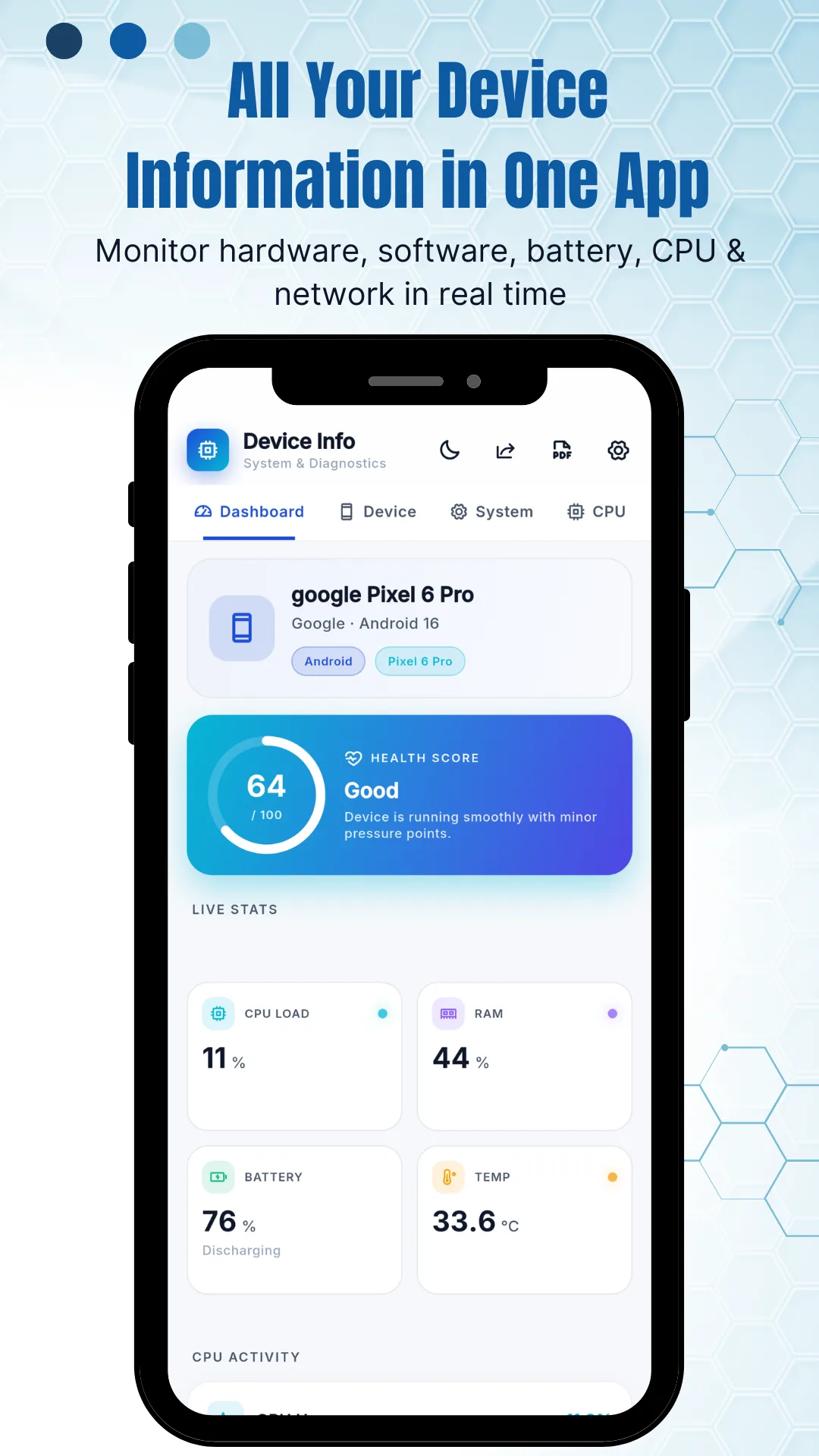
| Dashboard | A live summary — CPU load, RAM in use, battery level and status, temperature, installed app count, and a health score with a plain-language verdict on how the device is running |
| Device | Model, manufacturer, brand, board, build fingerprint and device age |
| System | Android version, API level, security patch level, code name, kernel version, bootloader status, Google Play Services status and the manufacturer skin version, such as One UI or HyperOS |
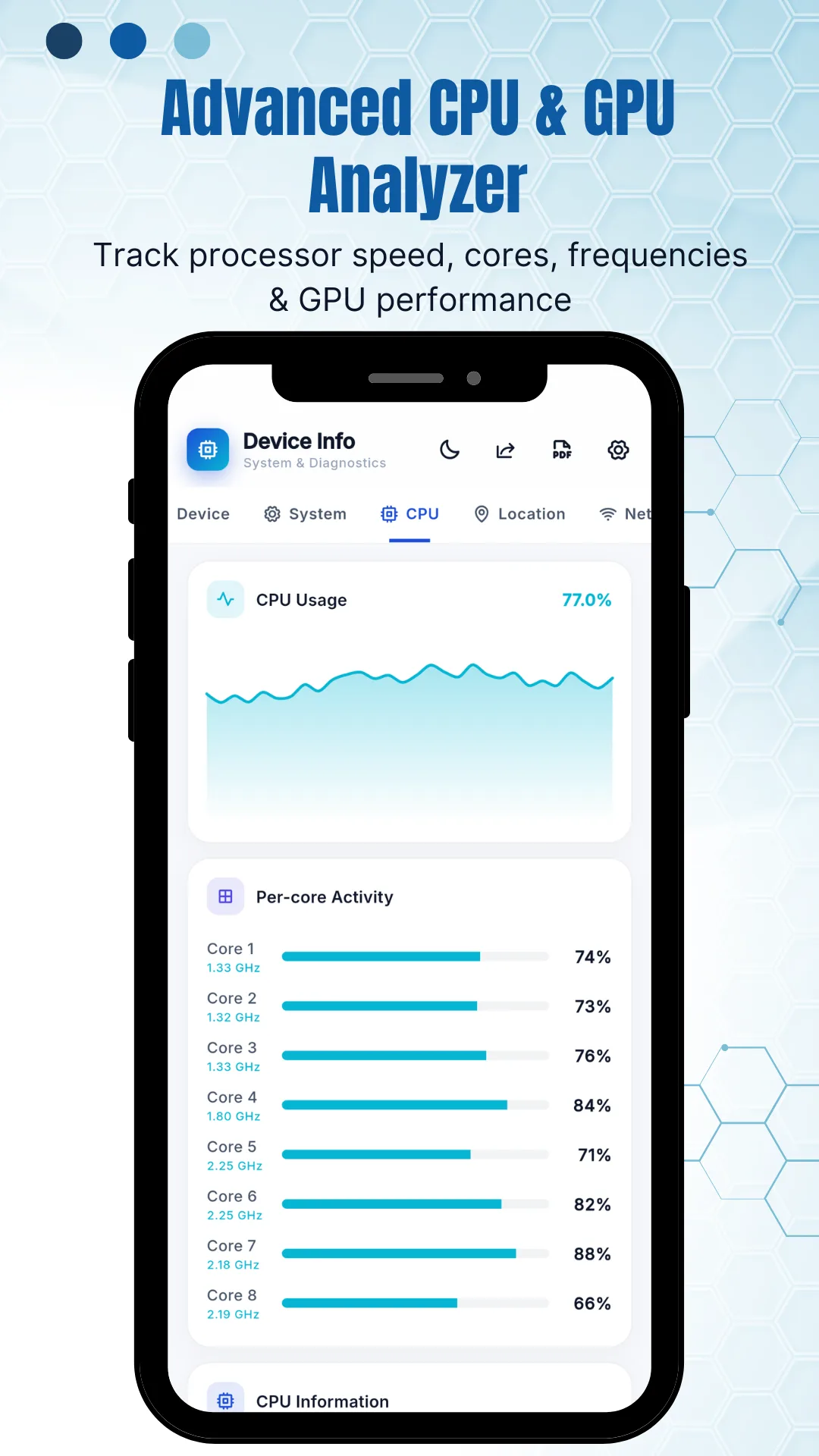
| CPU & GPU | Architecture, supported ABIs, core count, live per‑core frequency and load, governor, and the GPU renderer, vendor and version |
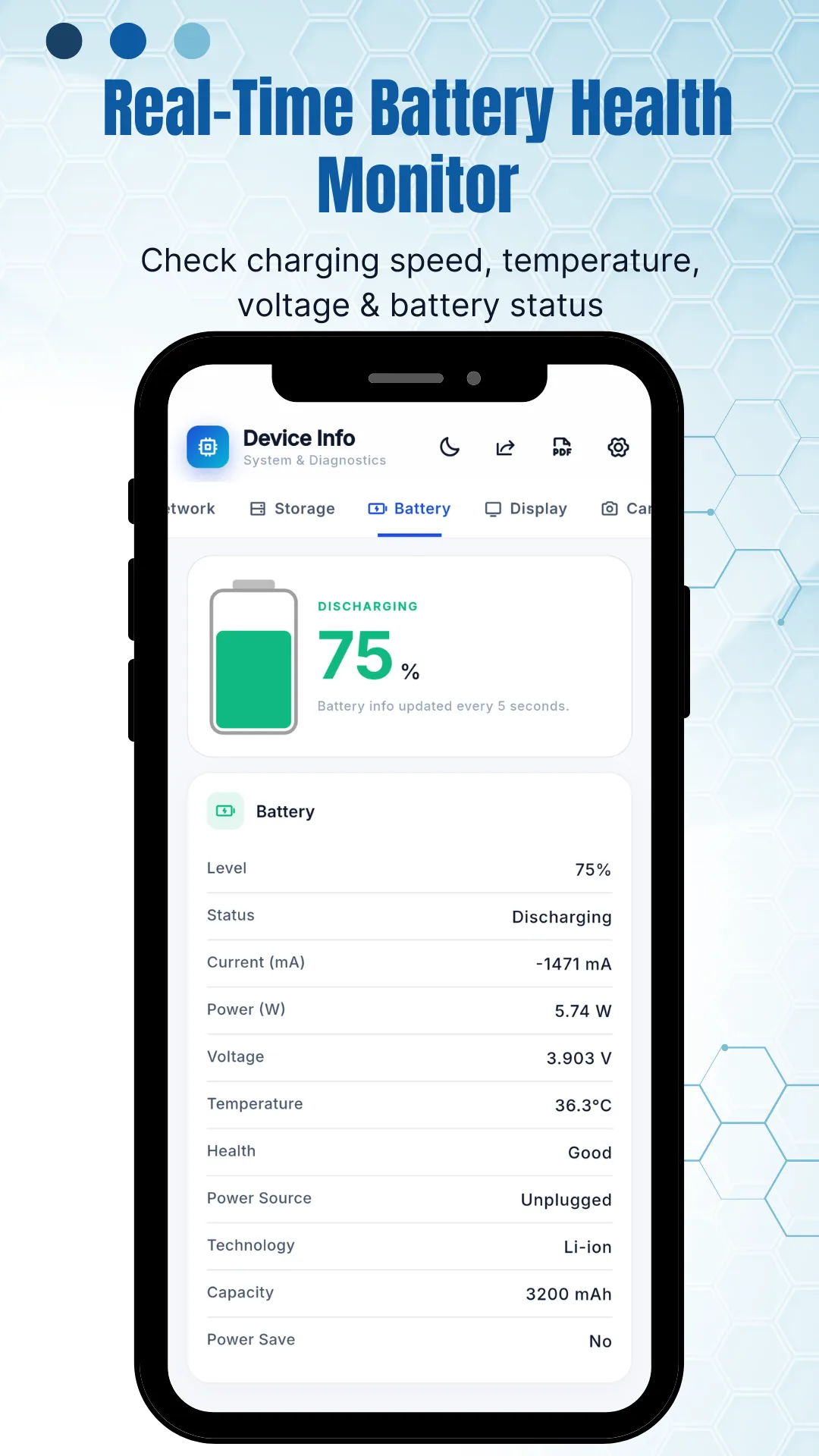
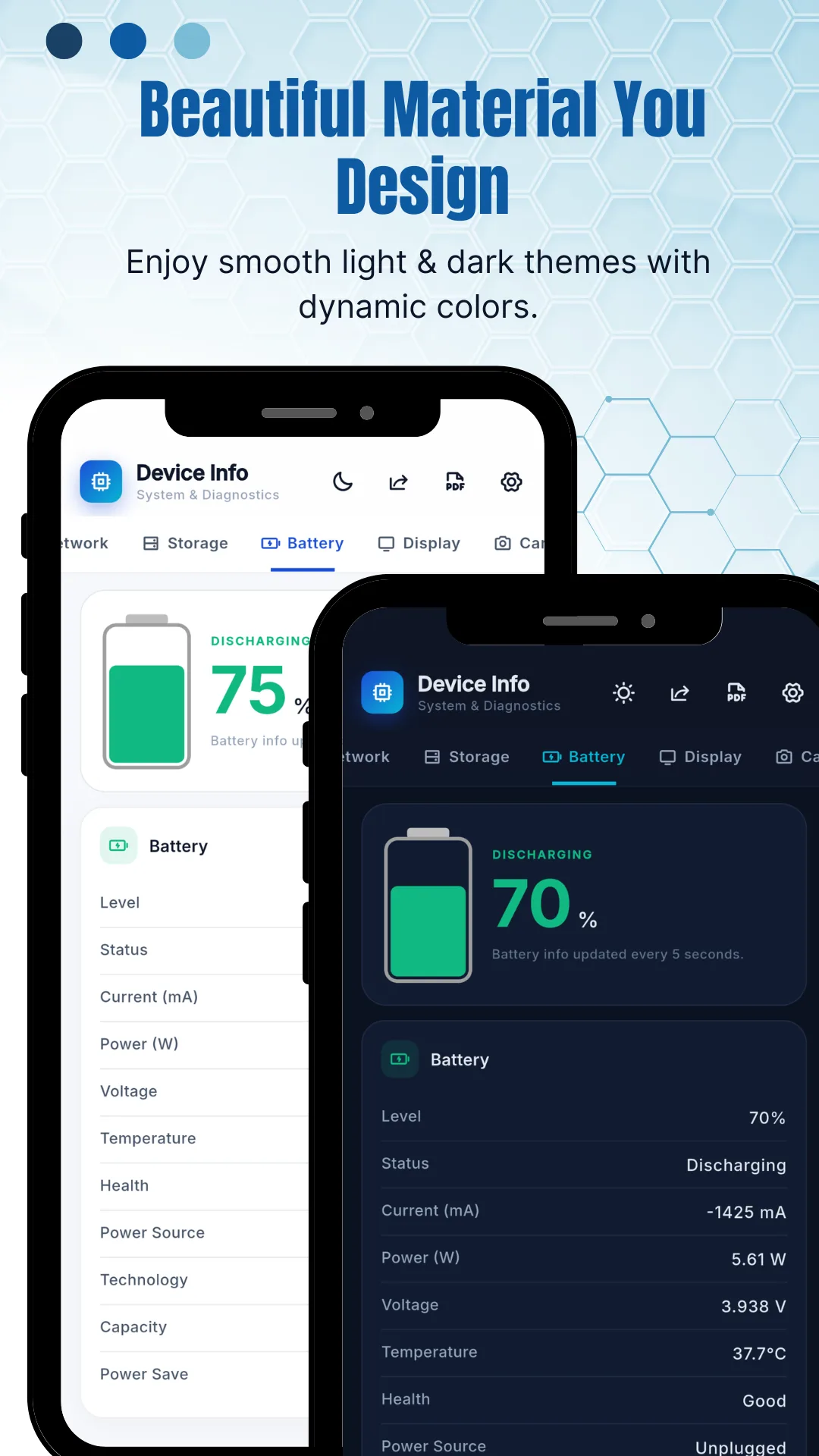
| Battery | Health, level, status, temperature, voltage, capacity in mAh, live current in mA, live power draw in watts, power source and cell technology such as Li‑ion or Li‑poly |
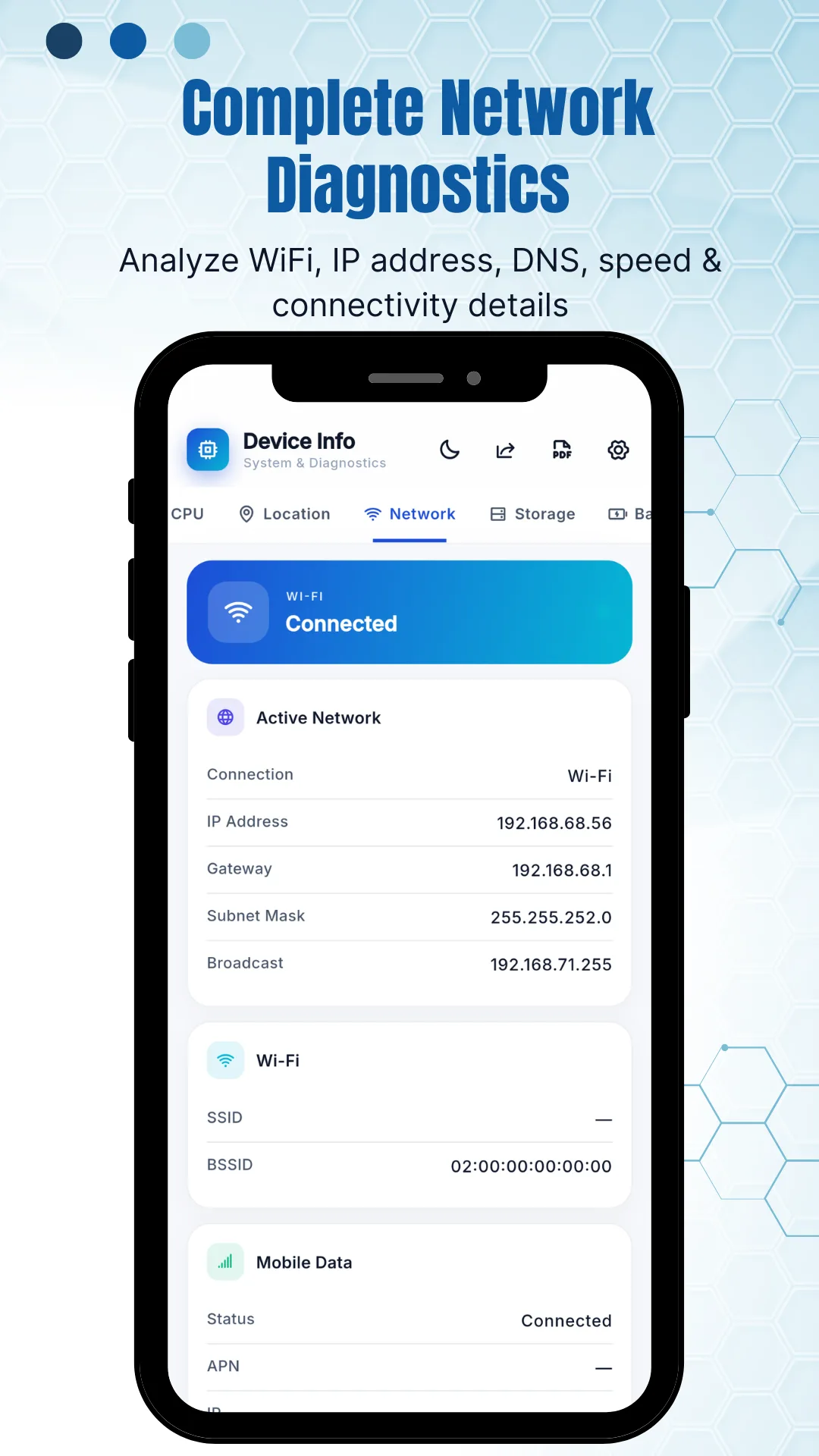
| Network | IP address, gateway, subnet mask, DNS, Wi‑Fi standard including Wi‑Fi 6, 6E and 7, frequency and link speed, plus Bluetooth, NFC, UWB and mobile data status |
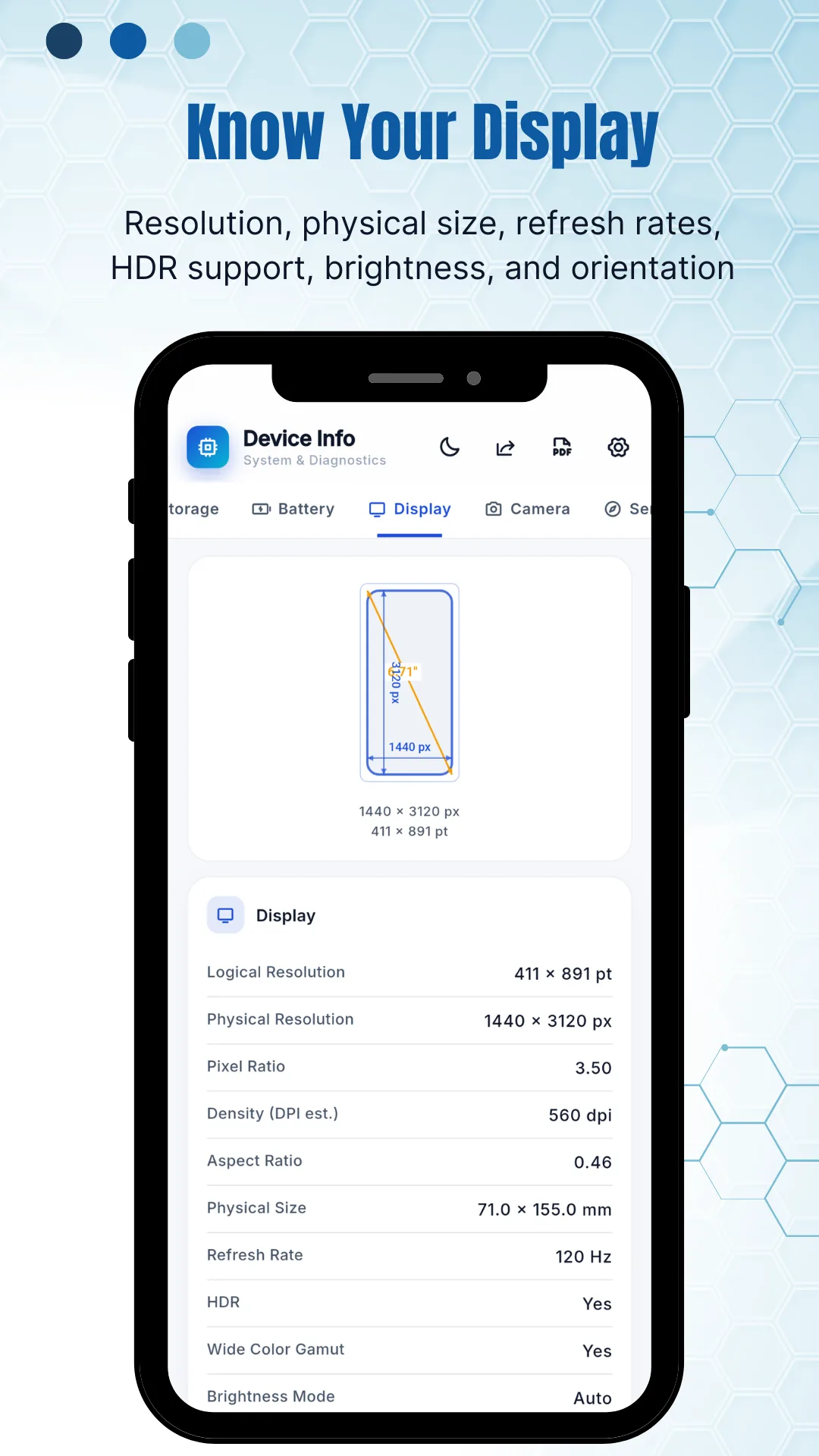
| Display | Logical and physical resolution, pixel ratio, density in DPI, aspect ratio, physical size in millimetres, refresh rate in Hz, HDR support, wide colour gamut and brightness mode |
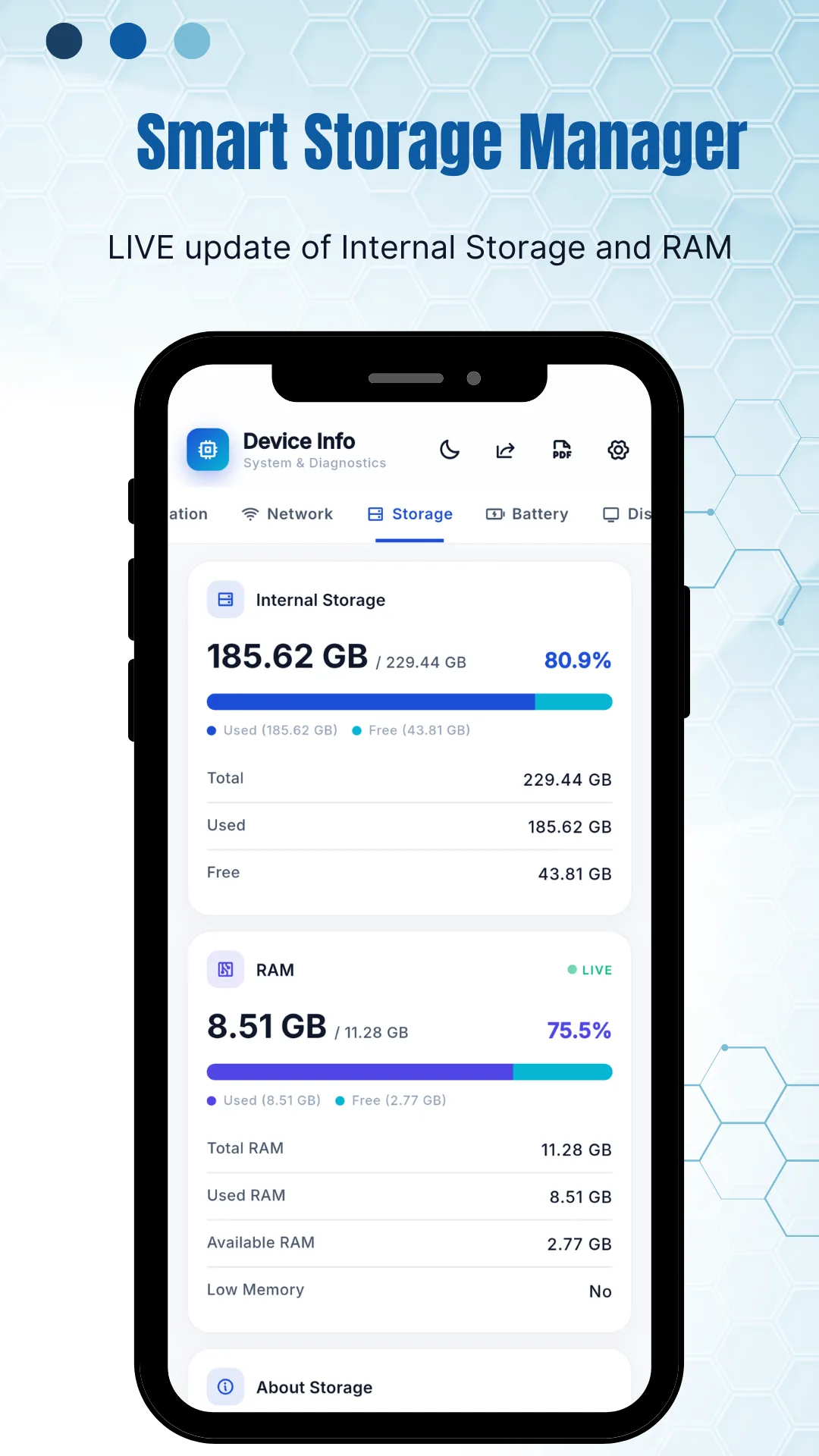
| Memory & storage | RAM type and frequency, total, used and available RAM, low‑memory state, and internal and external storage with used and free space |
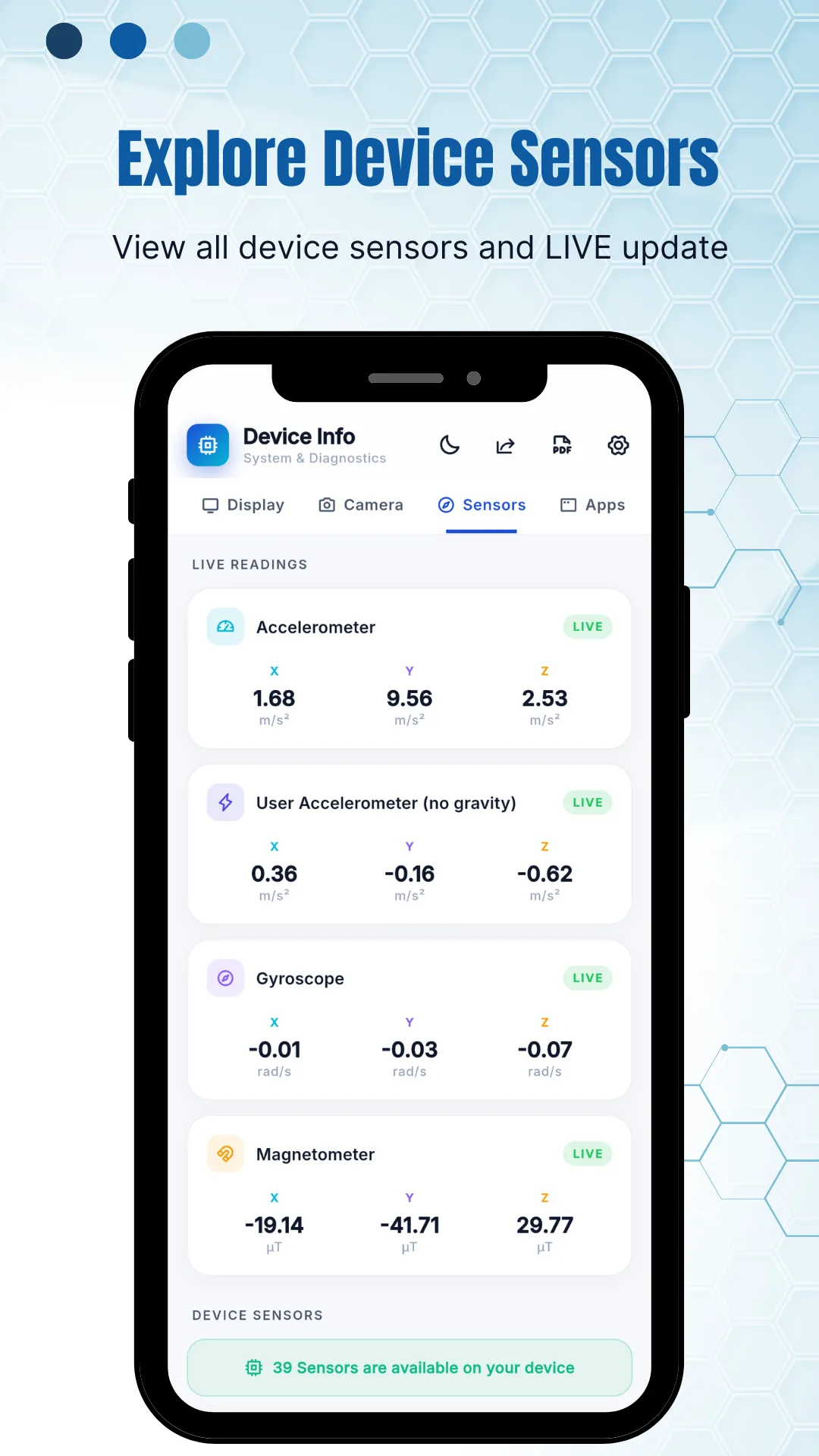
| Sensors | Every sensor on the device with live readings, plus vendor, type, power draw and whether each is a dynamic or wake‑up sensor |
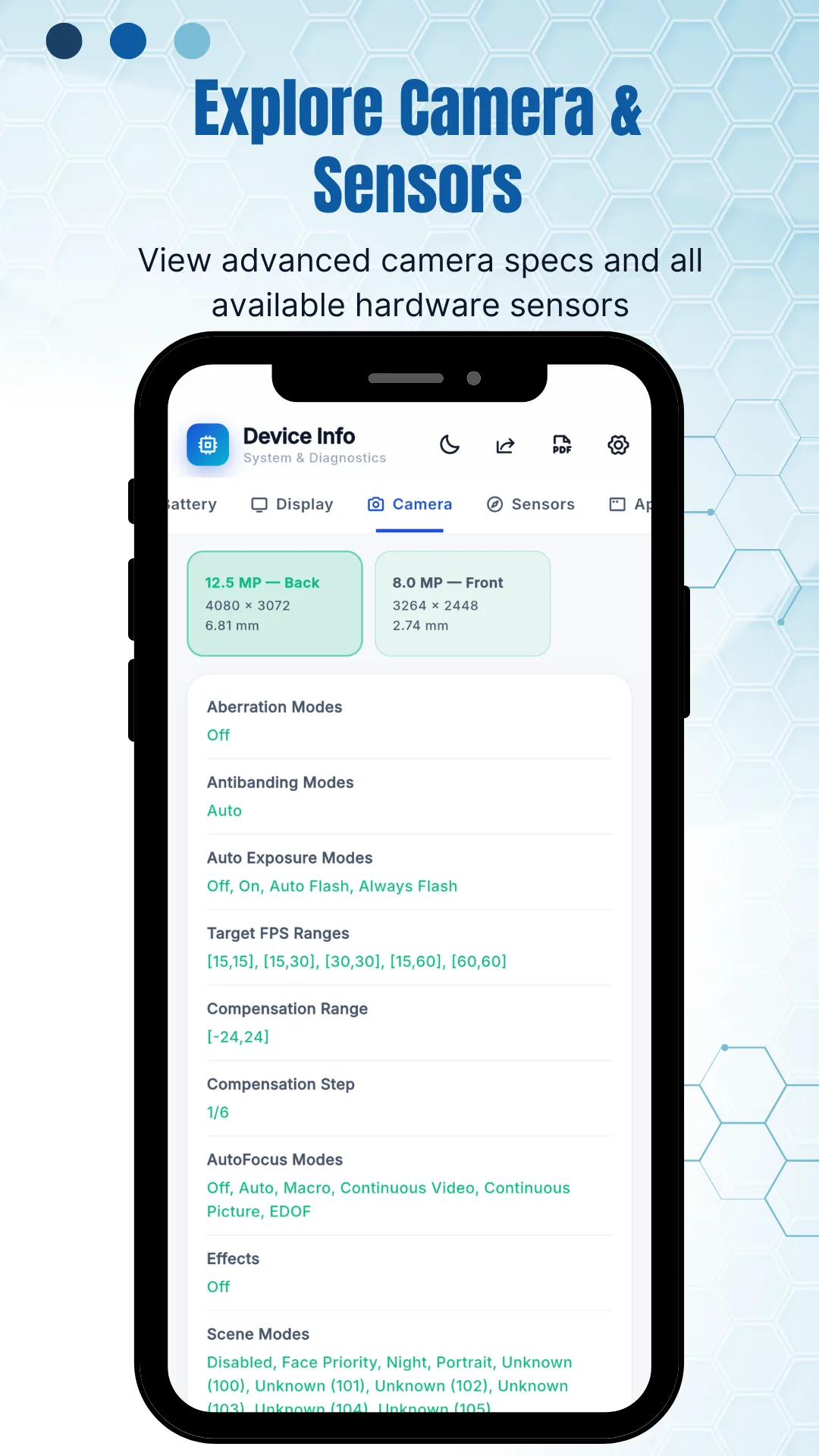
| Camera | Front and rear resolution, aperture, focal length, ISO range, RAW support, face detection, scene modes and crop factor |
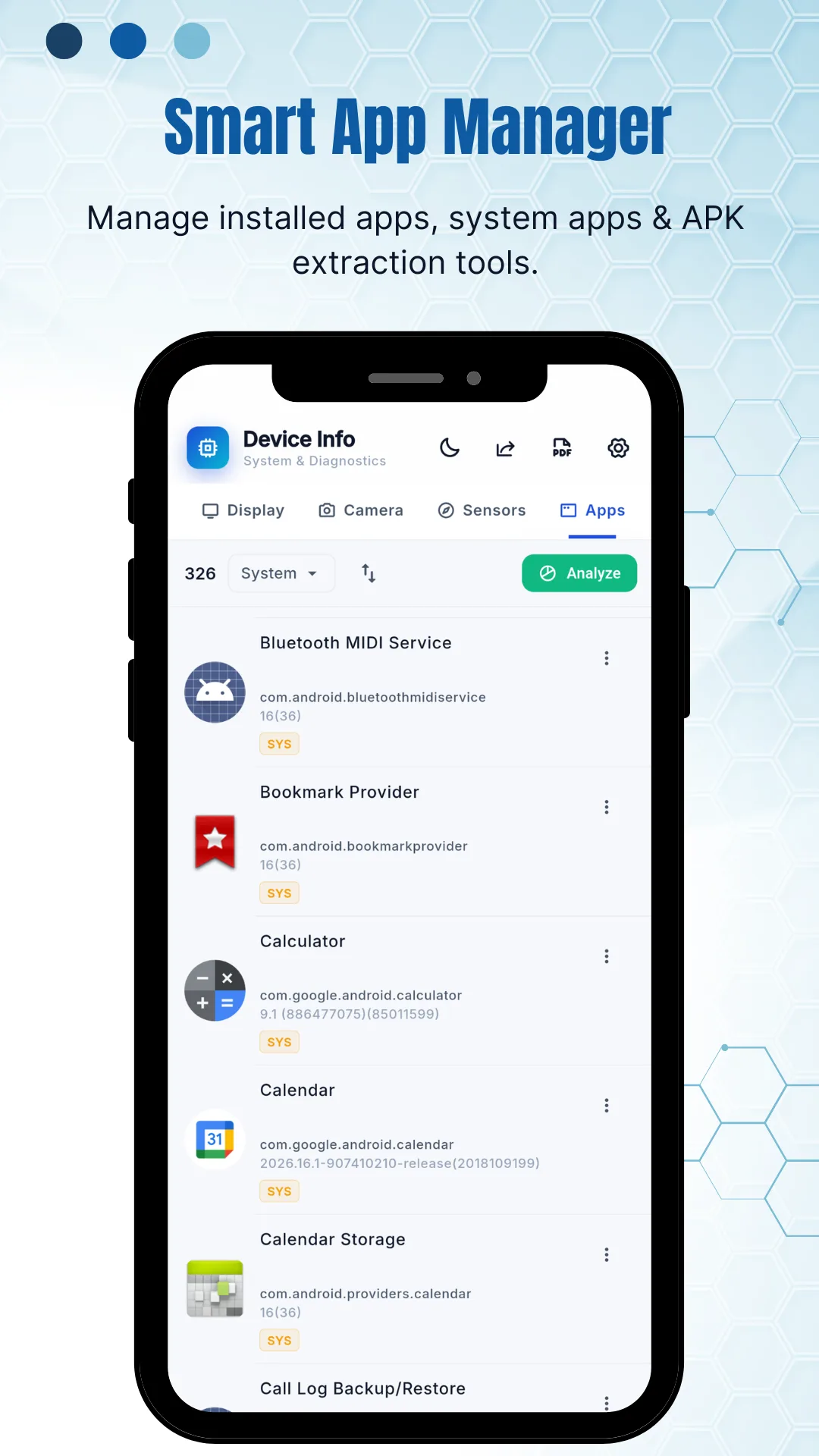
| Apps | Installed and system apps with version, target SDK, permissions, activities, services and providers — and an APK extractor to back any of them up |
International
Checking a second‑hand phone before you pay
Most people who run a hardware test are not enthusiasts. They are about to hand over money for a used phone, and they have a few minutes with it.
The five-minute check
Run the display test for dead pixels. Run the loudspeaker, ear speaker and microphone tests. Check battery health and capacity in mAh against what the model shipped with. Confirm model, brand and chipset match the advert. Then check the cameras and the fingerprint reader.
Battery capacity is the honest number
A seller can wipe a phone, but they cannot reset the cell. The battery section reports capacity in mAh and a health state — compare it with the manufacturer's original figure for that model and you know roughly how much life is left.
What the specs cannot tell you
The app reports what the hardware and the operating system declare. On a phone with modified firmware those values can be made to lie. Treat the readings as one check among several, alongside the IMEI, the charging port and the physical condition.
For the seller, too
A test pass shown to a buyer is evidence. Running the sixteen tests in front of someone, with the battery capacity on screen, settles most of the haggling that follows “how do I know it works?”
Used and refurbished handsets change hands daily in
- India
- Bangladesh
- Pakistan
- Nigeria
- Indonesia
- Brazil
- Philippines
- Egypt
- Kenya
- Vietnam
- Mexico
- South Africa
- Turkey
- and everywhere else
Tested on handsets from
- Samsung
- Xiaomi
- Redmi
- Poco
- realme
- OPPO
- vivo
- OnePlus
- Motorola
- Infinix
- Tecno
- itel
- Nokia
- Honor
- Google Pixel
How it differs
Reading specs is not the same as testing hardware
Google Play is full of apps that list what your phone says it contains. Far fewer make the speaker play, the motor buzz and the sensor respond — which is the only way to find out that a part has failed.
| Settings › About phone | Spec‑reader apps | Phone Test: Device Info & CPU | |
|---|---|---|---|
| Hardware tests | None | Rarely | 16, each with a clear result |
| Battery capacity in mAh | No | Sometimes | Yes, with health, voltage and live draw |
| Per‑core CPU load | No | Sometimes | Yes, live, with frequency per core |
| Sensor list with live values | No | Sometimes | Yes, every sensor, updating live |
| Camera specs | No | Rarely | Aperture, focal length, ISO range, RAW, scene modes |
| APK extractor | No | Rarely | Yes, for any installed app |
| Root required | — | Sometimes | No |
| Works offline | Yes | Varies | Yes — specs and tests both |
| Account | — | Varies | None — no sign‑up, no login |
What it is not. This is a diagnostic and information tool, not a repair service, a cleaner, a booster or an antivirus. It does not free up memory, speed up the phone, fix a failing component or verify whether a device is stolen. It reports what the hardware and Android declare, and it makes individual components run so you can judge them yourself.
Screenshots
What the app looks like
Ten screens from the current release. The readings shown are from a Google Pixel 6 Pro running Android 16; your own figures will differ.
Features
What the app does
Nothing to configure and nothing to sign up for. The app opens on the dashboard.
Sixteen hardware tests
Display, multi-touch, flashlight, loudspeaker, ear speaker, microphone, ear proximity, light, accelerometer, charging, headset, vibration, Bluetooth, fingerprint and both volume buttons — each with a clear result.
A health score
One number out of 100 with a plain-language verdict, drawn from the live state of the CPU, memory, battery and temperature, so you get a read on the device before going into the detail.
Battery health in mAh
Capacity, health, temperature, voltage, live current in milliamps and live power in watts, refreshed every few seconds — the readings Android's own Settings screen leaves out.
Per-core CPU monitoring
Load and clock frequency for every core individually, plus architecture, supported ABIs, governor and the full GPU renderer and vendor.
Live sensor readings
Every sensor on the device with its x, y and z values updating as you move the phone, alongside vendor, type, power draw and wake-up status.
Full display data
Logical and physical resolution, pixel ratio, DPI, aspect ratio, refresh rate, HDR, wide colour gamut and the panel's physical size in millimetres.
Camera specifications
True sensor resolution for front and rear, with aperture, focal length, ISO range, RAW support, face detection and the scene modes the camera supports.
Network diagnostics
IP address, gateway, subnet mask and DNS, the Wi-Fi standard in use including Wi-Fi 6, 6E and 7, link speed, and Bluetooth, NFC and UWB support.
App manager and APK extractor
Every installed and system app with version, target SDK, permissions, activities, services and providers — and a one-tap APK backup you can share.
Storage and RAM, live
Internal and external storage and RAM as live bars, with total, used and free figures and a low-memory indicator.
Works offline, no root
Specifications and tests both run on the device. No root, no ADB, no developer options, and no connection needed.
No account
No sign-up, no login and no email address to give. Install it and it opens straight to the dashboard.
Audience
Who uses this app
- Buyers of used phones running the sixteen tests and checking battery capacity before money changes hands.
- Sellers proving a handset works, with the test results and the battery figure on screen.
- Repair technicians confirming which component has failed before opening a device, and confirming the fix afterwards.
- Gamers watching per-core CPU load, GPU details, temperature and refresh rate while a game runs.
- Developers reading API level, security patch level, supported ABIs, target SDK and the sensor list on a test device.
- Reviewers and enthusiasts checking that a phone's real display, camera and battery specifications match what was advertised.
- Anyone with a phone acting strangely — a screen that stays on during calls, a speaker that has gone quiet, a battery that empties by lunchtime.
Questions
Frequently asked questions
How do I test my phone speaker and microphone?
Open Tests, choose Loudspeaker, Ear Speaker or Microphone, and follow the prompt. The loudspeaker and earpiece are tested separately, because the earpiece is the one that fails quietly — you only notice on a call.
How do I check battery health on Android?
Open Battery. The app reports health, capacity in mAh, temperature, voltage and live power draw. Android does not expose a battery health percentage of the kind iPhones show, so compare the reported capacity against the figure the manufacturer shipped that model with.
How do I find dead pixels on my screen?
Open Tests and run the Display test. The screen cycles through solid colours so dead or stuck pixels stand out. A dead pixel stays black on every colour; a stuck pixel stays one colour throughout.
Does it work on any Android phone?
Yes — Samsung, Xiaomi, Redmi, realme, OPPO, vivo, OnePlus, Motorola, Infinix, Tecno, Nokia, Honor, Poco and Google Pixel, on phones and tablets alike.
Can it tell if a used phone matches its advertised specs?
It reports what the hardware declares — model, chipset, RAM, storage, sensors and cameras — so you can compare that against the listing. On a device with modified firmware those values can be falsified, so treat it as one check among several.
Is the app free?
Yes. It is free to install and free to use, supported by ads. There is no subscription, no paid unlock and no in-app purchase.
Does it need root?
No. Every reading comes from the standard Android system APIs. There is no root, no ADB and no developer options to enable.
Does it work without internet?
Yes. Specifications and tests both run on the device. The network section is the one exception: it needs an active connection to have an IP address or a link speed to report.
Do I need to create an account?
No. There is no sign-up, no login and no email address to give. The app opens straight to the dashboard.
What is the health score?
A single figure out of 100 on the dashboard, with a short plain-language verdict, drawn from the live state of the CPU, memory, battery and temperature. It is a quick read on how the device is doing, not a medical opinion on the hardware — the detail screens are where the actual numbers are.
How many sensors does my phone have?
Open the Sensors tab and the app lists every one, with a total at the bottom. A current mid-range or flagship Android phone typically reports somewhere between thirty and forty, because manufacturers expose composite and virtual sensors alongside the physical ones.
Why does my proximity sensor matter?
It turns the screen off when the phone is against your ear. When it fails, your cheek presses buttons during calls — muting, hanging up, opening the keypad. The ear proximity test tells you in a few seconds whether it is responding.
What is an APK extractor and why would I use one?
It saves an installed app back out as the APK file it was installed from, so you can keep a copy of a version that works, move an app to another device, or archive something before it is removed from the store. The app extracts APKs without root.
Why does the app ask for camera, location and phone permissions?
Only to read the technical specifications of those modules. Android will not report camera aperture and sensor resolution without camera permission, or Wi-Fi network details without location permission. The app does not take photographs, record audio or track where you are.
Can it speed up my phone or free up memory?
No, and it does not try to. It is a diagnostic and information tool. Apps that promise to boost RAM or clean your device generally achieve very little on modern Android, which manages memory itself.
Why do some values show as unknown or not available?
Readings come from the Android system and vary by manufacturer. Some makers do not expose battery capacity, RAM frequency or certain sensor details at all, and a value that appears on one phone may be missing on another running the same Android version. Nothing is wrong with the app when that happens.
Publisher
About OnlineWebToolkit
OnlineWebToolkit publishes free browser-based tools and calculators — network, conversion, image, encoding, text and SEO utilities that run in the browser with nothing to install and no account to create. The closest web counterpart to this app is the network tools section: My IP & User Agent reads in the browser roughly what the app's Network tab reads on the device. The app exists for everything a browser cannot reach — the battery cell, the sensors, the speaker, the fingerprint reader.
Important. Phone Test: Device Info & CPU is a diagnostic and information tool. It reports what your device and the Android operating system declare, and readings vary by manufacturer and Android version. It is not a repair service, a warranty check, a theft or IMEI verification service, or a guarantee of a device's condition or authenticity. Use it as one part of a decision, not the whole of one.
Report a wrong reading, or a device where a test does not work: [email protected]