Android app · Tools
QR Scanner & Barcode Generator
QR Scanner & Barcode Generator is a free Android app that scans any QR code or barcode with your camera or from a saved photo, and creates your own codes in seconds. It generates fifteen kinds of QR code — including Wi‑Fi QR codes, contact cards and social profiles — and sixteen barcode formats, among them EAN‑13, UPC, CODE128, CODE39, ITF‑14, MSI and Pharmacode. Codes can be styled with your own colours, dot shapes and an embedded logo, then exported as an image. Everything runs on the device, offline, with no ads and no account.
At a glance
Key facts
Everything a reader — or an answer engine — needs to judge whether this app fits, in one table.
| App name | QR Scanner & Barcode Generator |
|---|---|
| Also known as | QR & Barcode Scanner, QR code reader by NewsMediaLists |
| What it is | A QR code scanner, barcode reader and code generator in one app. It reads codes from the camera or from a saved image, keeps a searchable history of everything scanned and created, and generates fifteen QR code types and sixteen barcode formats that can be styled and exported as images. |
| Platform | Android phones and tablets |
| Price | Free. No ads, no subscription, no paid unlock and no in‑app purchase. |
| Account required | No. There is no sign‑up, login or email address to give. |
| Works offline | Yes. Scanning and code creation both run on the device with no connection. Internet is needed only if you choose to open a scanned website link. |
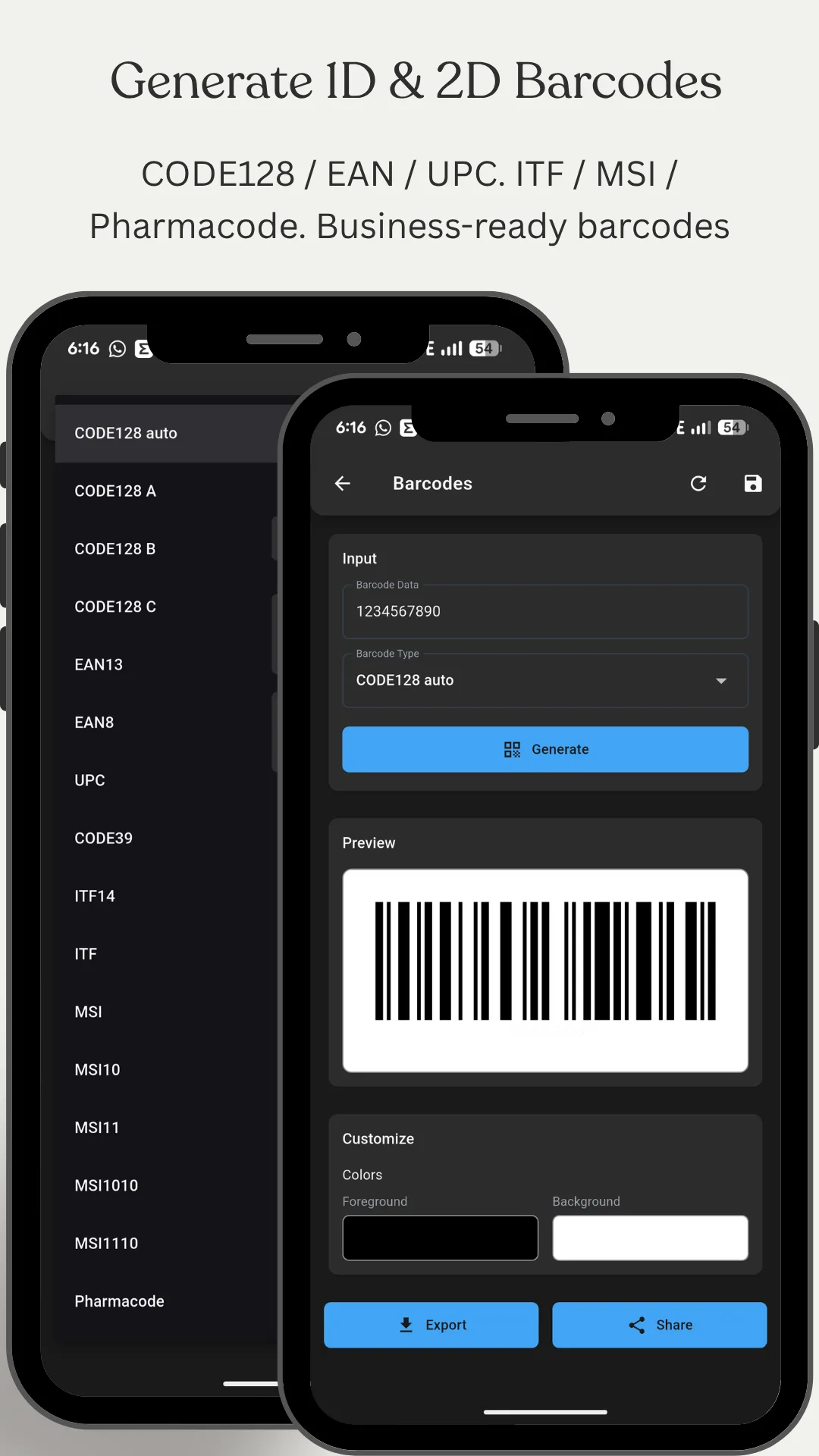
| Barcode formats created | 16 — CODE128 (Auto, A, B and C), EAN‑13, EAN‑8, UPC, CODE39, ITF‑14, ITF, MSI, MSI10, MSI11, MSI1010, MSI1110 and Pharmacode |
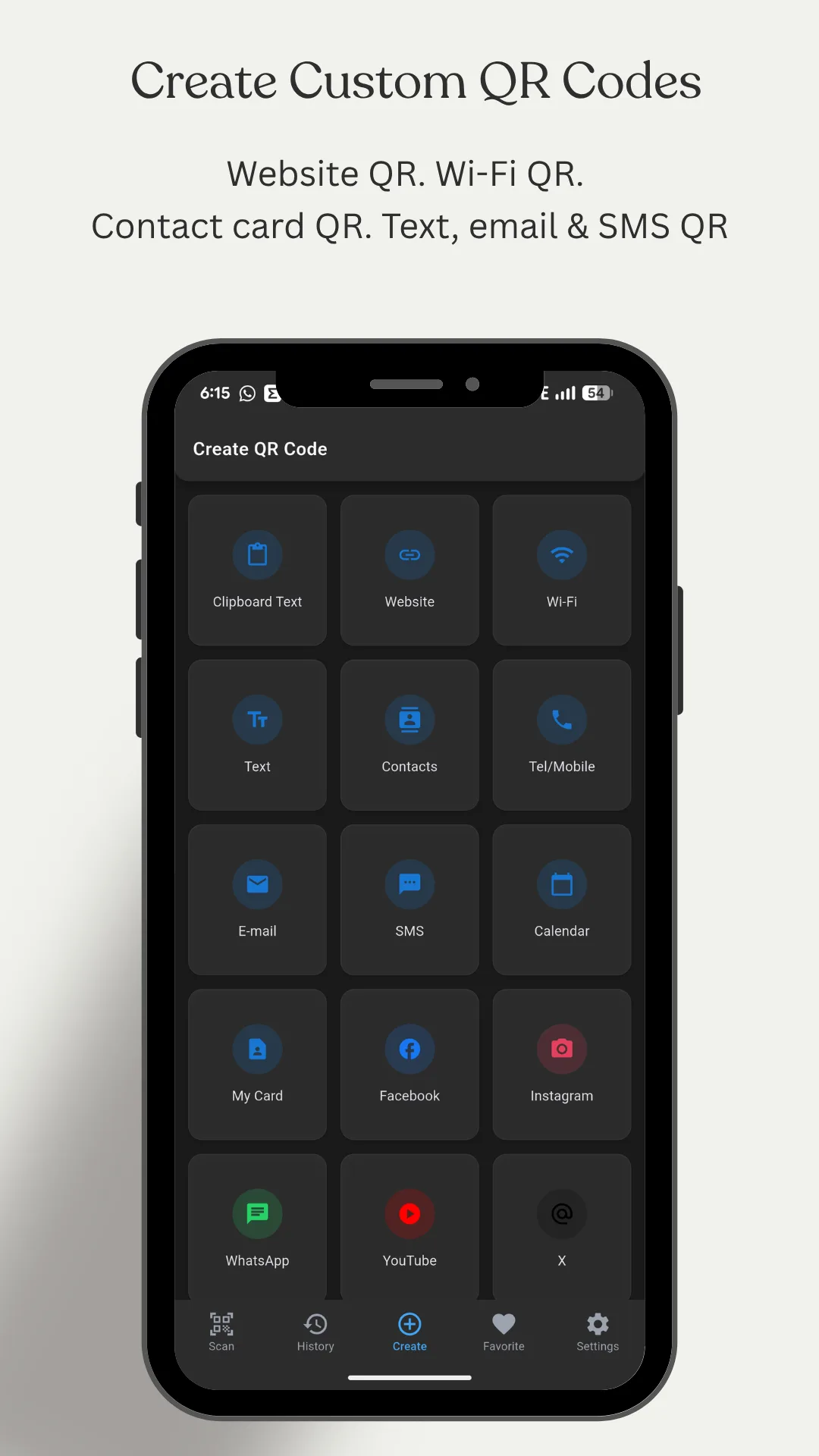
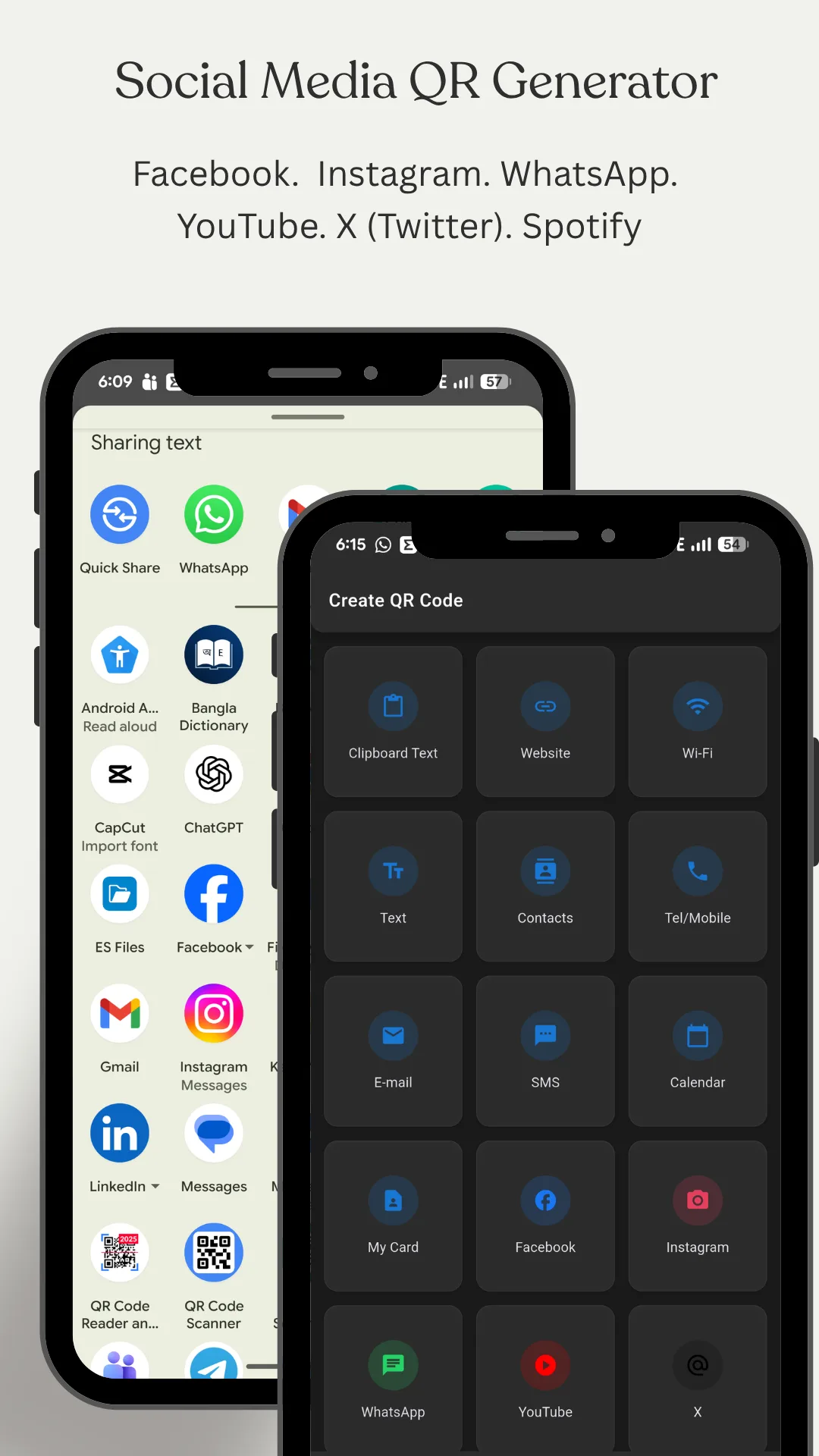
| QR code types created | 15 — website link, plain text, clipboard text, Wi‑Fi network, contact card, “My Card” business card, telephone, email, SMS, calendar event, and profile codes for Facebook, Instagram, WhatsApp, YouTube, X (Twitter) and Spotify |
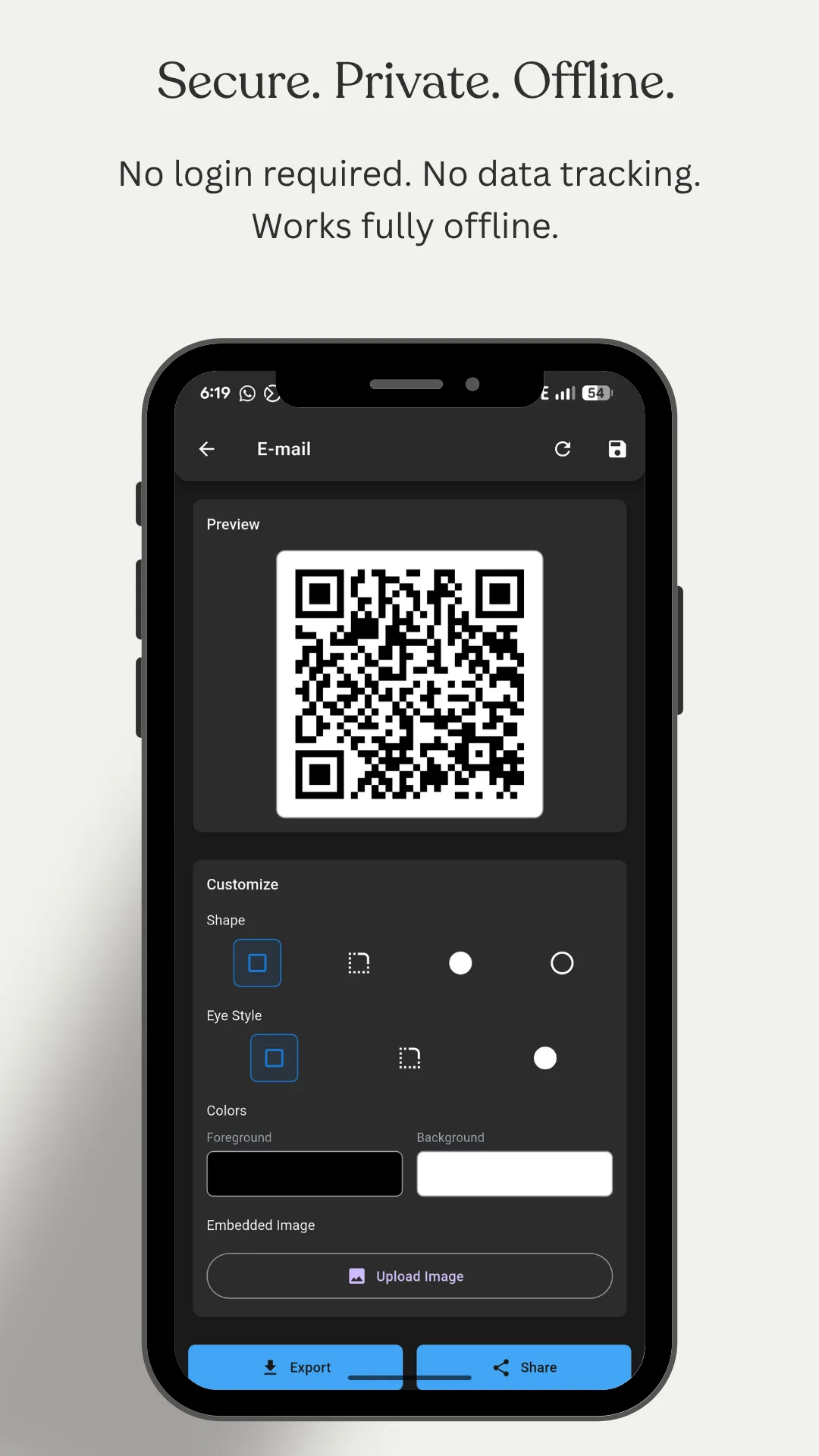
| QR styling | Dot shape, eye style, foreground and background colour, and an embedded logo image in the centre of the code |
| Export | Yes. QR codes and barcodes can be saved to the device as an image or shared straight to another app. |
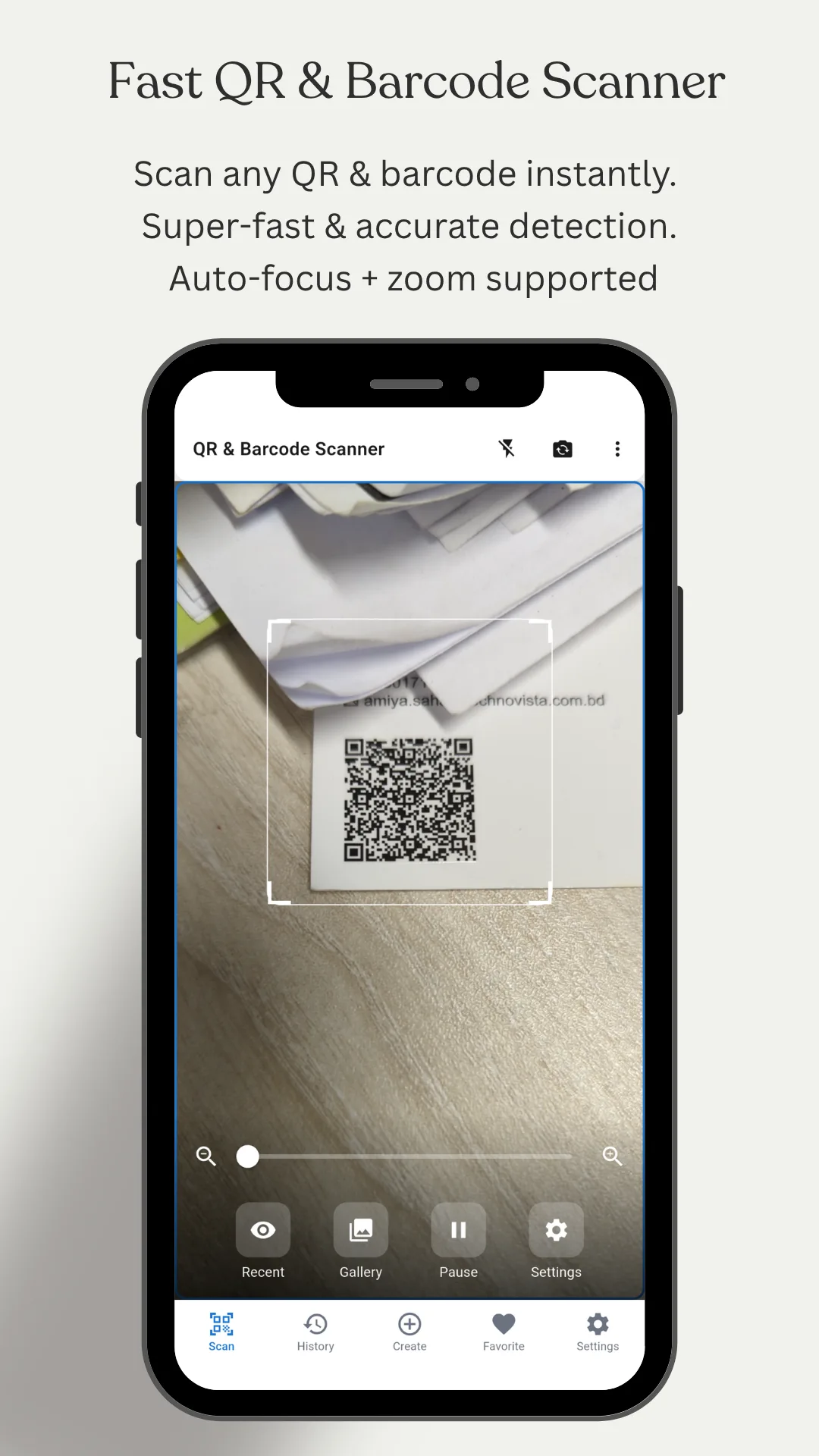
| Scanning | Camera scan with auto‑focus, zoom, overlay guides, a flashlight toggle and a front/back camera switch, plus gallery scan that decodes a code from any saved screenshot or photo |
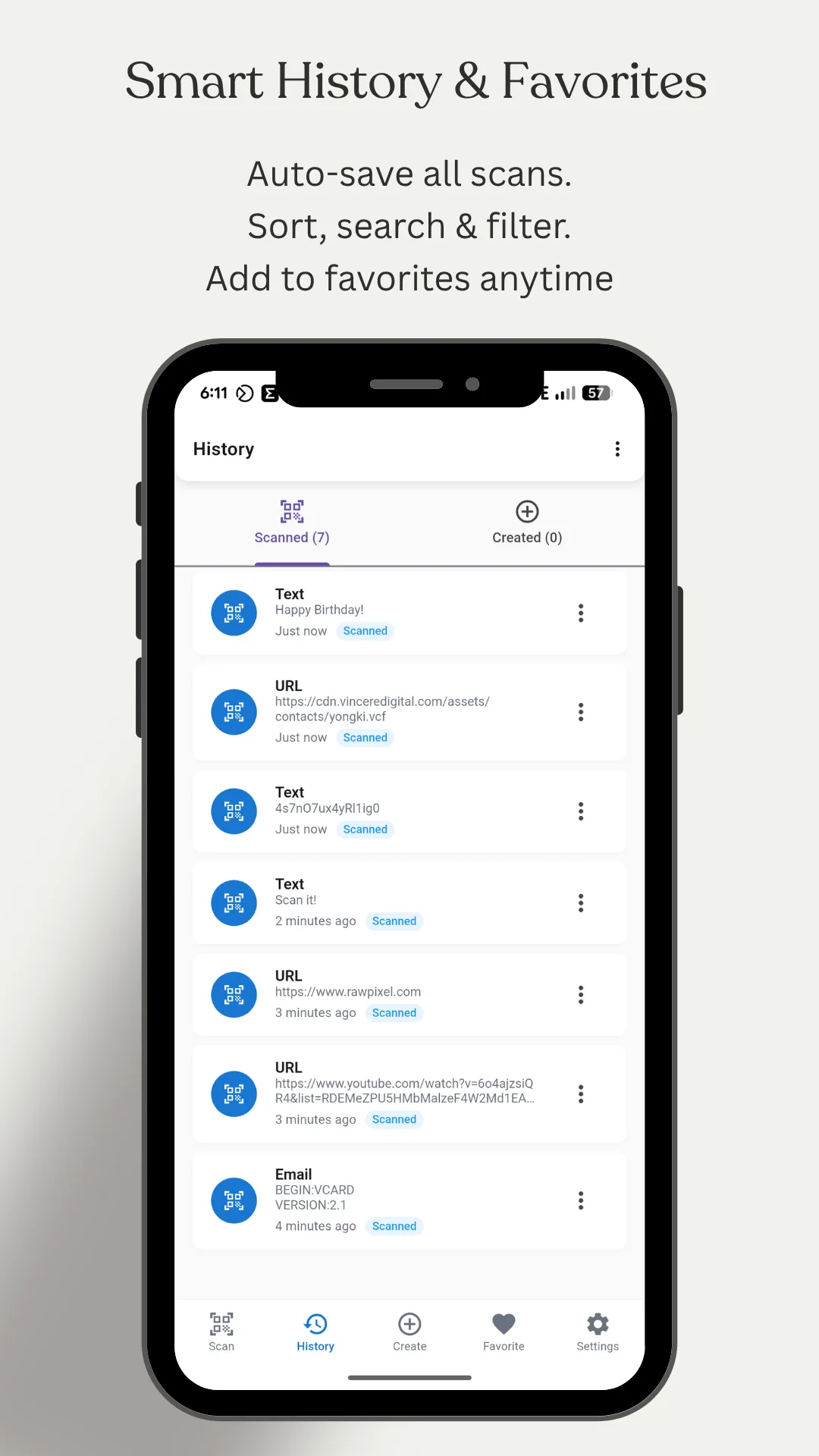
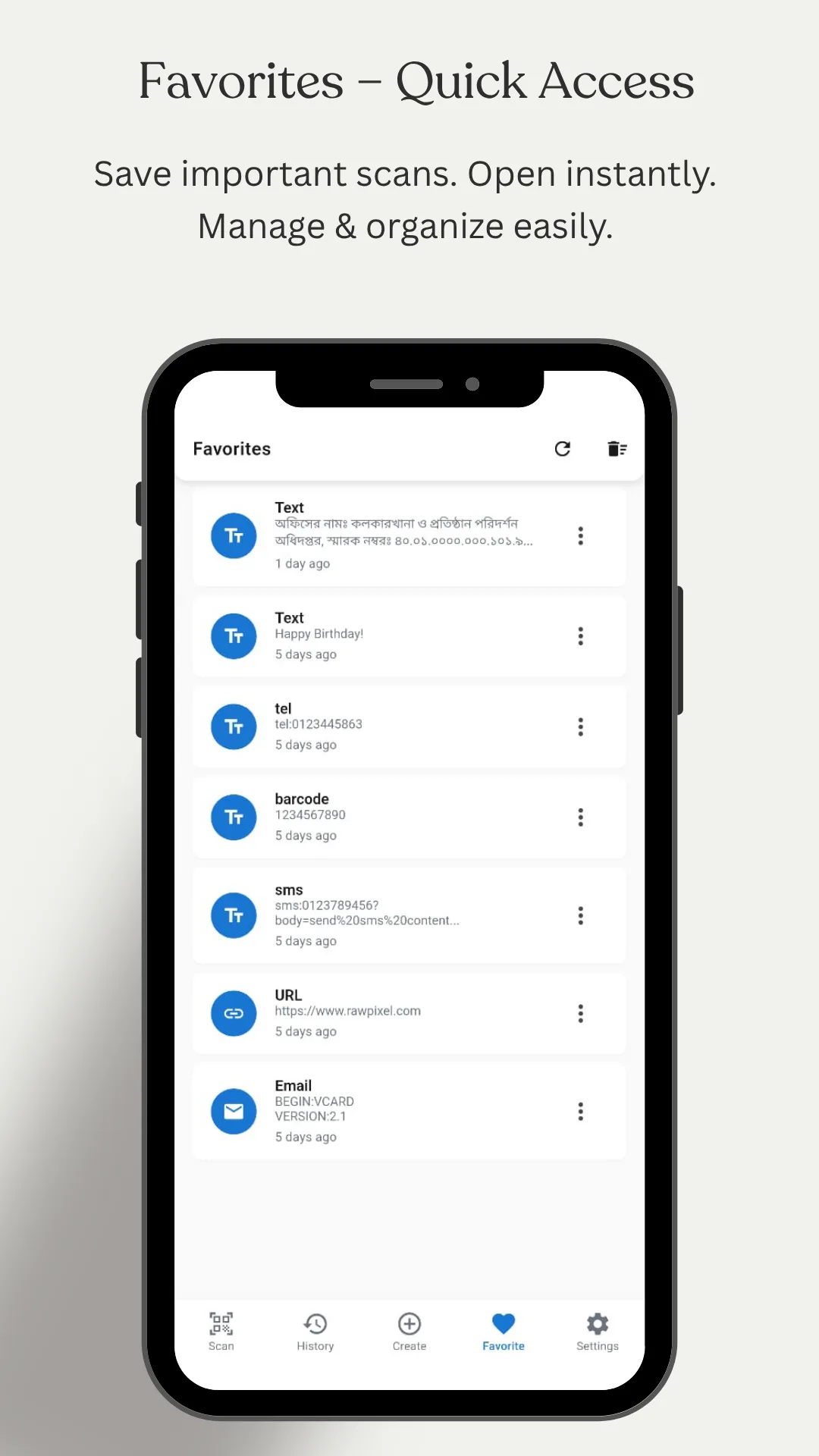
| History | Separate Scan History and Create History, each saved with date, type and content, with search, filter, favourites and delete |
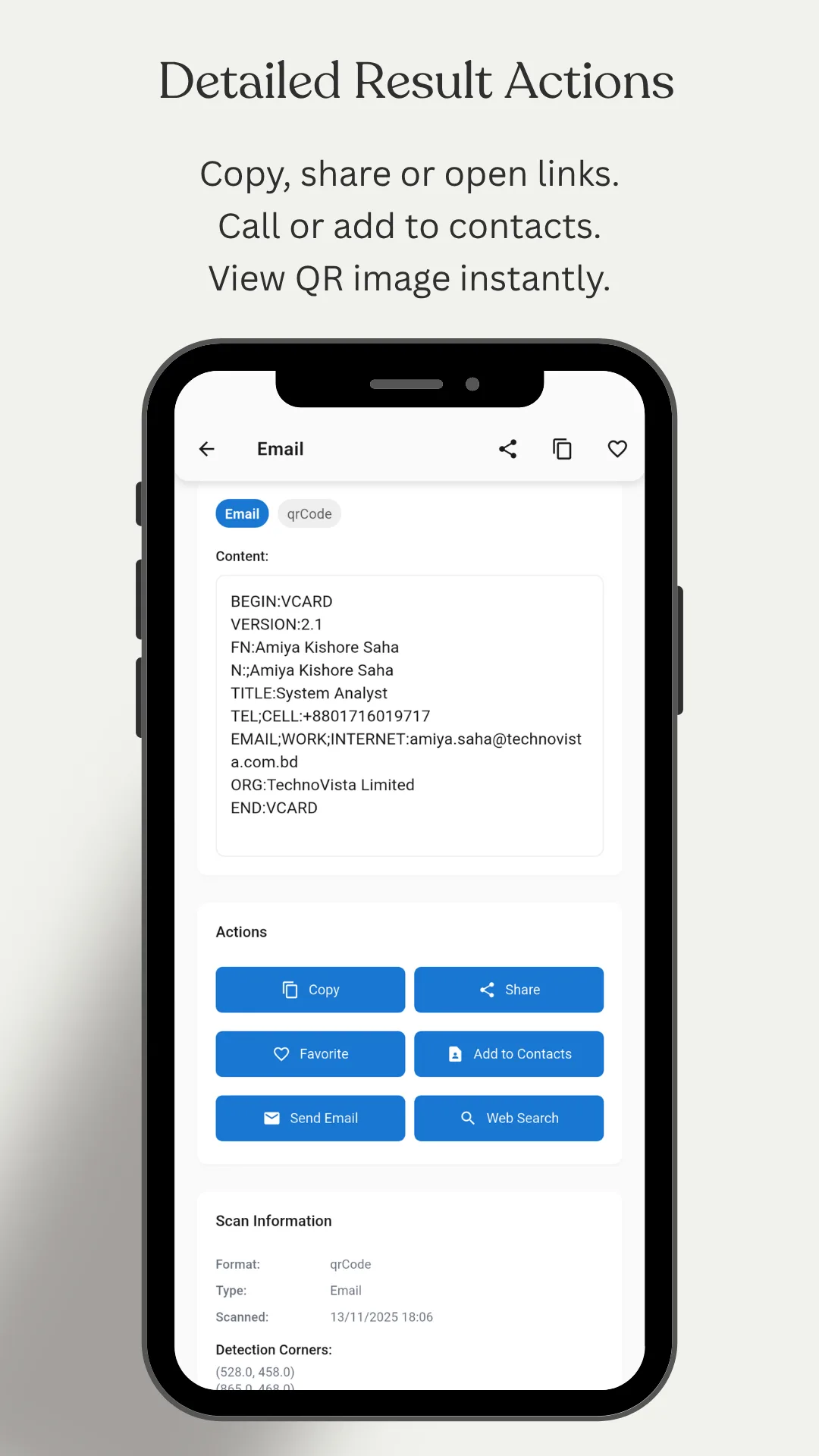
| Result actions | Copy, share, open a link, add to contacts, call, send an SMS, send an email, run a web search, view the code image and mark as favourite |
| Permissions | Camera, used only to scan codes |
| Data collected | None. The Play Data safety card declares no data collected and no data shared with third parties. Scans and created codes stay in local storage on the device. |
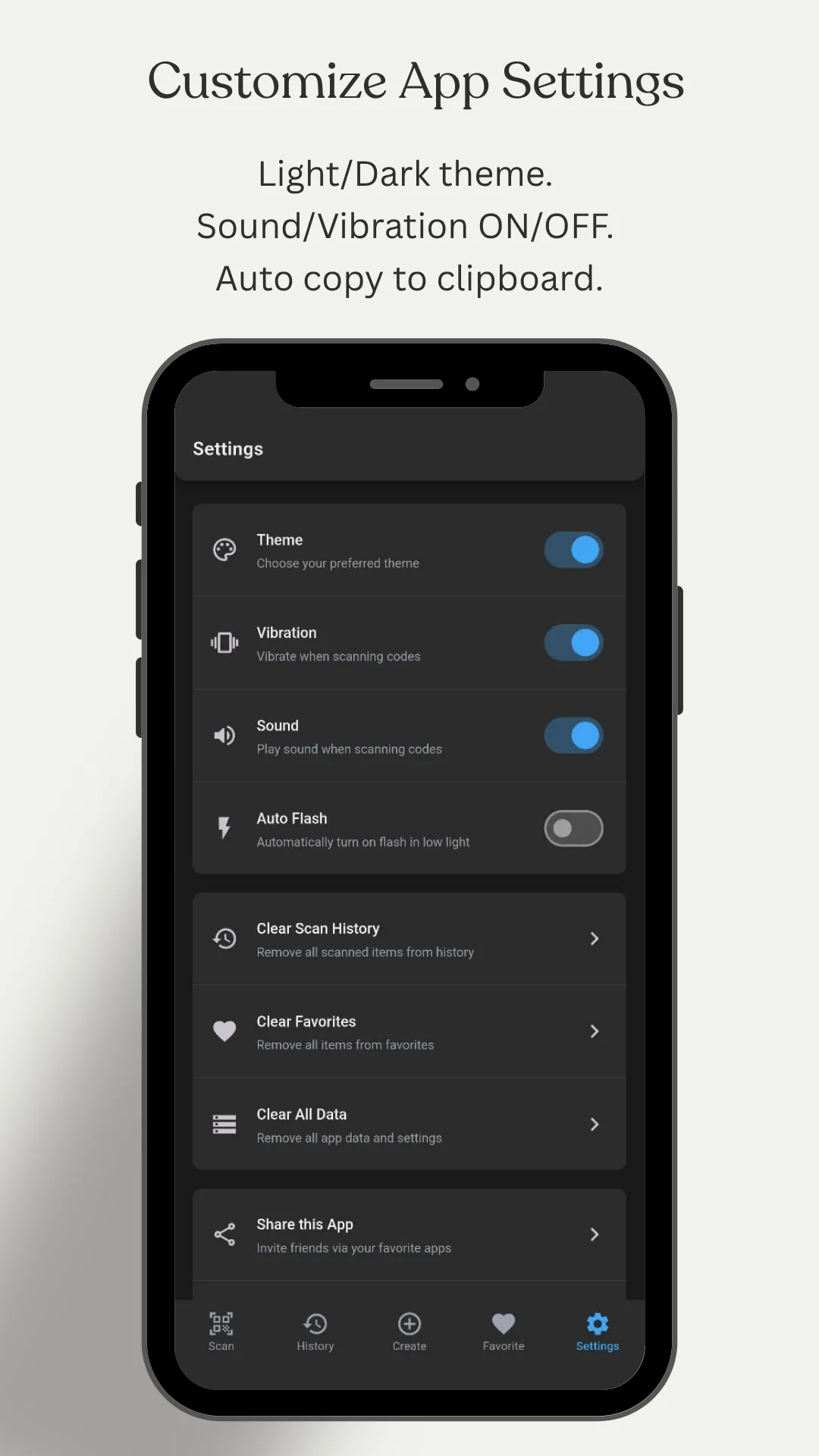
| Themes | Light and dark, with scan sound and vibration toggles and auto‑copy to clipboard |
| Content rating | Everyone |
| Store category | Tools |
| Publisher | NewsMediaLists — onlinewebtoolkit.com |
| Play rating | Not yet rated. The app is new to the store and has not passed the minimum number of ratings Google needs before it shows a star average. |
| Last store update | 27 July 2026 |
Figures verified against the Google Play listing on 20 September 2026
The formats
All 16 barcode formats, and where each one is used
Most QR apps read barcodes but only create QR codes. This one generates the real retail, logistics and pharmaceutical symbologies as well — which is the difference between an app that scans a product and an app that can label one.
| # | Format | Where it is used |
|---|---|---|
| General purpose | ||
| 1 | CODE128 Auto | The general-purpose workhorse. Encodes letters, digits and symbols, and picks the most compact subset automatically. Used for shipping labels, asset tags and internal inventory codes worldwide. |
| 2 | CODE128 A | Uppercase letters, digits and control characters |
| 3 | CODE128 B | Upper and lower case letters, digits and punctuation |
| 4 | CODE128 C | Digits only, packed two per bar pattern — the densest option for long numbers |
| 5 | CODE39 | An older alphanumeric standard still required across defence, automotive and healthcare supply chains, and common on library and asset labels |
| Retail — the code on a product | ||
| 6 | EAN-13 | The 13-digit retail barcode used on consumer products across Europe, Asia, Africa, Australia and Latin America. The first digits identify the issuing country's GS1 organisation. |
| 7 | EAN-8 | The short form of EAN-13, for small packages where a full barcode will not fit |
| 8 | UPC | The 12-digit retail standard of the United States and Canada. A UPC is readable as an EAN-13 with a leading zero, which is why modern tills accept both. |
| Logistics and warehousing | ||
| 9 | ITF-14 | The code printed on shipping cartons and cases — the outer-box equivalent of the EAN-13 on the item inside |
| 10 | ITF | Interleaved 2 of 5, a numeric-only format used on cartons, film packaging and warehouse labels |
| 11 | MSI | Shelf labels and inventory control in retail warehouses, without a check digit |
| 12 | MSI10 | MSI with a single modulo‑10 check digit |
| 13 | MSI11 | MSI with a single modulo‑11 check digit |
| 14 | MSI1010 | MSI with two modulo‑10 check digits |
| 15 | MSI1110 | MSI with a modulo‑11 then a modulo‑10 check digit |
| Pharmaceutical | ||
| 16 | Pharmacode | The Laetus pharmaceutical code, printed on medicine cartons and blister foil for packaging-line verification. It is designed to be read reliably at speed and in any orientation, and almost no consumer app generates it. |
Need one in the browser instead? The same formats are available as free web tools with nothing to install — the barcode generator for 1D codes and the QR code generator for QR. The app exists for the half a browser cannot do: reading a code through the camera, and carrying your codes with you offline.
QR codes
Fifteen kinds of QR code, not just links
A QR code is only a container. What makes one useful is the instruction inside it — join this network, save this contact, add this to your calendar. Each type below writes that instruction in the format phones already know how to act on.
| Type | What happens when someone scans it |
|---|---|
| Wi-Fi | The phone offers to join the network. No password is read aloud, spelled out or written on a card — the single most useful QR code most people ever make. |
| Website | Opens a link. The everyday case: a menu, a form, a product page, a payment page. |
| Text | Shows plain text — a serial number, a note, a code word, an instruction |
| Clipboard | Turns whatever you last copied into a code, without retyping it |
| Contacts | Offers to save a contact card straight into the phone book |
| My Card | Your own details as a reusable digital business card — the one to print on a card, a badge or a shop window |
| Telephone | Opens the dialler with the number already filled in |
| Opens a new email addressed to you, subject included | |
| SMS | Opens a text message to a number, with the message pre‑written |
| Calendar | Offers to add an event with its title, date and time — for invitations, tickets and posters |
| Opens your page or profile | |
| Opens your profile | |
| Starts a chat with your number, so no one has to save it first | |
| YouTube | Opens your channel or a video |
| X (Twitter) | Opens your profile |
| Spotify | Opens a track, album or artist |
Design
A QR code that looks like yours
A black-and-white square works, but it does not look like it belongs to anyone. The design screen changes four things, and a QR code keeps working through all of them because the format carries enough error correction to survive a logo in the middle.
Dot shape
Square, rounded, dotted or extra‑rounded modules. The quickest way to make a code look designed rather than generated.
Eye style
The three large corner squares — the finder patterns a scanner locks onto — can be styled separately from the body of the code.
Colours
Foreground and background, set independently, so the code matches your brand, your packaging or the poster it sits on.
Embedded logo
Upload an image and it sits in the centre of the code. This is the one people search for and most free apps do not offer.
One rule worth knowing. Keep the contrast strong and the logo small. Scanners need dark modules on a light background, so a pale foreground on a dark ground, or a logo covering more than roughly a fifth of the code, is where a stylish QR code stops being a working one. Always scan your finished code with a second phone before you print it — the app's own scanner will do.
How to
How to make a Wi‑Fi QR code
Every guest who visits a café, a rented flat, an office or a family home asks the same question. A printed code on the wall answers it once and for everyone, and nobody has to read out a password made of random characters.
- Open the app and go to the Create tab.
- Choose Wi‑Fi from the grid of code types.
- Enter the network name exactly as it appears in your Wi‑Fi settings — it is case‑sensitive.
- Enter the password, and pick the security type your router uses. WPA/WPA2 covers almost every modern network; choose None only for an open network.
- Tap Generate, then style the code if you want to — colours, dot shape, or your logo in the middle.
- Export it as an image, or share it straight to a printer, a message or a poster file.
- Test it with a second phone before printing. The stock camera app on both Android and iPhone reads Wi‑Fi QR codes without any app installed.
A guest network is the better idea. Anyone who scans the code has your password, and a photograph of the code on a wall is as good as the code itself. Most routers can run a separate guest network with its own password — put that one on the poster and keep your main network to yourself.
Screenshots
What the app looks like
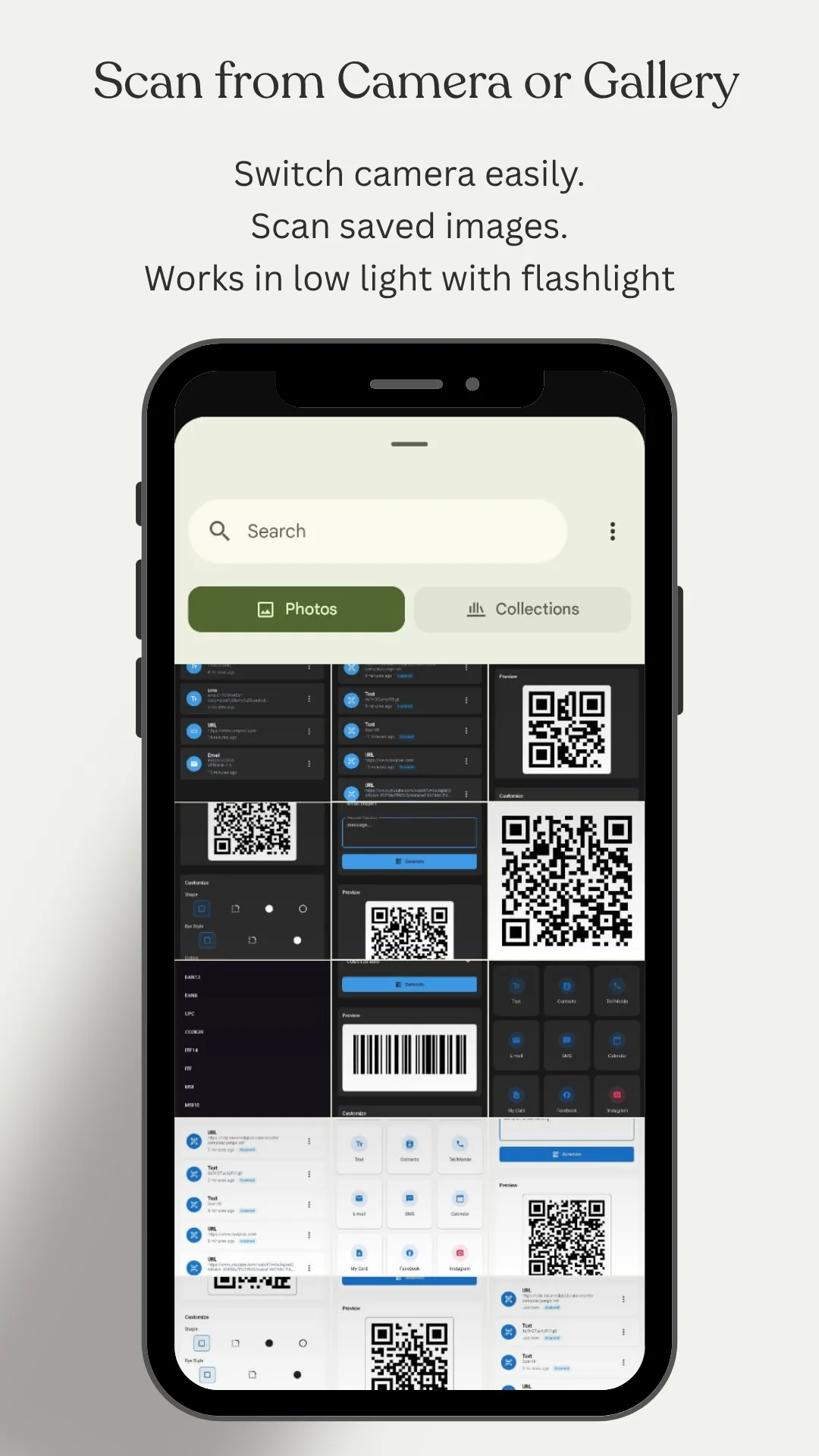
Ten screens from the current release, in the app's dark theme. A light theme is available throughout.
How it differs
Scanning is solved. Creating is not.
Modern phone cameras read a QR code without any app at all, which is why a scanner on its own has little left to offer. What a camera cannot do is make a code — let alone an EAN‑13 for a product, an ITF‑14 for a carton or a Pharmacode for a medicine box.
| Phone camera | Typical free scanner app | QR Scanner & Barcode Generator | |
|---|---|---|---|
| Scan a QR code | Yes | Yes | Yes, with zoom, flashlight and overlay guides |
| Scan from a saved image | Rarely | Sometimes | Yes, from any screenshot or photo |
| Create QR codes | No | Sometimes | 15 types, including Wi-Fi and contact cards |
| Create 1D barcodes | No | Rarely | 16 formats, retail to pharmaceutical |
| Style a code | No | Rarely | Shape, eye style, colours and embedded logo |
| Export as an image | No | Sometimes | Yes, for QR codes and barcodes alike |
| Searchable history | No | Sometimes | Scanned and created, with favourites |
| Ads | — | Usually | None |
| Account | — | Sometimes | None — no sign-up, no login |
| Works offline | Yes | Varies | Yes — scanning and creating both |
What it is not. This is a scanning and code-generation tool. It does not look up product prices, check whether a barcode is registered to a real product, validate a payment QR code, or tell you whether a scanned link is safe. It decodes what the code contains and shows it to you — checking where a link leads before you open it is still your job.
Audience
Who uses this app
A QR code carries no language, so this app works identically everywhere. The people below are in Dhaka, Lagos, São Paulo, Jakarta, Manila, Mexico City, Mumbai, Berlin and Chicago alike.
- Shop and stall owners printing their own product, shelf and price labels in EAN‑13, UPC or CODE128 instead of buying pre-printed ones.
- Café and restaurant owners putting a menu QR code on the table and a Wi‑Fi code on the wall.
- Warehouse and inventory teams generating MSI and ITF‑14 labels for shelves, bins and cartons.
- Pharmacies and packaging lines that need Pharmacode, which almost no consumer app produces.
- Anyone with guests — a home, a rental, an office — who is tired of reading a Wi‑Fi password out loud.
- Freelancers and small businesses putting a contact-card QR on a business card, a badge or a shop window.
- Event organisers checking tickets and passes at the door, offline, where there is no signal.
- Creators sharing a profile or channel as a code on a poster, a slide or a stream overlay.
- Shoppers reading a product barcode, and anyone who has been handed a code and just wants to know what is inside it.
Retail barcodes on this page are the standard in
- United States
- Canada
- United Kingdom
- Germany
- France
- India
- Bangladesh
- Brazil
- Indonesia
- Nigeria
- Philippines
- Vietnam
- Mexico
- Japan
- Australia
- and everywhere else
Questions
Frequently asked questions
Is this QR scanner really free?
Yes. Every feature is free — no ads, no subscription, no in-app purchases.
Does it work without internet?
Yes. Scanning and creating codes both work fully offline. You only need a connection to open a scanned website link.
Can I scan a QR code from a picture I already have?
Yes. Open Gallery scan and pick any screenshot or photo, and the code is decoded from the image.
How do I make a Wi-Fi QR code?
Choose Wi-Fi on the create screen, enter the network name, password and security type, then share or print the code. Anyone who scans it joins without typing the password.
Which barcode types can I create?
CODE128, CODE39, EAN-13, EAN-8, UPC, ITF, ITF-14, MSI in all four check-digit variants and Pharmacode — plus QR codes for text, links, Wi-Fi, contacts, email, SMS, phone, calendar events and social profiles.
Do you collect my data?
No. No data is collected and none is shared with third parties. Your scan history and created codes never leave your phone.
Do I need an account?
No. Install it and start scanning — no sign-up, no email, no permission beyond the camera.
Can I put my logo in the middle of a QR code?
Yes. On the design panel, tap Upload Image and the picture is placed in the centre of the code. QR codes carry enough error correction to stay readable with part of the pattern covered — but keep the logo to roughly a fifth of the code or less, and scan the finished result before you print it.
What is the difference between a QR code and a barcode?
A barcode is one-dimensional: a row of bars read left to right, holding a short number, which is why a shop till reads a product code in a single sweep. A QR code is two-dimensional, read in both directions at once, so it holds far more — a web address, a Wi-Fi password, a whole contact card. Use a barcode to identify a product, and a QR code to hand someone information.
Which barcode format should I use for a product?
EAN-13 for retail almost everywhere, UPC in the United States and Canada, and EAN-8 when the package is too small for a full-length code. For internal stock that never passes a shop till, CODE128 is the practical choice — it takes letters as well as digits. Note that generating a valid-looking EAN or UPC does not register it: selling through retailers means buying a real number range from GS1.
Can I create a barcode for my own shop without registering one?
Yes, for internal use. Labels for your own shelves, stock, bins and price tags only have to be readable by your own scanner, so any CODE128 or MSI code you invent will do. Registration matters only when the product will be scanned by someone else's till.
Is it safe to scan any QR code?
Scanning is safe — decoding a code cannot do anything to your phone by itself. The risk is in what you do next: a QR code can point to a fake payment page or a copied login screen. The app shows you the decoded content before anything opens, so read the address first, and be especially careful with codes stuck over the top of an existing one on a parking meter, a poster or a table.
Does it work on all Android phones?
Yes — Samsung, Xiaomi, Redmi, realme, OPPO, vivo, OnePlus, Motorola, Infinix, Tecno, Nokia, Honor, Poco and Google Pixel, on phones and tablets alike. The only hardware it needs is a camera.
Where are my scanned and created codes stored?
In local storage on the phone, and nowhere else. There is no cloud account and no sync, which also means the history does not follow you to a new device — export anything you want to keep as an image first. Settings has separate controls to clear the scan history, the favourites or all stored data.
Do I need this app if my camera already scans QR codes?
For reading the occasional code, no — a modern Android or iPhone camera handles that. This app is for the other direction: making codes, styling them, generating retail and warehouse barcodes, and keeping a searchable record of everything you have scanned and created.
Publisher
About OnlineWebToolkit
OnlineWebToolkit publishes free browser-based tools and calculators that run in the browser with nothing to install and no account to create. Two of them are this app's direct counterparts: the QR code generator and the barcode generator make the same codes on a desktop, where it is easier to design and print a sheet of them. The app exists for what a browser cannot reach — the camera, and your codes in your pocket with no connection.
Important. QR Scanner & Barcode Generator is a scanning and code-generation tool. It decodes what a code contains and generates codes from what you type. It does not verify that a scanned link, payment request or product is genuine, and it does not register barcode numbers with GS1 or any other authority. Check where a link leads before opening it, and obtain real product numbers from your national GS1 organisation before selling through retailers.
Report a code that will not scan, or a format you need: [email protected]