

Barcode Generator and Download
Generate your Barcode for Free
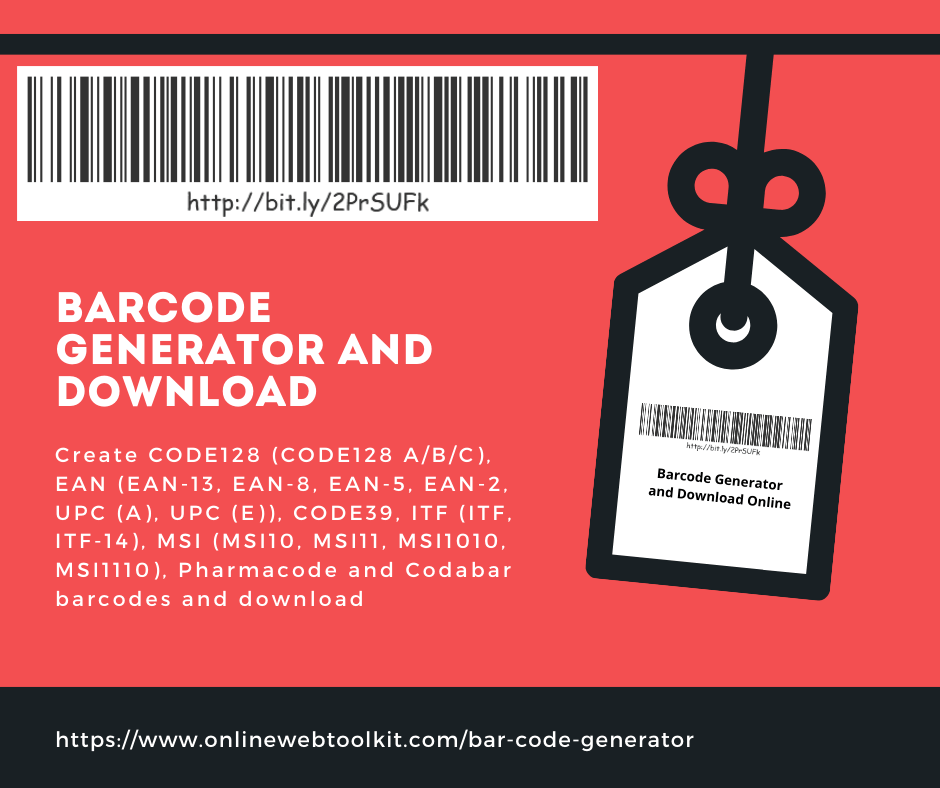
Provide your options for generate Barcode and DownloadProperties
Text Options
FREE ONLINE UTILITY GUIDE
Barcode Generator Online: Create & Download Barcodes in Seconds
Everything you need to know about barcode technology, the major barcode symbologies, real-world use cases, and how to generate a clean, scannable, print-ready barcode with our free Barcode Generator and Download tool — no software, no signup, no cost.
01Barcode Code Generator and Download: Introduction
Walk into any supermarket, pharmacy, warehouse, or courier depot and you will hear the same small, satisfying sound dozens of times a minute: a soft electronic beep as a cashier or picker glides a scanner across a product. That beep represents one of the most quietly transformative technologies of the last century — the barcode. It looks unremarkable, just a strip of black lines and white gaps, yet it underpins nearly every transaction in modern retail, logistics, healthcare, and manufacturing.
Despite how common barcodes are, most people have never had to create one themselves until they needed to label a product, print a shipping tag, manage a small inventory, or set up a point-of-sale system for a new business. That is exactly the gap our free Barcode Generator and Download tool is built to close. Instead of installing bulky desktop software, paying for a subscription barcode maker, or fumbling with fonts that claim to "look like" a barcode but will not actually scan, you can generate a genuine, standards-compliant barcode directly in your browser and download it in seconds, ready to print or embed in packaging artwork, shipping labels, or inventory sheets.
This guide is a complete companion to that tool. We will explain what a barcode actually is at a technical level, how the scanning process works from laser to database, the major barcode symbologies you are likely to encounter (UPC, EAN, Code 128, Code 39, and more), where barcodes are used across industries, the practical benefits they bring to businesses of every size, how barcodes compare to QR codes, and finally a step-by-step walkthrough of using the Barcode Generator and Download tool itself. Whether you are a small business owner labeling your first batch of products, a developer integrating barcode generation into a workflow, or simply curious about the technology behind that familiar beep, this article will give you a thorough, practical understanding of barcodes from first principles to real-world application.
Quick definition: A barcode is a machine-readable representation of data, most often numeric or alphanumeric, encoded as a pattern of parallel lines and spaces (or, in 2D formats, as a grid of dots and squares) that a scanner or camera can read and convert back into digital information almost instantly.
02What Is a Barcode Code?
A barcode is, at its core, a visual encoding system. It takes a piece of information — usually a string of numbers or letters such as a product identifier, a serial number, or a tracking reference — and translates it into a pattern that a machine can read far faster and more reliably than a human could type it. The most familiar form is the one-dimensional (1D) barcode: a series of vertical black bars of varying thickness separated by white spaces of varying width. Each combination of bar and space widths corresponds to a specific character or digit, following a strict set of rules defined by a "symbology" (the technical term for a barcode's encoding standard).
The genius of the barcode lies in its simplicity and redundancy. Because the widths of the bars and spaces are what carry the information, rather than any color or shading, a barcode can be printed in plain black ink on white paper, photocopied, faxed, or printed on a thermal label printer, and still remain scannable. Most symbologies also include a checksum digit, a mathematical safeguard calculated from the other digits, so that a scanner can immediately detect if a barcode has been printed incorrectly, smudged, or misread, and reject the scan rather than accept faulty data.
Barcodes as a Bridge Between Physical and Digital
Perhaps the most useful way to think about a barcode is as a bridge. On one side sits a physical object — a can of soup, a pallet of electronics, a hospital wristband, a library book. On the other side sits a digital record in a database: a price, a product description, stock level, expiration date, patient history, or shipping destination. The barcode is the small, printed key that lets a scanner instantly retrieve the correct digital record for that specific physical object, without anyone needing to type an ID number by hand.
This is why barcodes are sometimes described as "automatic identification and data capture" (AIDC) technology. Before barcodes became standard in the 1970s, retail inventory and pricing were tracked largely by hand: cashiers manually typed prices into registers, and warehouse staff logged stock using paper ledgers. The introduction of the barcode, and the Universal Product Code (UPC) standard in particular, eliminated a huge amount of manual data entry, along with the human error that inevitably came with it.
What a Barcode Actually Encodes
Depending on the symbology and the application, a barcode typically encodes one or more of the following:
- A product identifier — such as a Global Trade Item Number (GTIN) used in retail UPC and EAN barcodes.
- A serial or batch number — used in manufacturing and pharmaceutical traceability.
- A tracking or reference code — used by couriers and postal services to follow a parcel through its journey.
- An asset or inventory tag — used internally by a business to identify equipment, shelving locations, or stock keeping units (SKUs).
- A ticket or credential ID — used for event admission, boarding passes, and membership cards.
Importantly, the barcode itself usually does not contain rich descriptive information like a price or a product name. Instead, it contains a short, unique code that a computer system looks up in a database. This is why the same can of soda might be priced differently in two different stores, even though it carries an identical barcode: the barcode identifies the product, while the price is looked up separately by the store's point-of-sale system.
03How Barcode Technology Works
Understanding how a barcode is actually read helps explain why the technology is so fast and so reliable. The process involves three distinct stages: illumination and reflection, signal decoding, and database lookup.
Step 1: Illumination and Reflection
A barcode scanner, whether a dedicated laser scanner, a handheld CCD (charge-coupled device) reader, or a smartphone camera running scanning software, works by shining light across the barcode and measuring how much of that light bounces back. White spaces reflect most of the light back to a sensor; black bars absorb most of the light and reflect very little. As the scanner sweeps across the barcode, or as a camera captures a full image of it, it effectively records a profile of light and dark intensity across the pattern.
Step 2: Signal Decoding
That reflected-light profile is converted into an electrical signal, which is then measured for timing: how long each "dark" or "light" pulse lasts corresponds to how wide each bar or space is. Because every barcode symbology has strict, predefined rules about what combinations of bar and space widths represent which characters, the scanner's internal decoder can translate the pulse pattern back into the original digits or letters. This decoding also usually validates a checksum digit, a value mathematically derived from the rest of the code, to confirm the scan was accurate before accepting it. If the checksum does not match, the scanner will typically reject the read and prompt for a re-scan rather than pass along corrupted data.
Step 3: Database Lookup
Once the scanner has confidently decoded the barcode into a string of characters (for example, a 12-digit UPC number), that string is sent to a connected system, such as a point-of-sale terminal, a warehouse management system, or an inventory database. The system looks up that specific code and retrieves the associated record: product name, price, remaining stock, supplier information, or whatever data has been linked to that identifier. This entire process, from the scanner's beam crossing the barcode to a price appearing on a register screen, typically happens in a fraction of a second.
1D vs. 2D Scanning
Traditional laser scanners are built specifically to read one-dimensional barcodes by sweeping a beam in a straight line across the bars. Two-dimensional barcodes, such as QR codes or Data Matrix codes, cannot be read this way because they store information both horizontally and vertically. Instead, they require an imaging scanner or camera that captures the entire pattern as a picture, then uses image-recognition algorithms to locate finder patterns (distinctive squares or markers) within the code, correct for any rotation or skew, and decode the full grid of data cells. This is part of why 2D barcodes generally need a camera-based scanner or a smartphone rather than a simple laser wand.
04Various Types of Barcode Codes, With Examples and Application
The term "barcode" actually covers a whole family of encoding standards, called symbologies, each designed for a different purpose. Some are optimized for retail products, others for shipping logistics, others for compact alphanumeric data, and still others for storing much larger amounts of information in a small 2D grid. Below is a practical tour of the symbologies you are most likely to encounter, along with a real example of each and where it is typically used.
UPC (Universal Product Code)
The UPC is the barcode most people picture when they hear the word "barcode." It is a 12-digit numeric code used almost universally on retail products in the United States and Canada. The first six digits typically identify the manufacturer, the next five identify the specific product, and the final digit is a checksum used to verify the scan. Example: a box of cereal might carry a UPC such as 036000291452, uniquely identifying that product and its package size to any point-of-sale system in North America.
EAN (European Article Number / International Article Number)
EAN-13 is essentially the international counterpart to the UPC, used throughout Europe, Asia, and most of the rest of the world outside North America. It adds one extra digit, typically a country or region prefix, at the front of the code. Many modern point-of-sale systems can read both UPC and EAN interchangeably. Example: a chocolate bar sold in Germany might carry an EAN-13 code such as 4006381333931, where "400" identifies Germany as the country of registration.
Code 128
Code 128 is a high-density symbology capable of encoding the full ASCII character set, meaning it can represent letters, numbers, and punctuation, not just digits. This flexibility makes it the standard choice for shipping labels, carton labels, and logistics tracking numbers, where a code might combine letters and numbers such as a courier tracking reference. Example: a parcel tracking number like "1Z999AA10123456784" printed on a courier waybill.
Code 39
One of the earliest alphanumeric barcode standards, Code 39 can encode uppercase letters, digits, and a small set of symbols. It is less space-efficient than Code 128 but remains widely used in industrial, military, and automotive settings due to its simplicity and long-standing adoption in legacy systems. Example: an internal asset tag on a factory tool reading "TOOL-0472."
ITF (Interleaved 2 of 5)
ITF is designed for encoding pairs of digits efficiently and is commonly printed directly on corrugated cardboard cartons, where print quality is often lower than on retail packaging. Its thicker bars and forgiving tolerances make it well suited to industrial printing processes. Example: a wholesale carton barcode used by a distribution warehouse to track a case of 24 units.
Codabar
Codabar is an older symbology still found in specific niche applications such as library book identification, blood bank sample tracking, and some courier services, valued for its simplicity and the fact that it does not require a checksum to function reliably.
QR Code (Quick Response Code)
Unlike the previous entries, a QR code is two-dimensional, storing data both horizontally and vertically in a square grid of black and white modules. This gives it dramatically higher data capacity than any 1D barcode, enough to hold an entire website URL, contact card, or Wi-Fi login, all readable with a standard smartphone camera. Example: a restaurant table tag that opens a digital menu when scanned with a phone.
Data Matrix
Data Matrix codes are another 2D format, prized for their ability to remain readable even at very small sizes, sometimes just a few millimeters across. This makes them the standard choice for marking individual electronic components, medical devices, and pharmaceutical blister packs, where space for a label is extremely limited.
PDF417
PDF417 is a "stacked" symbology, essentially several rows of a linear-like barcode combined into one 2D block, offering large data capacity while still being printable in a rectangular strip. It is widely used on driver's licenses, government ID cards, and airline boarding passes, where a significant amount of encoded personal or ticketing data needs to travel with a compact printed document.
| Symbology | Dimension | Typical Data | Common Use Case |
|---|---|---|---|
| UPC-A | 1D | 12-digit numeric | Retail products (North America) |
| EAN-13 | 1D | 13-digit numeric | Retail products (international) |
| Code 128 | 1D | Full ASCII, variable length | Shipping, logistics, packaging |
| Code 39 | 1D | Alphanumeric | Industrial, automotive, defense |
| ITF-14 | 1D | Numeric, even length | Cartons and pallets |
| Codabar | 1D | Numeric + symbols | Libraries, blood banks |
| QR Code | 2D | Text, URLs, binary | Marketing, payments, ticketing |
| Data Matrix | 2D | Alphanumeric, binary | Small parts, electronics, pharma |
| PDF417 | 2D (stacked) | Large text/binary payloads | ID cards, boarding passes |
05Barcode Code Applications and Uses
Barcodes have spread far beyond the supermarket checkout counter. Wherever an organization needs to track a physical object, verify an identity, or move information quickly without manual data entry, there is a good chance a barcode is quietly doing the work. Here is a look at the industries where barcodes have become essential infrastructure.
Retail and Point of Sale
This is the original and still the most visible use case. Every product on a store shelf carries a UPC or EAN barcode that links it to a price, description, and stock count in the store's point-of-sale system, enabling fast checkout and automatic inventory deduction with every sale.
Warehousing and Logistics
Barcodes on cartons, pallets, and shelving locations allow warehouse management systems to track exactly what is stored where, guide pickers through a facility efficiently, and confirm that the correct item has been picked before it ships. Courier companies rely heavily on Code 128 barcodes to track parcels at every handoff point in a delivery network.
Healthcare
Hospitals use barcodes on patient wristbands, medication packaging, and specimen samples to reduce the risk of mismatched treatments. A nurse scanning a patient's wristband alongside a medication barcode before administering a dose is a widely used safety check designed to catch errors before they reach a patient.
Manufacturing
On a factory floor, barcodes track components as they move through assembly, link finished products back to the specific batch of raw materials used to build them, and support recall processes if a defect is later discovered in a particular production run.
Libraries and Document Management
Library books, museum artifacts, and archived documents are frequently tagged with barcodes so that staff can check items in and out, track their location, and maintain accurate records without manually searching a card catalog.
Event Ticketing and Access Control
Concert tickets, conference badges, and transit passes often use barcodes (increasingly paired with QR codes) to verify entry and prevent duplicate use, since a scanned ticket can be instantly flagged as already redeemed.
Asset Tracking
Companies with large fleets of equipment, from laptops to forklifts, use barcode tags to maintain a reliable inventory of company assets, track maintenance schedules, and quickly identify who is responsible for a given item.
06Benefits of Barcode Codes
It is worth pausing on why barcodes became so dominant in the first place. The core value proposition has not really changed since the 1970s: barcodes make it faster and cheaper to move accurate data between the physical world and digital systems. Here are the specific benefits that keep barcodes essential today.
Speed
Scanning a barcode takes a fraction of a second, dramatically faster than manually typing a product code or description. In a busy checkout line or a warehouse with thousands of picks per day, this speed advantage compounds into significant time savings across an entire operation.
Accuracy
Manual data entry is one of the most common sources of error in retail and logistics: a mistyped digit can send an order to the wrong address or ring up the wrong price. Barcodes, combined with checksum digits, reduce misreads dramatically, since a scanner will typically reject an unreadable or invalid code rather than accept incorrect data.
Cost Savings
Barcodes are inexpensive to produce, often costing effectively nothing beyond the ink and label stock already used for packaging. Combined with the labor savings from faster checkout and reduced error-correction, the return on investment for adopting barcode systems is typically very high, even for small businesses.
Inventory Visibility
Because every scan can be logged automatically, businesses gain real-time visibility into stock levels, sales velocity, and reorder timing without manual stocktaking. This visibility supports better purchasing decisions and reduces both stockouts and overstock situations.
Traceability and Recall Management
When a product defect or safety issue is discovered, barcodes linked to batch or lot numbers allow a business to trace exactly which units are affected and where they were shipped, making recalls faster and more targeted rather than blanket and costly.
Scalability
A barcode-based system scales easily from a single small shop to a multinational supply chain, because the underlying standards (UPC, EAN, Code 128, and others) are globally recognized and supported by virtually all point-of-sale and inventory software.
07What Are the Different Ways in Which Barcode Codes Are Used?
Beyond the broad industry categories already covered, it helps to look at barcodes through the lens of the specific job they are doing at any given moment. The same physical barcode symbology can serve very different functional roles depending on context.
Identification
The most basic function of a barcode is simply to say "this specific item is item number X." This applies to a product on a shelf, a patient's wristband, or a piece of equipment in a warehouse.
Tracking and Traceability
Barcodes scanned at multiple points in a journey, for example every time a parcel changes hands between a warehouse, a delivery truck, and a local depot, build a timestamped trail that shows exactly where an item has been and when, which is invaluable for both customer-facing tracking and internal accountability.
Verification and Authentication
A scanned barcode can be checked against a database to confirm that a product is genuine, that a ticket has not already been used, or that a document matches an expected record, helping combat counterfeiting and fraud.
Access Control
Barcoded badges, wristbands, and tickets are commonly used to control entry to events, transit systems, and secure facilities, with a scan either granting or denying access based on real-time validation.
Data Capture at the Point of Interaction
Barcodes let a system capture rich data instantly at the moment it is needed, such as a cashier scanning a product to pull its price, or a nurse scanning a medication to confirm the correct dosage, rather than requiring someone to look up or re-enter that information manually.
Process Automation
In many workflows, a barcode scan can trigger an automated action: updating a stock count, printing a shipping label, marking a task as complete, or advancing a workflow step, removing the need for manual status updates.
08QR Codes vs. Barcodes
Since both barcodes and QR codes are common sights on packaging, receipts, and posters, it is worth clarifying exactly how they differ, since they are not interchangeable despite serving a similar broad purpose of encoding data for a scanner to read.
Traditional (1D) Barcode
- Stores data in one direction, using bar and space widths.
- Typically limited to a short numeric or alphanumeric string (often under 20-25 characters).
- Requires a line-of-sight, straight-line scan across the bars.
- Common in retail pricing, shipping, and inventory systems.
- Cheap, fast, and extremely well established in global supply chains.
QR Code (2D)
- Stores data in a two-dimensional grid, both horizontally and vertically.
- Can hold thousands of characters, including full URLs, contact details, or Wi-Fi credentials.
- Readable at an angle and even if partially damaged, thanks to built-in error correction.
- Common in marketing, mobile payments, restaurant menus, and contactless ticketing.
- Scannable directly with any modern smartphone camera, no dedicated scanner required.
When to Use Which
The right choice depends entirely on the job. If you are labeling a retail product for a global point-of-sale network, a UPC or EAN barcode is the correct, standards-compliant choice, since retail scanning infrastructure worldwide is built around these symbologies. If you want to direct a customer from a printed flyer or product package to a website, a video, or a digital coupon, a QR code is the better fit, since it can encode a full URL and be scanned effortlessly with a phone. In practice, many products now carry both: a 1D barcode for supply chain and checkout purposes, and a QR code for marketing or warranty registration.
Rule of thumb: use a traditional barcode when you need to plug into existing retail or logistics scanning infrastructure; use a QR code when you want to connect a physical object directly to a rich digital experience via a smartphone.
09The Evolution and Accessibility of Barcode Technology
The barcode's story is a useful case study in how a technology moves from expensive specialist equipment to something anyone can use from a laptop browser. The first commercial barcode scan of a retail product, a pack of chewing gum, took place in a supermarket in Ohio in 1974, following years of development around the Universal Product Code standard by industry groups working to standardize retail checkout. At the time, adopting barcode scanning required significant investment: dedicated laser scanners, specialized label printers, and custom software, putting the technology largely out of reach for small businesses.
Through the 1980s and 1990s, barcode scanning hardware became cheaper and more compact, and barcode printing moved from specialist print shops to affordable thermal label printers that a small shop could own outright. The rise of personal computers made it possible to generate and print barcodes locally rather than ordering pre-printed labels from a supplier, and barcode fonts and simple desktop software started to appear, though quality and standards compliance varied significantly.
From Desktop Software to the Browser
The most significant recent shift has been the move of barcode generation from installed desktop applications to browser-based tools. Where once creating a compliant barcode meant purchasing specialized software, installing barcode fonts correctly, or paying a subscription service, modern web technology allows a barcode to be generated instantly in any browser, on any device, with no installation and no cost. This mirrors a broader trend across many categories of everyday digital tools, from image converters to password generators, moving from paid, installed software to instantly accessible, free web utilities.
Why Accessibility Matters
This shift matters most for small businesses, students, hobbyist sellers, and independent creators who need a handful of accurate, scannable barcodes without justifying the cost of enterprise labeling software. A market vendor labeling a new product line, a student completing a logistics assignment, or a small online seller preparing shipping labels can all now generate a correct, standards-compliant barcode in seconds using nothing more than a web browser, then download it as an image ready to drop into packaging artwork or a label template.
Looking ahead, barcode technology continues to coexist and integrate with newer identification methods such as RFID (radio-frequency identification) tags and 2D codes like QR and Data Matrix, each suited to different tradeoffs of cost, range, and data capacity. Rather than being replaced, the humble 1D barcode remains the most cost-effective and universally supported identification method for high-volume retail and logistics, precisely because it requires nothing more than ink on paper and a simple, well-understood scanning process.
10How to Use the Barcode Generator and Download Tool
Our free Barcode Generator and Download tool is designed to get you from a plain data string to a print-ready barcode image in well under a minute, with no account, no installation, and no cost. Here is exactly how to use it.
- Open the tool. Visit onlinewebtoolkit.com/bar-code-generator in any modern browser, on desktop or mobile. No sign-up or installation is required.
- Choose your barcode type. Select the symbology that matches your use case, for example UPC or EAN for a retail product, Code 128 for a shipping or logistics label, or Code 39 for an internal asset tag.
- Enter your data. Type or paste the numeric or alphanumeric value you want encoded, such as a product number, SKU, or tracking reference. The tool will validate that your input matches the length and character rules of the symbology you selected.
- Preview the generated barcode. The tool instantly renders the barcode as a scannable image, so you can visually confirm the bar pattern and the human-readable number printed beneath it before downloading.
- Adjust size or format if needed. Depending on your label size or printer requirements, you can adjust dimensions so the barcode fits cleanly on your packaging, shipping label, or document.
- Download the barcode image. Click download to save the barcode as an image file, ready to insert directly into packaging artwork, a label template, a spreadsheet, or a print job.
- Test the scan before mass production. Before printing a large batch of labels, scan a single test print with a barcode scanner app or handheld scanner to confirm it reads correctly at your intended print size and material.
Pro tip: Always print a test barcode at 100% scale (not "fit to page") and scan it before committing to a full print run. Barcodes that are stretched or shrunk during printing can distort bar widths just enough to cause scan failures, even though they still look correct to the eye.
Because the tool runs directly in your browser, generating a barcode costs nothing and requires no waiting on desktop software to load or a subscription to unlock. This makes it especially practical for small sellers who need to generate a handful of barcodes quickly, students working on inventory or logistics projects, and developers who want to quickly mock up sample barcode data for testing a point-of-sale or inventory application.
12Frequently Asked Questions
Yes. The tool is completely free, requires no account or sign-up, and places no limit on how many barcodes you generate. It runs directly in your browser, so there is nothing to install.
Yes, as long as the correct symbology and a valid data value are used, and the barcode is printed at an appropriate size without distortion. Always test-scan a sample print before running a large batch of labels, especially if you are printing on a home or office printer rather than a professional label printer.
A UPC is a 12-digit code used mainly in North America, while an EAN-13 is its 13-digit international counterpart used across Europe, Asia, and most other regions. Most modern scanners can read both formats interchangeably, and a UPC-A code can typically be represented as an EAN-13 by adding a leading zero.
To sell a product through major retailers, you generally need to obtain an official, licensed GTIN/UPC prefix from GS1, the global standards organization that issues manufacturer identification numbers. Barcodes generated for internal use, such as inventory tracking or a small direct-to-consumer shop, do not require this official registration, but retail-facing products distributed through third-party stores typically do.
Code 128 is the most common choice for shipping and logistics because it can encode both letters and numbers efficiently, making it well suited to alphanumeric tracking numbers used by couriers and postal services.
No. Barcode fonts can be unreliable because they depend on exact character spacing and font installation to render correctly, which can cause scan failures. Generating a barcode as an image with a dedicated online tool avoids this risk entirely, since the bar widths are rendered directly rather than relying on font glyphs.
For most packaging and print use cases, a high-resolution PNG works well and preserves sharp, clean bar edges. If you are inserting the barcode into a vector design file, a scalable format will keep the bars crisp at any size without pixelation.
Many modern scanners and smartphone scanning apps can read a barcode displayed on a screen, similar to how boarding passes are often scanned directly from a phone. However, for permanent product labeling or shipping, printing the barcode on paper or a label is still standard practice for durability and reliability.
The most common causes are printing the barcode at a distorted scale (such as "fit to page" instead of 100% size), using a low-quality or low-resolution printer setting, insufficient white space (quiet zone) around the bars, or selecting a symbology that does not match the length or character type of your data. Regenerating the barcode with the correct settings and test-scanning before a full print run resolves the vast majority of scanning issues.