

Octal Number To Decimal, Hexadecimal, Binary Number Conversion Online Tool
Octal Number To Decimal, Hexadecimal, Binary Number Converter
Provide Octal [0-7] Number To Decimal, Binary, Hexadecimal Number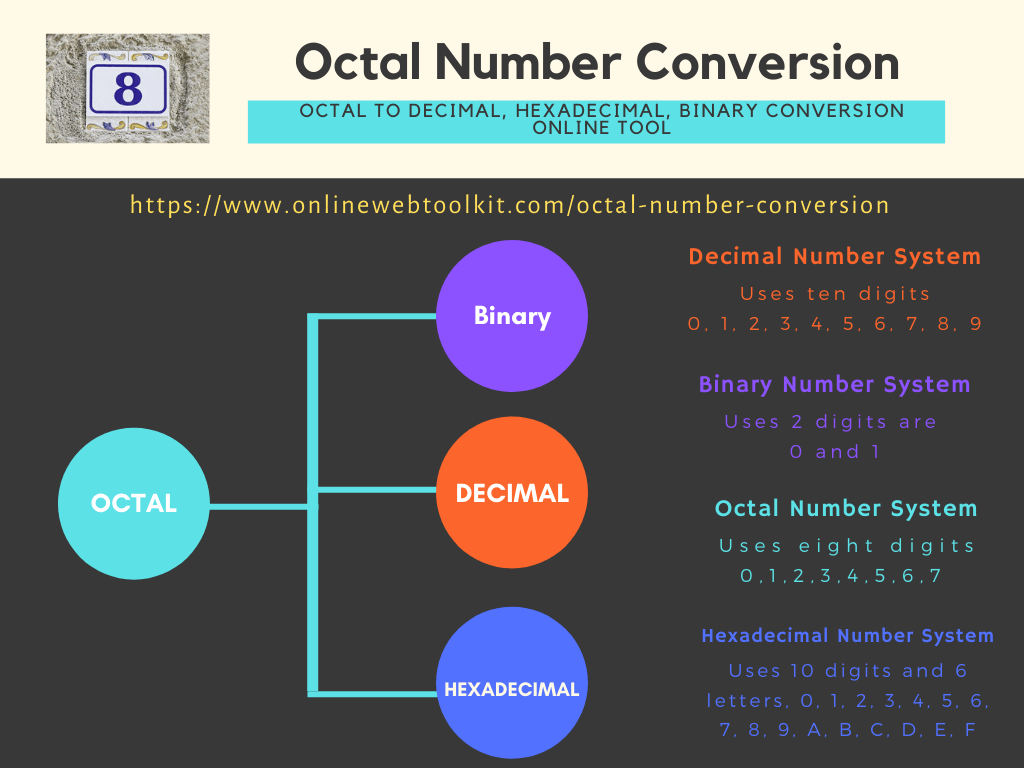
Octal to Decimal, Hexadecimal, and Binary Conversion: The Complete Guide
Unpack base-8 numbers with confidence. Learn how to convert octal values into decimal, binary, and hexadecimal by hand, step by step, and get instant results with our free online converter.
01Introduction
Octal doesn't get nearly as much attention as binary or hexadecimal, but it plays a quiet, persistent role in computing — most visibly in Unix and Linux file permission commands like chmod 755. Built on base-8, octal sits at an interesting midpoint: compact enough to be easier to read than long binary strings, yet directly and cleanly related to binary in a way that decimal never quite manages.
If you've ever run a chmod command without fully understanding what those three digits actually meant, worked through a computer science course that briefly touched on base-8 arithmetic, or simply come across an octal literal like 0o452 in code and wondered how to interpret it, this guide will walk you through everything you need. You'll learn exactly how to convert octal to decimal, octal to binary, and octal to hexadecimal — both by hand, step by step, and instantly using our free online tool.
This article covers what number systems are at a foundational level, how decimal, binary, octal, and hexadecimal each work with worked examples, the exact manual steps for converting octal into the other three bases, a handy reference conversion table, common mistakes to avoid, and how to use our free Octal Number Conversion Tool to get fast, accurate results whenever you need them.
Fig 1.1 — The octal value 234 expressed in decimal, binary, and hexadecimal
Whether you're a system administrator trying to fully understand a set of file permissions, a computer science student encountering base-8 arithmetic for the first time, or a developer maintaining a codebase with legacy octal literals, this guide is written to take you from the underlying theory all the way through to fast, confident, real-world application.
02What Are Number Systems?
A number system (or numeral system) is a defined way of representing quantities using a specific set of digit symbols and positional rules. Every number system has a base (or radix), which determines how many unique digit symbols exist before the system rolls over into a new position. Once you understand a system's base, you understand the core logic behind how it counts and represents values.
Octal has a base of 8, meaning it uses exactly eight digit symbols: 0, 1, 2, 3, 4, 5, 6, and 7. There's no digit "8" or "9" in octal — once you count past 7, you roll over into a new position, exactly the way decimal rolls over from 9 into 10. This rolling-over behavior, known as positional notation, applies identically across decimal, binary, octal, and hexadecimal; only the base and available digit symbols change from one system to another.
The Positional Value Formula
For any number system with base b, a number's value is found by multiplying each digit by the base raised to a power based on its position, then summing the results together:
This single formula underlies every conversion technique covered later in this guide. Apply it with base 8 and you're converting octal to decimal; apply it with base 2 or base 16, and you're doing the same thing for binary or hexadecimal. You're not learning four unrelated systems — you're applying one consistent rule with a different base each time.
Why Octal Sits Between Binary and Hexadecimal
Octal exists as a compact, human-friendly shorthand for binary, in much the same spirit as hexadecimal. Because 8 equals 2³, every single octal digit maps to an exact, unambiguous group of three binary bits — no rounding, no approximation, no exceptions. This tidy relationship made octal especially convenient in early computing systems, where machine word sizes were often built around multiples of 3 bits. Hexadecimal eventually overtook octal in popularity because most modern systems use byte-aligned architectures (multiples of 8 bits), and 8 doesn't divide evenly into groups of 3 — but octal's clean binary relationship still makes it genuinely useful today, most visibly in Unix-style file permission notation.
Decimal (Base-10)
The everyday human counting system, used to display octal conversion results in a familiar format.
Binary (Base-2)
The native language of digital circuits — every octal digit maps to exactly three binary bits.
Octal (Base-8)
Our focus in this guide — a compact base-8 system still used in Unix and Linux file permissions today.
Hexadecimal (Base-16)
The modern successor to octal as binary shorthand, grouping bits into sets of four instead of three.
03Decimal Number System
The decimal number system, or base-10 system, is the numeral system almost everyone learns first, used every day for counting, prices, and measurement. It relies on ten digit symbols — 0 through 9 — with each position representing a power of 10.
Decimal is the format we ultimately convert octal values into whenever we want an immediately recognizable result. Let's break down the decimal number 4,721 to see positional notation at work:
When we convert octal to decimal later in this guide, we're using this exact same positional-value approach, just substituting powers of 8 in place of powers of 10 during the expansion step, then summing to reach a familiar decimal total.
04Binary Number System
The binary number system is a base-2 system using only two digits, 0 and 1, called bits. Binary matters enormously in this guide because octal's entire reason for existing is its tight, exact relationship to binary — every octal digit maps to precisely three binary bits, a shortcut covered in full detail in the conversion steps section below.
Binary is positional just like decimal, except each place value doubles moving left, since the base is 2. Take the binary number 1011:
Fig 4.1 — Bit positions and their corresponding powers of 2 for binary number 1011
Binary strings grow long fast — representing decimal 298 requires nine bits (100101010), which is exactly why octal shorthand is useful: it packs the same information into just three compact digits (as we'll see shortly), making it far easier for a human to read and write by hand.
05Octal Number System
The octal number system is a base-8 system using eight digits: 0, 1, 2, 3, 4, 5, 6, and 7. Since this entire guide focuses on converting octal values, let's take extra care to make sure the mechanics of octal itself are completely clear before moving into conversion.
Let's break down the octal number 452 into decimal using positional notation with base 8:
Octal saw its heaviest use in early computing systems like the PDP-8, where 12-bit and 36-bit machine words divided evenly into groups of 3 bits. Today, its most visible real-world use is in Unix and Linux file permissions — a command like chmod 755 script.sh uses three octal digits to compactly represent read, write, and execute permission bits for a file's owner, group, and other users.
06Hexadecimal Number System
The hexadecimal number system ("hex") is a base-16 system. Since only ten numeric digit symbols exist (0–9), hexadecimal borrows the letters A through F to represent the values 10 through 15, keeping every digit position exactly one character wide.
| Decimal | Hex Digit |
|---|---|
| 10 | A |
| 11 | B |
| 12 | C |
| 13 | D |
| 14 | E |
| 15 | F |
Because 16 equals 2⁴, every hex digit corresponds to a group of 4 binary bits — a "nibble." This is a key detail when converting octal to hexadecimal, because octal's 3-bit grouping and hex's 4-bit grouping don't align directly; the cleanest path between the two, covered in the conversion steps section, actually runs through binary as an intermediate step. Let's convert the hexadecimal value 2F into decimal to see the mechanics:
You've likely already run into hexadecimal in everyday technology: CSS color codes like #B5502F, memory addresses in a debugger like 0x7FFE1A3C, and MAC addresses like 3C:22:FB:9A:1E:0D are all written in hexadecimal because it's compact — a full byte fits into exactly two hex digits.
07Steps for Converting Octal to Decimal, Binary, and Hexadecimal (Manually)
Converting octal into decimal, binary, and hexadecimal uses three distinct techniques. Octal to decimal uses the positional-value (sum of powers) method. Octal to binary uses a direct digit-expansion shortcut, since each octal digit maps to exactly 3 bits. Octal to hexadecimal is best done as a two-step bridge through binary, since octal's 3-bit grouping and hex's 4-bit grouping don't line up directly. All three are covered below with fully worked examples.
Method 1: Octal to Decimal (Positional Value Method)
- Write out each octal digit along with its position, counting from right to left starting at position 0.
- Multiply each digit by 8 raised to the power of its position.
- Sum all the results together to get the final decimal value.
Example 1: Convert Octal 452 to Decimal
This mirrors the exact calculation shown earlier in the Octal Number System section — a good way to confirm you're applying the formula correctly is checking that your independent worked examples always agree.
Method 2: Octal to Binary (Direct Digit-Expansion Shortcut)
Because octal is base-8 and 8 = 2³, converting octal to binary requires no arithmetic at all beyond a simple lookup: each octal digit expands directly into its own unique 3-bit binary group.
- Take each octal digit individually, working left to right.
- Convert each digit into its 3-bit binary equivalent (using values 000 through 111).
- Concatenate the groups in order to form the final binary number.
- Drop unnecessary leading zeros from the very first group only, if desired.
Example 2: Convert Octal 452 to Binary
Notice there's no multiplication or division anywhere in this method — it's a pure lookup-and-combine process, which is exactly why octal-to-binary conversion is so much faster than converting through decimal first. Compare this to the decimal-to-binary process (repeated division by 2), which would take far more steps to reach the identical answer.
Method 3: Octal to Hexadecimal (via Binary Bridge)
Since octal groups bits in sets of 3 and hexadecimal groups bits in sets of 4, there's no direct digit-for-digit shortcut between the two. The cleanest, most reliable method is a two-step bridge: first convert octal to binary (Method 2 above), then regroup that same binary string into sets of 4 bits to read off the hexadecimal digits.
- Convert the octal number to binary first, using the 3-bit expansion shortcut from Method 2.
- Re-pad the resulting binary string with leading zeros if needed so its total length divides evenly into groups of 4.
- Split the binary number into groups of four bits, working from right to left.
- Convert each 4-bit group into its equivalent single hex digit (0–9, A–F).
Example 3: Convert Octal 452 to Hexadecimal
Let's verify this with an independent check: 452 in octal equals 298 in decimal (calculated earlier). Converting 12A in hex back to decimal gives 1×256 + 2×16 + 10×1 = 256 + 32 + 10 = 298 — confirming our bridge conversion is accurate.
Fig 7.1 — Octal 452 converted three ways, showing the binary bridge to hexadecimal
Converting Octal Fractions
Octal numbers with a fractional part convert to decimal using negative powers of 8 for each digit right of the octal point.
For octal-to-binary fractional conversion, the same 3-bit digit expansion shortcut from Method 2 applies directly to digits after the octal point, with no extra arithmetic required.
A Larger, Combined Example: Octal 6216
Let's apply all three methods to a larger octal number to see how they scale.
As a final sanity check, converting hexadecimal C8E back to decimal gives 12×256 + 8×16 + 14×1 = 3072 + 128 + 14 = 3214, exactly matching our octal-to-decimal result — confirming every conversion path in this example agrees.
08Hex / Decimal / Octal / Binary Conversion Table
A quick-reference conversion table is invaluable when you're deciphering file permissions, studying for an exam, or double-checking a manual calculation. Below is a table covering octal values 0 through 24 (decimal 0–20), alongside their decimal, binary, and hexadecimal equivalents. Keeping this small range close at hand covers the majority of lookups you'll need in everyday coursework and system administration tasks.
| Octal | Decimal | Binary | Hexadecimal |
|---|---|---|---|
| 0 | 0 | 000 | 0 |
| 1 | 1 | 001 | 1 |
| 2 | 2 | 010 | 2 |
| 3 | 3 | 011 | 3 |
| 4 | 4 | 100 | 4 |
| 5 | 5 | 101 | 5 |
| 6 | 6 | 110 | 6 |
| 7 | 7 | 111 | 7 |
| 10 | 8 | 001 000 | 8 |
| 11 | 9 | 001 001 | 9 |
| 12 | 10 | 001 010 | A |
| 13 | 11 | 001 011 | B |
| 14 | 12 | 001 100 | C |
| 15 | 13 | 001 101 | D |
| 16 | 14 | 001 110 | E |
| 17 | 15 | 001 111 | F |
| 20 | 16 | 010 000 | 10 |
| 21 | 17 | 010 001 | 11 |
| 22 | 18 | 010 010 | 12 |
| 23 | 19 | 010 011 | 13 |
| 24 | 20 | 010 100 | 14 |
Look closely at the single-digit octal values (0–7) alongside their 3-bit binary equivalents (000–111) — this eight-pair mapping is the single most useful thing to memorize, since it's the exact lookup table behind the digit-expansion shortcut covered earlier in this guide.
09Real-World Applications of Octal Number Conversion
Octal may be less visible than binary or hexadecimal in modern computing, but it still shows up in specific, important contexts. Here's where converting octal to decimal, binary, or hex matters in practice.
Unix and Linux File Permissions
This is by far octal's most common modern use. Commands like chmod 755 or chmod 644 use three octal digits to represent read, write, and execute permission bits for a file's owner, group, and other users — a compact encoding that's directly readable once you understand how each octal digit maps to its underlying binary permission flags.
Legacy Computing Systems
Early computers like the PDP-8 used word sizes that were multiples of 3 bits, making octal a natural, efficient way for engineers and programmers to read and write machine code and memory dumps without dealing with unwieldy binary strings.
Programming Language Number Literals
Many programming languages support octal literals directly in source code — Python uses the 0o prefix (like 0o452), while C-style languages sometimes interpret a leading zero alone (like 0452) as octal, a quirk that has occasionally caused confusing bugs for developers unaware of the convention.
Escape Sequences in Programming
Certain programming and scripting languages allow octal escape sequences to represent characters by their numeric code, such as \101 representing the letter "A" in some C-style string literals — a holdover from octal's early role as a compact way to represent binary character codes.
Older Terminal and Printer Control Codes
Before ASCII documentation standardized around decimal and hexadecimal notation, many early terminal and printer manuals described control codes and character sets using octal values, since the underlying hardware often processed data in 3-bit-aligned groups. Technicians maintaining or documenting legacy equipment sometimes still encounter these octal-based references today, making a working knowledge of octal-to-decimal conversion genuinely useful in specialized IT and electronics repair contexts.
Fig 9.1 — Octal conversion in real-world computing contexts
10Common Mistakes to Avoid When Converting Octal Numbers
- Using digits 8 or 9 in an octal number. Octal only allows digits 0 through 7 — a number like "489" isn't a valid octal value, since 8 and 9 don't exist in base-8.
- Trying to convert octal to hex without going through binary. Because octal groups bits in sets of 3 and hex groups bits in sets of 4, there's no direct digit-for-digit shortcut. Skipping the binary bridge step is one of the most common errors beginners make.
- Forgetting to re-pad after bridging through binary. Once you've expanded octal digits into 3-bit binary groups, you often need to add leading zeros before regrouping into 4-bit sets for hexadecimal — skipping this step misaligns every group boundary.
- Confusing octal literals with decimal in code. In some programming languages, a number written with a leading zero (like
0452) is silently interpreted as octal rather than decimal, which can produce unexpected values if the developer isn't aware of the convention. - Writing two-character values for hex digits 10–15 during the binary bridge. A 4-bit group like 1010 converts to the single hex digit A, not "10" — this trips up beginners in both the decimal-to-hex and octal-to-hex conversion processes.
- Skipping verification. Always cross-check your final answer, either by converting it back to octal or by comparing intermediate results (like the decimal value) across different conversion paths, as shown in the worked example above.
- Assuming octal and decimal "look similar" enough to guess. Because octal only uses digits 0–7, a value like octal 100 looks deceptively close to decimal 100, but it actually equals decimal 64. Never assume an octal number's decimal value by visual similarity — always work through the positional formula.
11Why Octal Exists: A Brief History
Octal's story is tightly connected to the physical hardware of early computers. In the 1950s and 1960s, many machines — most notably Digital Equipment Corporation's PDP-8 — used memory word sizes built around multiples of 3 bits, such as 12-bit or 36-bit words. For engineers programming and debugging these systems directly in machine code, octal offered a natural, compact way to read and write binary data without the tedium of long strings of 0s and 1s.
As computing architecture standardized around 8-bit bytes in the 1970s and beyond — largely driven by systems like the Intel 8080 and its successors — hexadecimal became the more natural shorthand, since 8-bit bytes divide evenly into two 4-bit hex digits, while they don't divide evenly into 3-bit octal groups. This architectural shift is the main reason hexadecimal gradually overtook octal in mainstream popularity throughout the 1970s and 1980s.
Octal never fully disappeared, though. Unix, developed in the early 1970s at Bell Labs, adopted octal for its file permission system, and that design decision has persisted for more than fifty years, making chmod commands the primary place most people encounter octal numbers today — even if they've never formally studied base-8 arithmetic.
Octal vs. Hexadecimal: Which Should You Use?
For most modern purposes, hexadecimal is the more practical choice, since it aligns naturally with 8-bit byte boundaries and is far more widely supported across programming languages, debuggers, and documentation. However, octal still has a genuine edge in a handful of specific situations. If you're working with Unix or Linux file permissions, octal is simply the required format — there's no hexadecimal equivalent in common use for chmod. If you're studying or maintaining legacy hardware built around 3-bit or multiples-of-3-bit word sizes, octal remains the more natural fit for reading raw machine code. And in certain programming contexts involving escape sequences or older C-style numeric literals, recognizing octal syntax is essential simply to avoid misreading a number's intended value.
In short: default to hexadecimal for general-purpose binary shorthand, but keep your octal skills sharp for file permissions, legacy systems, and any codebase where a stray leading zero might silently change how a number is interpreted. Knowing both systems well, and understanding exactly when each one is the right tool, is what separates a confident systems-level thinker from someone who simply memorizes commands without understanding what they actually do under the hood.
12Key Features of Our Octal Number To Decimal, Hexadecimal, Binary Number Conversion Online Tool
Manual conversion builds real understanding, but when you need a fast, dependable answer, our Octal Number to Decimal, Hexadecimal, Binary Conversion Tool delivers it instantly. Here's what makes it a reliable everyday utility for students, developers, and system administrators alike — especially anyone who regularly needs to bridge octal values through binary to reach an accurate hexadecimal result without doing the two-step math by hand.
Instant, Real-Time Conversion
Type an octal number and see its decimal, binary, and hexadecimal equivalents update immediately — no page reloads, no waiting.
Multi-Base Support
Convert octal to decimal, binary, and hexadecimal all at once, so you don't need three separate tools for three separate bases.
Input Validation
Automatically flags invalid digits (any 8 or 9), helping you catch typos before they lead to an incorrect result.
Free, Private & No Sign-Up
No account, subscription, or installation required. All conversions run directly in your browser with no data stored on our servers.
Mobile-Friendly Design
Fully responsive layout that works smoothly on desktops, tablets, and smartphones, so you can convert values wherever you're working.
One-Click Copy
Copy any converted value straight to your clipboard, ready to paste into your terminal, code editor, or documentation.
Unlike a general scientific calculator that requires manually switching modes to see one base at a time, this tool is purpose-built specifically for cross-base conversion — including the binary-bridge logic needed for accurate octal-to-hexadecimal results. That focus means faster, more reliable answers without any of the extra clutter of unrelated calculator functions.
Whether you're a system administrator verifying a file permission value, a computer science student working through a base-8 arithmetic assignment, or a developer maintaining code that touches legacy octal literals, having a dedicated converter that handles the binary-bridge logic automatically saves real time compared to working through the two-step process by hand every time.
13How to Use the Octal Number To Decimal, Hexadecimal, Binary Number Conversion Online Tool
Getting a conversion from our Octal Number to Decimal, Hexadecimal, Binary Conversion Tool takes just a few seconds. Here's the full walkthrough:
- Open the tool by visiting onlinewebtoolkit.com/octal-number-conversion in any browser — desktop or mobile.
- Enter your octal number into the input field, using only digits 0 through 7.
- View the results instantly. The decimal, binary, and hexadecimal equivalents appear automatically as you type — there's no separate "Convert" button needed for basic use.
- Copy the value you need using the copy icon next to each result field, ready to paste directly into your terminal, code editor, or notes.
- Clear and repeat for as many numbers as you need to convert — the tool has no daily limits or usage caps.
Tips for Getting the Most Out of the Tool
A few small habits make the converter even more useful in daily work. Keep it open in a separate browser tab whenever you're working with Linux file permissions — pasting in an octal chmod value and instantly seeing its binary breakdown makes it far easier to understand exactly which read, write, and execute bits are actually set. Use it to double-check homework or exam practice by working a conversion out manually first, then verifying your answer against the tool's output before a test. And if you're studying legacy computing architecture, try converting a range of octal values to binary to build an intuitive feel for how 3-bit groupings work — the tool gives instant feedback while you experiment, letting you focus on building intuition rather than double-checking arithmetic by hand.
Try the Converter Now
Skip the manual math and get accurate decimal, binary, and hexadecimal conversions in seconds.
Open the Free Tool →14Frequently Asked Questions
Multiply each octal digit by 8 raised to the power of its position (counting from 0 on the right), then add all the results together. Our free online converter performs this instantly for any octal value.
Expand each octal digit directly into its 3-bit binary equivalent and combine the groups in order. This works because 8 equals 2 to the 3rd power, so no arithmetic is required beyond a simple lookup.
Octal groups binary digits in sets of three while hexadecimal groups them in sets of four, so the two don't align digit-for-digit. The reliable approach is to convert octal to binary first, then regroup that binary string into sets of four to read off the hex digits.
Each permission category (owner, group, others) uses exactly three binary flags for read, write, and execute access, and octal's 3-bit digit grouping maps perfectly onto that structure, making permissions compact to write and read.
Only the digits 0 through 7 are valid in octal. Any number containing an 8 or a 9 is not a valid octal value and should be flagged as an error rather than processed.
While hexadecimal has largely replaced octal as the preferred shorthand for binary in most modern contexts, octal remains actively relevant for Unix and Linux file permission notation, along with certain legacy systems and programming language escape sequences.
Many languages use a leading 0o prefix, such as 0o452 in Python. Some older C-style languages instead interpret a plain leading zero as an octal indicator, which can occasionally cause confusion if a developer didn't intend that interpretation.
Yes, octal fractions convert to decimal using negative powers of 8 for each digit after the octal point, following the same positional-value logic used for whole octal numbers.
Not reliably. Because octal groups bits in sets of three and hex groups bits in sets of four, there's no clean digit-for-digit shortcut between the two, and attempting a direct mental conversion without the binary bridge is a common source of errors.
The largest 3-digit octal number is 777, which equals 7×64 + 7×8 + 7×1, or 511 in decimal — a useful reference point when working with Unix file permission values, which are always expressed as 3-digit octal numbers.