

Decimal Number To Hexadecimal, Binary, Octal Number Conversion Online Tool
Decimal To Hexadecimal, Binary, Octal Number Converter
Provide Decimal [0-9] Number to Convert Binary, Octal, Hexadecimal Number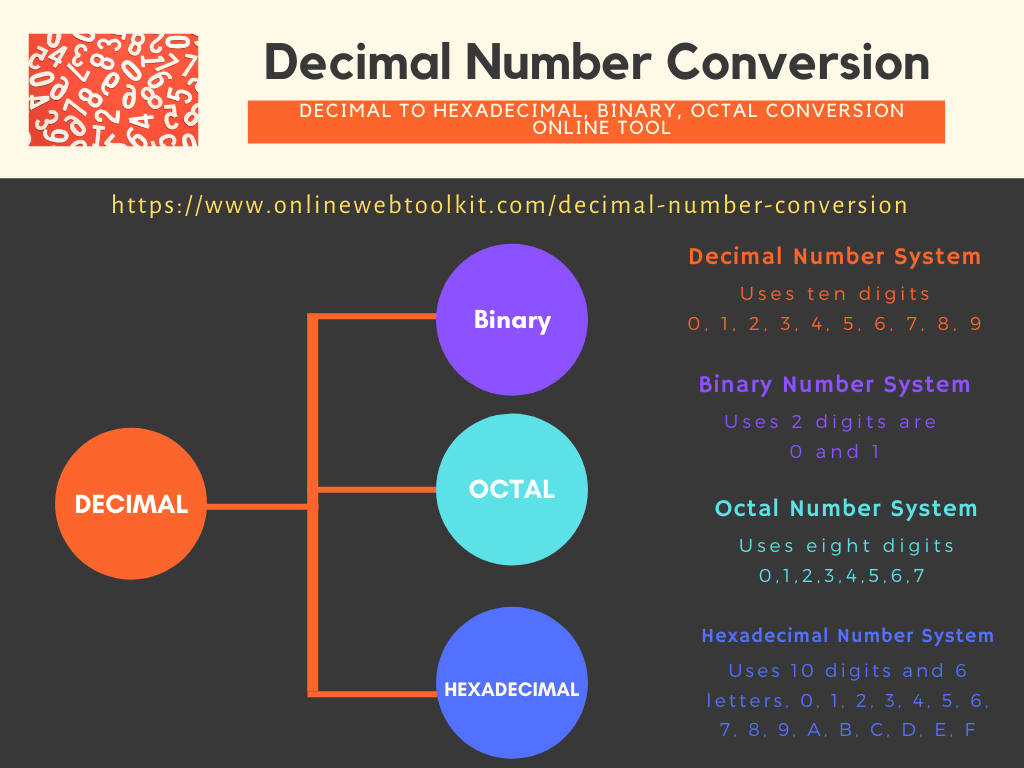
Decimal Number To Binary, Octal and Hexadecimal Number Conversion Online Tool
Decimal to Hexadecimal, Binary, and Octal Conversion: The Complete Guide
Understand how computers represent numbers, learn to convert decimal values by hand step by step, and get instant, accurate results with our free online converter.
01Introduction
Every number you type into a calculator, every price tag, and every page number in a book is written in the decimal number system — the base-10 system built around the ten digits 0 through 9. It feels so natural that most people never stop to think of it as a "system" at all. But step behind the screen of any computer, smartphone, or microcontroller, and decimal disappears almost entirely. In its place you'll find binary, octal, and hexadecimal — number systems that machines, programmers, and network engineers rely on every single day.
If you have ever seen a color code like #F2994A in a CSS file, a memory address like 0x7FFE1A3C in a debugger, or a file permission like 755 in a Linux terminal, you have already encountered hexadecimal and octal numbers without necessarily knowing how they relate back to the decimal values you understand intuitively. Converting between these systems by hand is a foundational skill in computer science, electronics engineering, and networking — and it is also exactly the kind of repetitive, error-prone arithmetic that a well-built online tool can solve in a fraction of a second.
This guide walks through everything you need to know about decimal to hexadecimal, binary, and octal conversion. You'll learn what number systems actually are, how each one works internally, the manual math behind converting a decimal value into the other three bases (with fully worked examples), a handy reference conversion table, and how our free Decimal Number Conversion Tool can do all of this instantly whenever you need it — whether you're studying for a computer science exam, debugging code, configuring network subnets, or simply curious about how computers "think" in numbers.
Fig 1.1 — The same value, 156, expressed in four different number systems
02What Are Number Systems?
A number system (also called a numeral system) is simply an agreed-upon way of representing numbers using a specific set of symbols and rules. Every number system is defined by its base (or radix) — the count of unique digits it uses before it "rolls over" into a new place value. The base tells you how many distinct symbols are available at each position of a number.
For example, the decimal system has a base of 10 because it uses ten symbols: 0, 1, 2, 3, 4, 5, 6, 7, 8, 9. Once you reach 9 and need to represent "one more," you roll over to a new digit position and write 10. This idea of positional value — where the same digit means something different depending on where it sits in the number — is the backbone of every number system discussed in this guide.
Positional Notation Explained
Every digit in a number carries a place value determined by its position and the base of the system. In general, for a number system with base b, the value of a number is calculated as:
This single formula explains decimal, binary, octal, and hexadecimal alike — only the base b and the digit symbols change. Understanding this one idea makes every conversion technique in this article far easier to follow, because you're not memorizing four unrelated tricks; you're applying the same logic with a different base each time.
Why Do Multiple Number Systems Exist?
Humans settled on base-10 largely because we have ten fingers — an accident of biology that became a cultural standard. Computers, on the other hand, are built from electronic switches (transistors) that only have two reliable states: on and off. That physical reality makes binary (base-2) the natural language of digital electronics. Octal and hexadecimal exist as convenient "shorthand" for binary, because both 8 and 16 are powers of 2, which makes converting between them and binary mechanically simple — a property decimal does not share.
A Brief History of Number Systems
Long before binary and hexadecimal existed, ancient civilizations experimented with a variety of bases. The Babylonians famously used a base-60 (sexagesimal) system, a legacy that still survives today in how we divide hours into 60 minutes and circles into 360 degrees. The Mayans used a base-20 (vigesimal) system, likely influenced by counting on both fingers and toes. Base-10 decimal became the dominant human system largely because of its natural fit with our ten fingers, and it spread globally through trade, mathematics, and eventually standardized education.
Binary itself has surprisingly old roots — the philosopher and mathematician Gottfried Wilhelm Leibniz formalized the base-2 system in the late 17th century, long before electronic computers existed, partly inspired by binary patterns he observed in the ancient Chinese I Ching. It wasn't until the 20th century, with the invention of electronic switching circuits, that binary found its true purpose as the operating language of digital machines — and octal and hexadecimal followed shortly after as practical shorthand notations for engineers working directly with those binary-based systems.
Decimal (Base-10)
The everyday counting system used by humans worldwide for arithmetic, money, and measurement.
Binary (Base-2)
The native language of digital circuits, processors, and memory — built from just 0s and 1s.
Octal (Base-8)
A compact grouping of binary digits, historically popular in early computing and Unix file permissions.
Hexadecimal (Base-16)
The most common shorthand for binary today, used in memory addresses, color codes, and debugging.
03Decimal Number System
The decimal number system, also called the base-10 system, is the numeral system almost every human being learns first. It uses exactly ten digits — 0, 1, 2, 3, 4, 5, 6, 7, 8, and 9 — and each position in a decimal number represents a power of 10.
Consider the number 4,721. Reading from right to left, each digit sits in a place value that is ten times larger than the one before it:
This expanded form is called positional (or place-value) notation, and it's the exact same logic — just with base 10 — that we'll reuse for binary, octal, and hexadecimal later in this guide. Decimal is intuitive for humans because of lifelong familiarity, but it has no special mathematical relationship to how digital circuits store data, which is exactly why computers use binary internally and only convert to decimal when displaying results to a user.
04Binary Number System
The binary number system is a base-2 system that uses only two digits: 0 and 1. These two digits are commonly referred to as bits (short for "binary digits"), and they map directly onto the physical on/off, high-voltage/low-voltage states inside transistors, making binary the fundamental language of all digital computing hardware.
Just like decimal, binary uses positional notation — but each place value is now a power of 2 instead of a power of 10. Take the binary number 1011 as an example:
Fig 4.1 — Bit positions and their corresponding powers of 2 for binary number 1011
Binary numbers grow long quickly — the decimal value 255, for example, needs eight binary digits (11111111) to represent. This is precisely why octal and hexadecimal exist: they let humans write and read long binary sequences far more compactly, while still preserving an exact, effortless relationship to the underlying bits.
05Octal Number System
The octal number system is a base-8 system that uses eight digits: 0, 1, 2, 3, 4, 5, 6, and 7. Because 8 is a power of 2 (2³), every single octal digit corresponds exactly to a unique group of three binary bits — which makes octal a convenient, compact stand-in for binary.
Let's break down the octal number 452 into its decimal equivalent using positional notation with base 8:
Octal was especially popular in early computing (systems like the PDP-8) because word sizes were often multiples of 3 bits. Today its most common real-world use is in Unix and Linux file permissions, where a command like chmod 755 file.sh uses octal digits to represent read, write, and execute permissions for the owner, group, and others in a compact three-digit form.
06Hexadecimal Number System
The hexadecimal number system (often shortened to "hex") is a base-16 system. Since we only have ten numeric digits (0–9), hexadecimal borrows the first six letters of the alphabet — A, B, C, D, E, F — to represent the values 10 through 15. So a full hexadecimal digit set looks like this: 0, 1, 2, 3, 4, 5, 6, 7, 8, 9, A, B, C, D, E, F.
| Decimal | Hex Digit |
|---|---|
| 10 | A |
| 11 | B |
| 12 | C |
| 13 | D |
| 14 | E |
| 15 | F |
Because 16 is 2⁴, every single hex digit corresponds exactly to a group of 4 binary bits (a "nibble"), which makes hexadecimal by far the most efficient and widely used shorthand for binary in modern computing. Let's convert the hexadecimal number 2F into decimal:
Hexadecimal shows up constantly in everyday technology: CSS and design tools use it for color codes like #178C82, debuggers and low-level programming use it for memory addresses like 0x7FFE1A3C, and networking tools use it to display MAC addresses like 3C:22:FB:9A:1E:0D. Its compactness (a byte fits in exactly two hex digits) is why programmers reach for it constantly instead of writing out long binary strings.
07Steps for Converting Decimal to Binary, Octal, and Hexadecimal (Manually)
All three conversions — decimal to binary, decimal to octal, and decimal to hexadecimal — use the exact same underlying technique: repeated division by the target base, reading the remainders from bottom to top. Once you understand this method for one base, you already understand it for all three; only the divisor changes.
The Division-Remainder Method
- Divide the decimal number by the target base (2 for binary, 8 for octal, 16 for hexadecimal).
- Record the remainder — this becomes one digit of your answer.
- Replace the number with the quotient from that division.
- Repeat steps 1–3 until the quotient reaches 0.
- Read the remainders from bottom to top (last remainder first) to get the final converted number.
Example 1: Convert Decimal 156 to Binary
Notice how the remainders are always either 0 or 1 — that's guaranteed, because you're dividing by 2, and any number divided by 2 leaves a remainder of either 0 or 1. Reading those remainders in reverse order (from the last division back to the first) gives you the finished binary number.
Example 2: Convert Decimal 298 to Octal
Here the remainders can range from 0 to 7 because we're dividing by 8. This matches the earlier example in the Octal Number System section, where we converted octal 452 back to decimal 298 — confirming the two conversions are perfect inverses of each other.
Example 3: Convert Decimal 47 to Hexadecimal
When a remainder is 10 or higher, it must be written using the corresponding hex letter (A–F) instead of a two-digit decimal number. This trips up beginners frequently — remember, 15 becomes F, not "15," because hexadecimal digits are always single characters.
A Larger, Combined Example: Decimal 3214
Let's convert one larger number into all three target bases to see the method scale up.
Fig 7.1 — The same repeated-division method applied with three different divisors
Converting the Fractional Part of a Decimal Number
Real-world numbers aren't always whole. To convert the fractional portion of a decimal number, you use a mirrored technique called repeated multiplication: multiply the fraction by the target base, record the integer part that "spills over" as the next digit, then repeat with just the new fractional remainder.
Unlike the whole-number method, fractional conversion reads its digits top to bottom, not bottom to top. Also note that some decimal fractions never terminate cleanly in binary (for example, 0.1 in decimal becomes an infinitely repeating binary fraction), which is a well-known source of floating-point rounding behavior in programming languages.
Verifying Your Conversion (The Reverse Check)
Every conversion technique in this guide has a natural built-in check: convert your answer back to decimal using the positional notation formula from earlier, and confirm you land on the original number. This habit catches arithmetic slips before they cause real problems, whether that's a wrong answer on a homework set or a broken bitmask in production code.
This same reverse-check approach works identically for octal and hexadecimal results — simply substitute base 8 or base 16 into the positional formula. Making this a habit is especially valuable when converting numbers by hand under time pressure, such as during an exam or a live coding interview.
08Hex / Decimal / Octal / Binary Conversion Table
Keeping a quick-reference conversion table handy saves time when you're working through code, network configurations, or homework problems. Below is a table covering decimal values 0 through 20, along with their binary, octal, and hexadecimal equivalents — the range most people need to memorize or reference most often.
| Decimal | Binary | Octal | Hexadecimal |
|---|---|---|---|
| 0 | 0000 | 0 | 0 |
| 1 | 0001 | 1 | 1 |
| 2 | 0010 | 2 | 2 |
| 3 | 0011 | 3 | 3 |
| 4 | 0100 | 4 | 4 |
| 5 | 0101 | 5 | 5 |
| 6 | 0110 | 6 | 6 |
| 7 | 0111 | 7 | 7 |
| 8 | 1000 | 10 | 8 |
| 9 | 1001 | 11 | 9 |
| 10 | 1010 | 12 | A |
| 11 | 1011 | 13 | B |
| 12 | 1100 | 14 | C |
| 13 | 1101 | 15 | D |
| 14 | 1110 | 16 | E |
| 15 | 1111 | 17 | F |
| 16 | 10000 | 20 | 10 |
| 17 | 10001 | 21 | 11 |
| 18 | 10010 | 22 | 12 |
| 19 | 10011 | 23 | 13 |
| 20 | 10100 | 24 | 14 |
A useful pattern to notice: since 16 = 2⁴, every hexadecimal digit maps neatly onto exactly four binary bits. This means you can convert binary to hex (or hex to binary) by grouping bits into sets of four from right to left, without ever going through decimal at all — a huge shortcut for programmers working with byte-level data.
09Real-World Applications of Number System Conversion
Number system conversion isn't just an academic exercise — it shows up constantly across technology fields. Here are some of the most common places you'll run into binary, octal, and hexadecimal in daily practice.
Software Development & Debugging
Memory addresses, pointers, and register values in debuggers are almost always displayed in hexadecimal because it's compact and maps cleanly onto bytes. Bitwise operations, flags, and permission masks in languages like C, Python, and JavaScript frequently use binary or hex literals directly in source code.
Web Design & CSS
Every hex color code you've ever used in a stylesheet — like #178C82 — is a hexadecimal representation of red, green, and blue intensity values, each ranging from 0 to 255 in decimal (00 to FF in hex).
Networking
IP subnetting calculations often require converting decimal octets into binary to determine network and host portions of an address. MAC addresses are displayed in hexadecimal pairs, and understanding binary is essential for working with subnet masks and CIDR notation.
Operating Systems & File Permissions
Unix and Linux systems use octal notation for file permissions (e.g., chmod 644), where each digit represents a combination of read, write, and execute bits for owner, group, and others.
Digital Electronics & Embedded Systems
Microcontroller registers, memory-mapped I/O, and hardware datasheets are documented almost exclusively in hexadecimal and binary, since these formats mirror the physical bit layout of the hardware being programmed.
Cryptography & Data Integrity
Hash functions like MD5 and SHA-256 output their results as long hexadecimal strings, since hex compactly represents raw binary hash data in a form that's easy to copy, compare, and display in logs or version control systems. Cryptographic keys, digital certificates, and checksums used to verify file integrity are almost always shown in hexadecimal for the same reason.
Aviation, GPS & Aircraft Identification
Aircraft transponders broadcast a unique four-digit octal code called a squawk code to air traffic control, allowing controllers to instantly identify and track individual flights on radar. Similarly, ICAO 24-bit aircraft addresses used in ADS-B tracking systems are represented in hexadecimal, illustrating how deeply embedded these "computer" number systems have become in real-world infrastructure well beyond software development.
Fig 9.1 — Number system conversion in everyday technology contexts
10Common Mistakes to Avoid When Converting Number Systems
- Forgetting to reverse the remainders. The division-remainder method always requires reading results from bottom to top — the last remainder calculated is the first (leftmost) digit of your answer, not the last.
- Writing two-digit remainders in hexadecimal. A remainder of 10–15 must be converted to its single letter equivalent (A–F). Writing "10" instead of "A" is one of the most frequent beginner errors.
- Mixing up multiplication and division methods. Whole numbers use repeated division; fractional parts use repeated multiplication. Applying the wrong method to the wrong part of a number produces garbage results.
- Dropping leading zeros where they matter. In fixed-width contexts like byte representations (8 bits) or color channels (2 hex digits), leading zeros are significant and should not be omitted — 5 in an 8-bit byte is
00000101, not just101. - Confusing octal with decimal in code. In many programming languages, a number literal beginning with a leading zero (like
012) is interpreted as octal, not decimal — this can silently produce unexpected values if you're not aware of it. - Skipping verification. Always double-check a manual conversion by converting your answer back to decimal. If you don't arrive back at the original number, you know there's an arithmetic error somewhere in the chain.
11Binary, Octal & Hexadecimal in Programming Languages
Most modern programming languages let you write numeric literals directly in binary, octal, or hexadecimal, using a special prefix so the compiler or interpreter knows which base to interpret the digits in. Recognizing these prefixes is essential for reading other people's code and for writing low-level logic like bitmasks, flags, and color values without manually converting to decimal first.
| Language | Binary Prefix | Octal Prefix | Hex Prefix |
|---|---|---|---|
| Python | 0b | 0o | 0x |
| JavaScript | 0b | 0o | 0x |
| C / C++ | 0b* | 0 | 0x |
| Java | 0b | 0 | 0x |
| Rust | 0b | 0o | 0x |
For example, the decimal value 156 — the same number we converted step by step earlier in this guide — could be written directly in code as 0b10011100 (binary), 0o234 (octal, in Python-style syntax), or 0x9C (hexadecimal), and every one of these literals evaluates to exactly the same underlying value at runtime.
This is especially useful when working with bitwise operators such as AND (&), OR (|), XOR (^), and bit shifts (<<, >>). Writing a permissions flag as 0b00000101 instantly communicates which individual bits are set, something a plain decimal value like 5 hides from anyone reading the code without doing the mental conversion themselves.
012) signals octal, not decimal — a legacy quirk that has caused real production bugs when developers accidentally left a leading zero on what they intended as a plain decimal number.12Key Features of Our Decimal Number Conversion Online Tool
Manual conversion is a great way to understand the math, but when you need fast, error-free results, our Decimal Number to Hexadecimal, Binary, Octal Conversion Tool is built to handle it instantly. Here's what makes it a reliable everyday utility for students, developers, and engineers alike.
Instant, Real-Time Conversion
Type a decimal number and see its binary, octal, and hexadecimal equivalents update immediately — no page reloads, no waiting.
Multi-Base Support
Convert decimal to binary, octal, and hexadecimal all at once, so you don't need three separate tools for three separate bases.
Accurate for Large Numbers
Handles very large decimal values reliably, avoiding the rounding or overflow issues that can trip up manual calculation or spreadsheet formulas.
Free, Private & No Sign-Up
No account, subscription, or installation required. All conversions run directly in your browser with no data stored on our servers.
Mobile-Friendly Design
Fully responsive layout that works smoothly on desktops, tablets, and smartphones, so you can convert numbers wherever you're working.
One-Click Copy
Copy any converted value straight to your clipboard, ready to paste into your code editor, terminal, or document.
Unlike a basic scientific calculator, which typically only shows one base at a time and requires manual mode-switching, this tool is purpose-built specifically for cross-base conversion. That focus means faster results, a cleaner interface, and none of the extra clutter of unrelated calculator functions you don't need when all you want is a quick, dependable answer.
13How to Use the Decimal Number Conversion Online Tool
Getting a conversion from our Decimal Number to Hexadecimal, Binary, Octal Conversion Tool takes just a few seconds. Here's the full walkthrough:
- Open the tool by visiting onlinewebtoolkit.com/decimal-number-conversion in any browser — desktop or mobile.
- Enter your decimal number into the input field. The tool accepts whole numbers and, depending on your use case, negative values as well.
- View the results instantly. The binary, octal, and hexadecimal equivalents appear automatically as you type — there's no separate "Convert" button to click for basic use.
- Copy the value you need using the copy icon next to each result field, ready to paste directly into your project, spreadsheet, or notes.
- Clear and repeat for as many numbers as you need to convert — the tool has no daily limits or usage caps.
Tips for Getting the Most Out of the Tool
A few small habits make the converter even more useful in daily work. First, keep the tool open in a separate browser tab while coding — it's much faster to paste a value in and read the result than to work through the division-remainder method by hand every time you hit a bitmask or memory address in a debugger. Second, use it to double-check homework or exam practice: work the conversion out manually first, then verify your answer against the tool's output to build confidence before a test. Third, if you're learning networking or subnetting, try converting each octet of an IP address individually to binary to build an intuitive feel for how subnet masks carve up address space — the tool gives you instant feedback while you experiment with different values.
Try the Converter Now
Skip the manual math and get accurate binary, octal, and hexadecimal conversions in seconds.
Open the Free Tool →14Frequently Asked Questions
The most reliable manual method is repeated division by 2, recording each remainder and reading them from bottom to top once the quotient reaches 0. For speed and accuracy, especially with larger numbers, our free online converter performs this instantly.
Hexadecimal is base-16, but our standard number system only has ten digit symbols (0–9). To represent the remaining six values — 10 through 15 — hexadecimal borrows the letters A, B, C, D, E, and F, keeping every digit a single character.
Since 16 equals 2 to the 4th power, you can group binary digits into sets of four (starting from the right) and convert each group directly into its single hex digit equivalent, without converting through decimal at all.
Computers are built from electronic switches (transistors) that reliably represent only two physical states — on and off. Binary's two digits, 0 and 1, map directly onto these states, making it the natural, error-resistant language of digital hardware.
Yes. Negative numbers are typically represented in binary using a method called two's complement, which allows both addition and subtraction to be handled using the same binary logic, without needing separate hardware circuits for each operation.
Octal usage has declined compared to hexadecimal, but it remains actively used for Unix and Linux file permission notation (such as chmod 755) and occasionally appears in legacy systems and certain embedded programming contexts.
Our converter is designed to handle large decimal values reliably, avoiding the precision loss or overflow errors that can occur with manual calculation, basic calculators, or improperly configured spreadsheet formulas.
A bit is a single binary digit (0 or 1). A nibble is a group of 4 bits, which conveniently maps to exactly one hexadecimal digit. A byte is a group of 8 bits, made up of two nibbles, and is the standard unit for representing a single character or small value in computing.
Two's complement is a method for representing negative numbers in binary by inverting all the bits of the positive value and adding 1. It's widely used because it allows a processor to perform subtraction using the same binary addition circuitry it already uses for addition, simplifying hardware design.
Hash functions produce raw binary output, and hexadecimal is the most compact, human-readable way to display that binary data, since every two hex digits represent exactly one byte. This makes hashes easy to copy, compare, and log without ambiguity.