
Android app · Finance
Financial Calculator: EMI, FD
Financial Calculator is a free all-in-one financial calculator app for Android with 19 built-in tools for loans and EMI, mortgage, tax, interest, salary, fixed deposits and investment returns. Every calculation runs offline on the device, there is no sign-up and no subscription, and each result can be saved, reopened and shared.
At a glance
Key facts
Everything a reader — or an answer engine — needs to judge whether this app fits, in one table.
| App name | Financial Calculator: EMI, FD |
|---|---|
| Also known as | Financial Calculators, Financial Calculator app by NewsMediaLists |
| What it is | An offline financial calculator app. Nineteen calculators in three groups — loan and EMI, tax and salary, savings and investment — each with saved history, a share action and its own formula notes. |
| Platform | Android phones and tablets |
| Price | Free to install. No subscription, no paid unlock and no in‑app purchase. |
| Account required | No. There is no sign‑up, login or email address to give. |
| Number of calculators | 19 — eight loan and EMI tools, five tax, tip and salary tools, six savings and investment tools |
| Works offline | Yes. Every calculation runs on the device, with no connection needed. |
| Currencies | Currency‑neutral. You type the amount, so the same tools work in dollars, euros, pounds, rupees, taka or any other currency. |
| Saved results | Yes. Each calculation is stored with its own ID, timestamp, inputs and results, and can be reopened, shared or deleted. |
| Sharing | Any result can be shared as formatted text through the Android share sheet — message, email, WhatsApp or any other app. |
| Amortization schedule | Yes, annual and monthly, with a principal-and-interest breakdown and a loan breakdown chart |
| Themes | Light and dark mode, switchable in Settings |
| Data collection | No personal data collected and no data shared with third parties, as declared in the Play Data safety section. Saved results stay on the device. |
| Content rating | Everyone |
| Store category | Finance |
| Publisher | NewsMediaLists — onlinewebtoolkit.com |
| Play rating | Not yet rated. The app is new to the store and has not passed the minimum number of ratings Google needs before it shows a star average. |
| Last store update | 17 May 2026 |
Figures verified against the Google Play listing on 20 September 2026
The tools
All 19 calculators, and where to try each one
Seventeen of the app's nineteen calculators also exist as a free browser tool on this site. Run the numbers here first if you like — the formulas are identical — then install the app for the same calculations offline, with saved history.
| # | Calculator | What it works out | In your browser |
|---|---|---|---|
| Loan & EMI calculators | |||
| 1 | Loan / EMI | Monthly installment, total interest and a full amortization schedule, basic or advanced | Loan Calculator |
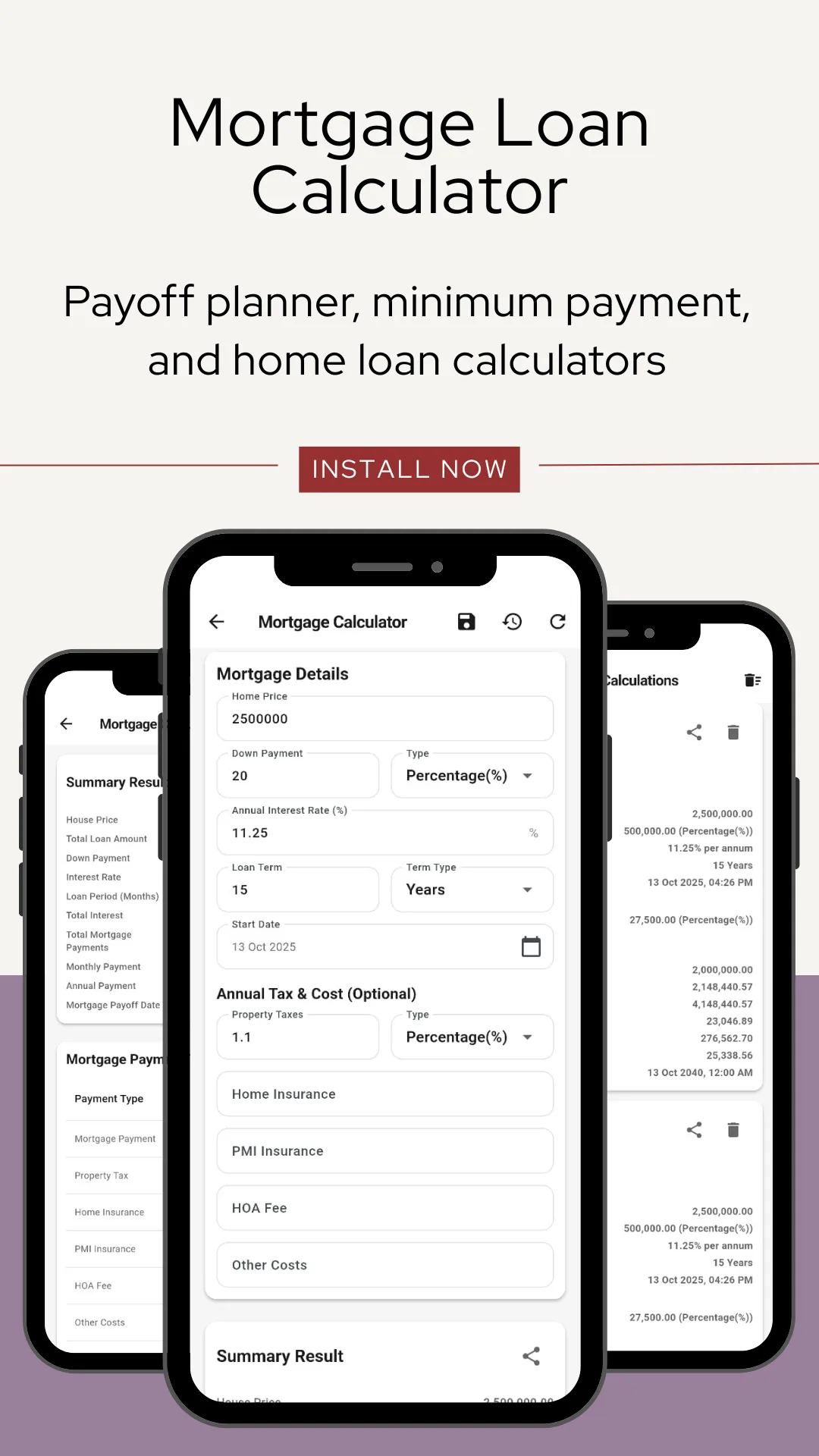
| 2 | Mortgage & Home Loan | Home price, down payment, rate and term — with property tax, home insurance, PMI, HOA fee and other costs | Mortgage Calculator |
| 3 | Auto & Car Loan | Monthly payment and the total cost of the car over the term | Auto Loan Calculator |
| 4 | Personal Loan | Compare rates and repayment periods side by side | Personal Loan Calculator |
| 5 | Business & Commercial Loan | Repayment and interest on business borrowing, with compounding and payback frequency, origination and documentation fees | App only |
| 6 | APR | The true annual cost of borrowing once fees are included — general and mortgage | APR · Mortgage APR |
| 7 | Credit Card Payoff | How long it takes to clear a balance at a given payment | Credit Card Payoff |
| 8 | Credit Card Minimum Payment | What paying only the minimum actually costs in time and interest | Minimum Payment |
| Tax, tip & salary calculators | |||
| 9 | Sales Tax | Add or remove tax at any rate — works as a VAT or GST calculator too | Sales Tax Calculator |
| 10 | Tip | Tip amount and the bill split per person | Tip Calculator |
| 11 | Percentage | Increase, decrease, discount and ratio | App only |
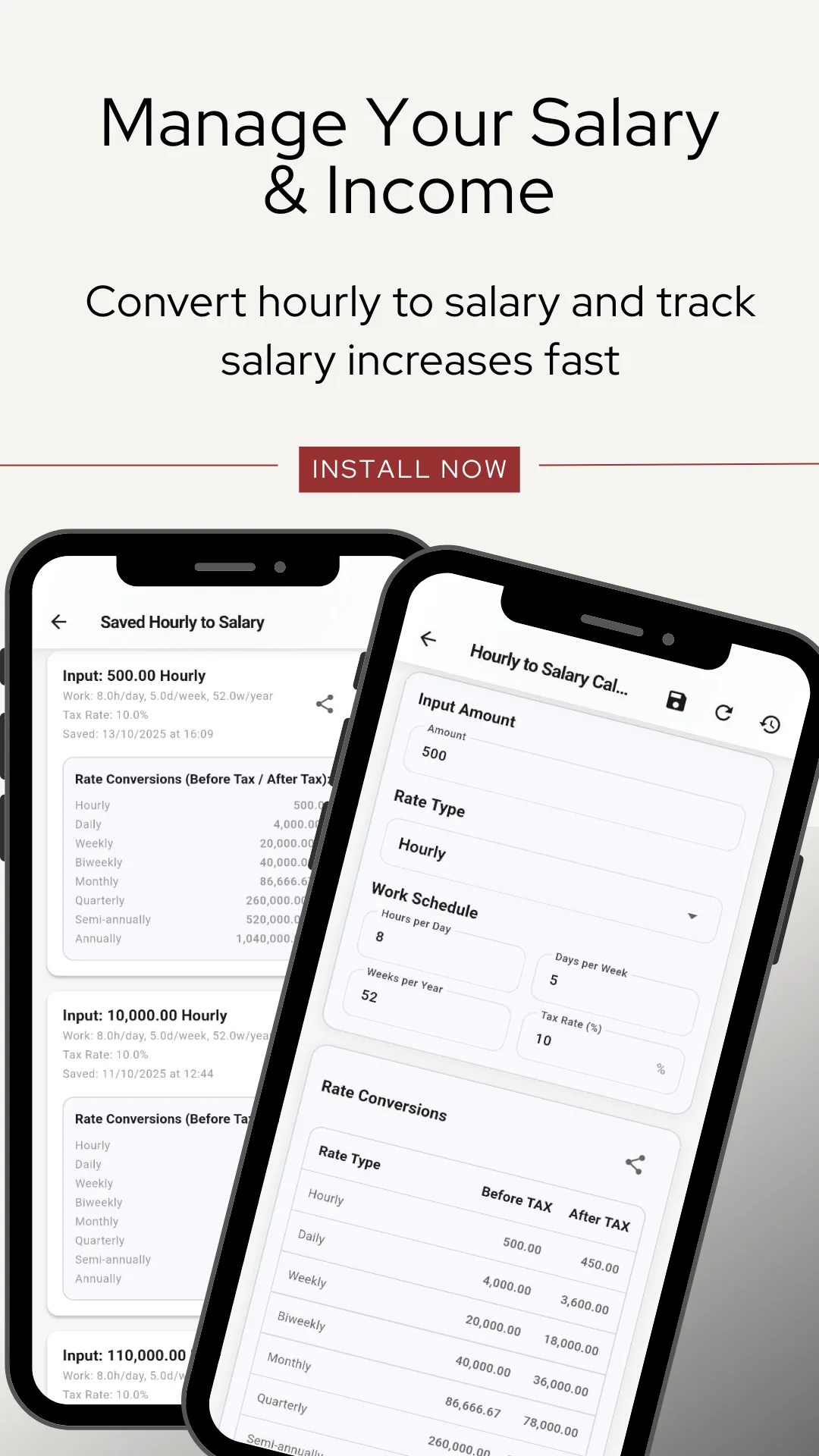
| 12 | Hourly to Salary | Hourly pay converted to daily, weekly, bi‑weekly, monthly, quarterly and annual figures, before and after tax | Hourly to Salary |
| 13 | Salary Increase | Your new pay after a raise or increment | Salary Increase |
| Savings & investment calculators | |||
| 14 | Fixed Deposit — TDR | Interest per payout and maturity value where interest is paid out periodically | Fixed Deposit (TDR) |
| 15 | Fixed Deposit — STDR | Maturity value where interest is cumulative and reinvested | Fixed Deposit (STDR) |
| 16 | Recurring Deposit / DPS | Returns on a monthly savings plan | Recurring Deposit (DPS) |
| 17 | Simple & Compound Interest | Growth over any period, with an accumulation schedule and a deposit‑versus‑interest chart | Interest Calculator |
| 18 | Return on Investment (ROI) | Profit and efficiency of an investment | ROI Calculator |
| 19 | Rule of 72 | How many years until an investment doubles | Rule of 72 |
International
Built for every country
The formulas are the ones banks and accountants use worldwide, and nothing in the app is locked to a single currency or tax regime. You type the amount; the app calculates.
One tax tool, three names
The sales tax calculator adds or removes any percentage, so it is a VAT calculator in the United Kingdom and Europe, a GST calculator in India, Australia, Canada, Singapore and Malaysia, and a sales tax calculator in the United States.
South Asian deposits, properly modelled
TDR, STDR and DPS are how banks in Bangladesh and India actually quote deposits — payout versus cumulative, and monthly recurring plans. Most calculator apps built elsewhere do not have these at all.
EMI, the way lenders quote it
The loan tool returns the monthly EMI, total interest payable and a month‑by‑month amortization schedule, with compounding and payback frequency you can set yourself.
Currency‑neutral by design
No currency is hard‑wired. The same nineteen tools work in USD, EUR, GBP, INR, BDT, AUD, CAD, PKR, NGN, AED, SGD, MYR, PHP, ZAR or anything else.
Currencies people use it in
- USD
- EUR
- GBP
- INR
- BDT
- AUD
- CAD
- PKR
- NGN
- AED
- SAR
- SGD
- MYR
- PHP
- IDR
- ZAR
- KES
- LKR
- NPR
- and any other
How it differs
One app instead of nineteen
Most of what Google Play returns for a financial query is a single‑purpose app — an EMI calculator, an FD calculator, a tip calculator — each one a separate install, a separate icon and a separate set of permissions. This app is the whole set, and it keeps a record of what you worked out.
| Single‑purpose calculator apps | A phone's built‑in calculator | Financial Calculator | |
|---|---|---|---|
| Coverage | One calculation | Arithmetic only | 19 financial calculators in three groups |
| Amortization schedule | Sometimes | No | Annual and monthly, with a loan breakdown chart |
| Saved history | Rarely | No | Every calculation kept with its inputs, results and date |
| Share a result | Rarely | No | Formatted text through the Android share sheet |
| Shows the formula | No | No | Formula, definition and reference notes on every tool |
| Works offline | Varies | Yes | Yes — every calculation runs on the device |
| Account | Varies | No | None — no sign‑up, no login |
| Data collected | Often device and usage data | Varies | None declared — no data collected or shared |
What it is not. This is a calculator, not a budgeting app, a bank account or an advice service. It does not connect to your bank, import transactions or track spending, and it does not recommend a loan, a deposit or an investment. Results are estimates produced by standard formulas; your lender's own figures may differ.
Screenshots
What the app looks like
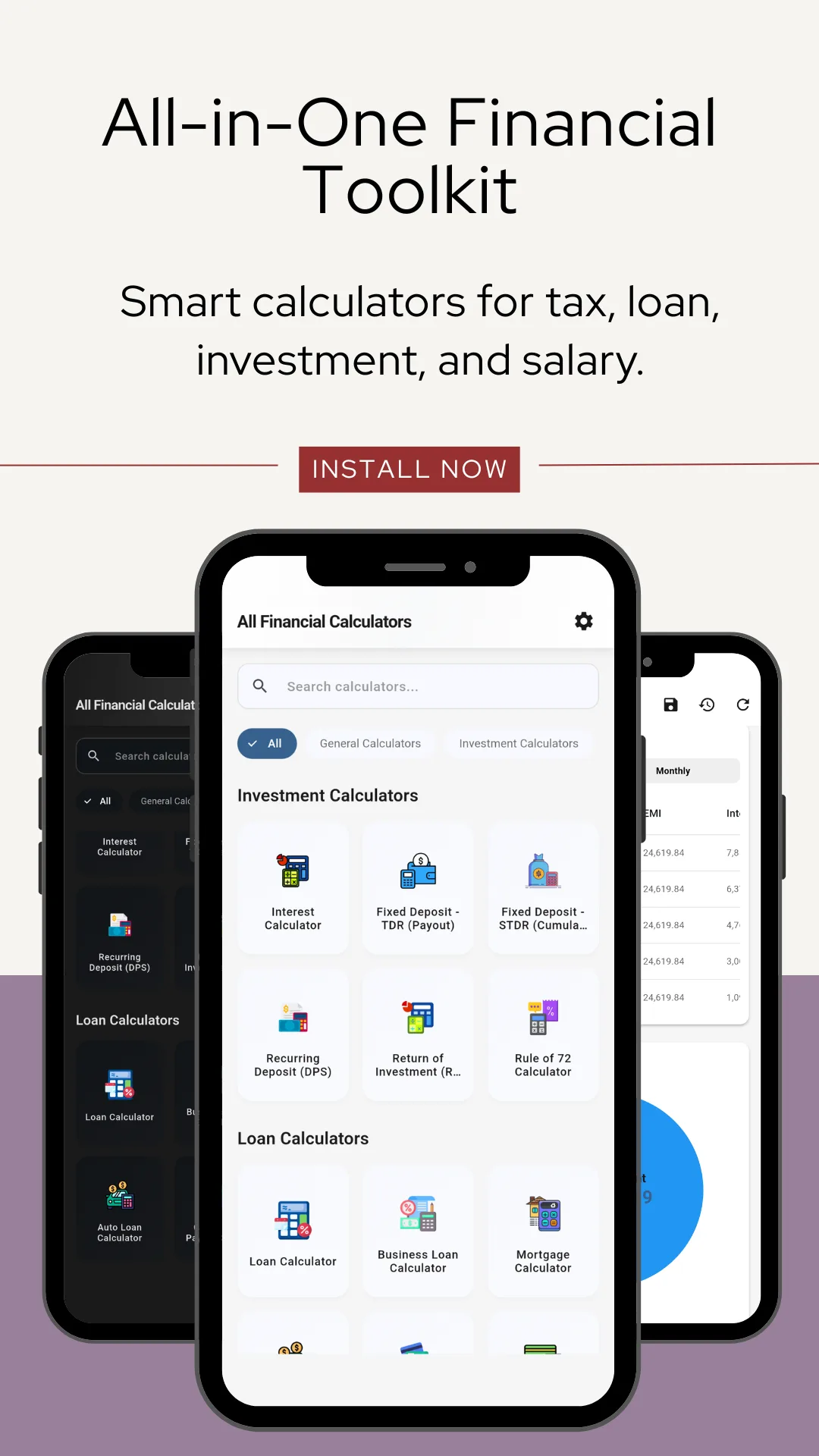
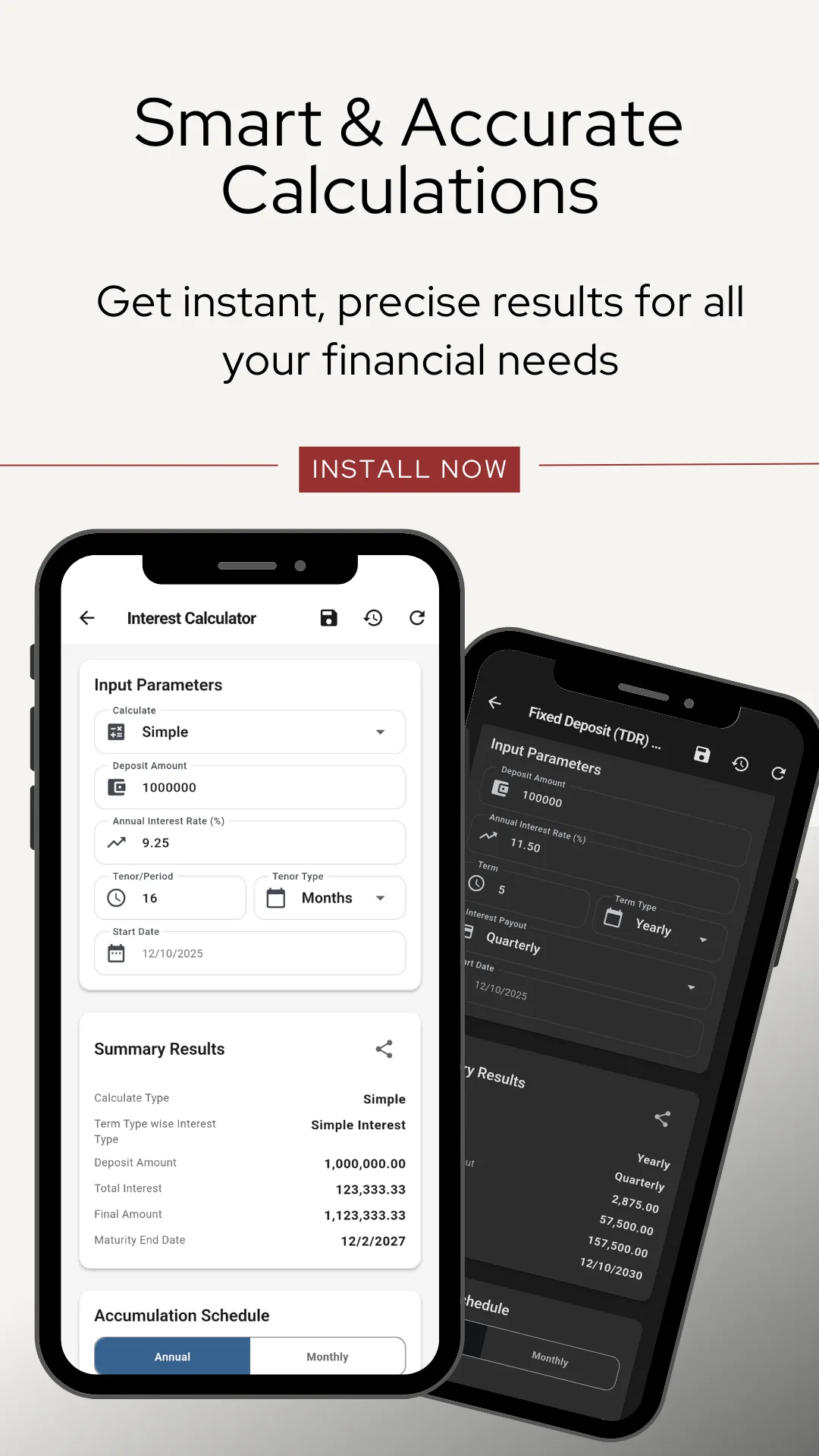
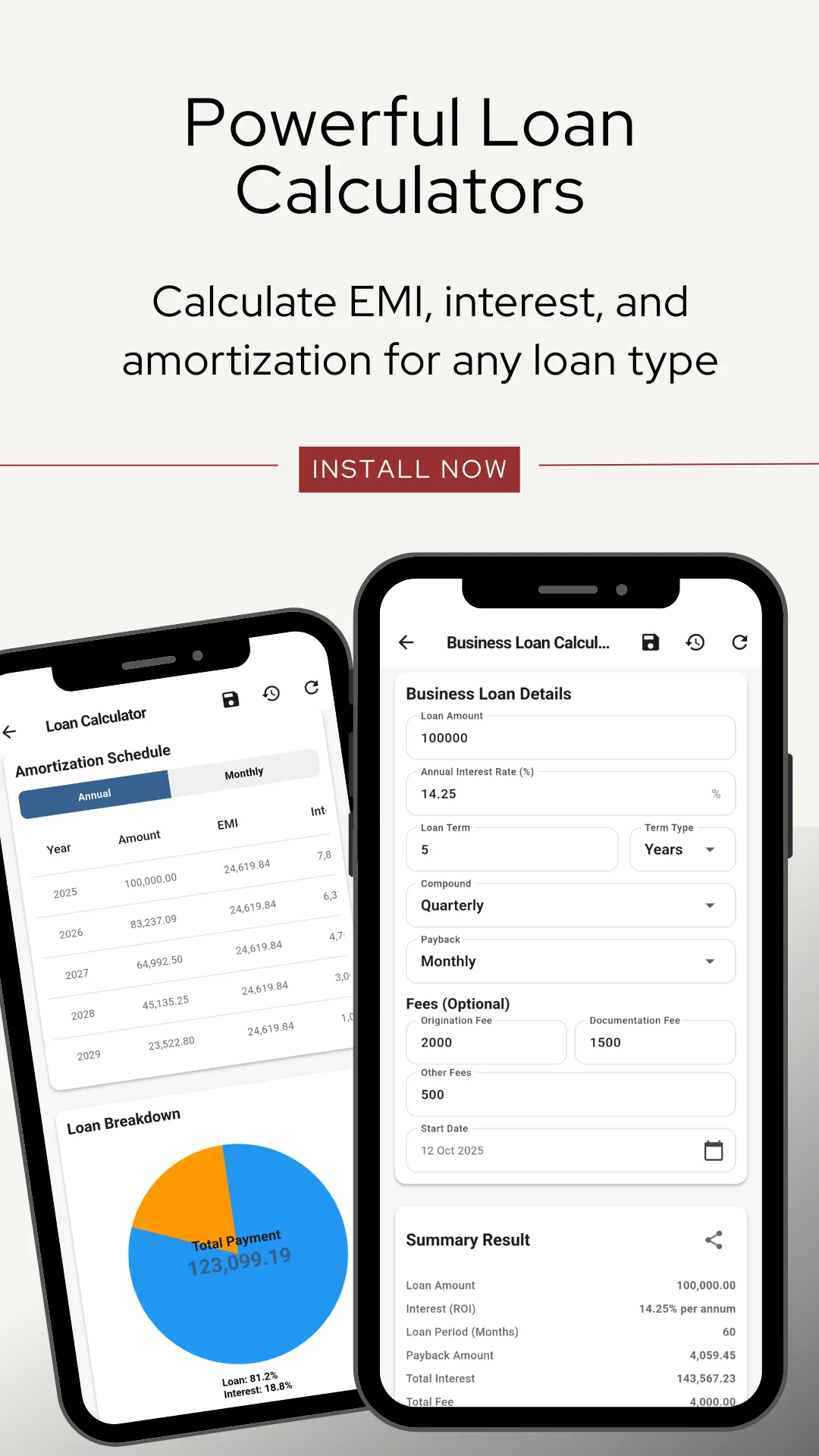
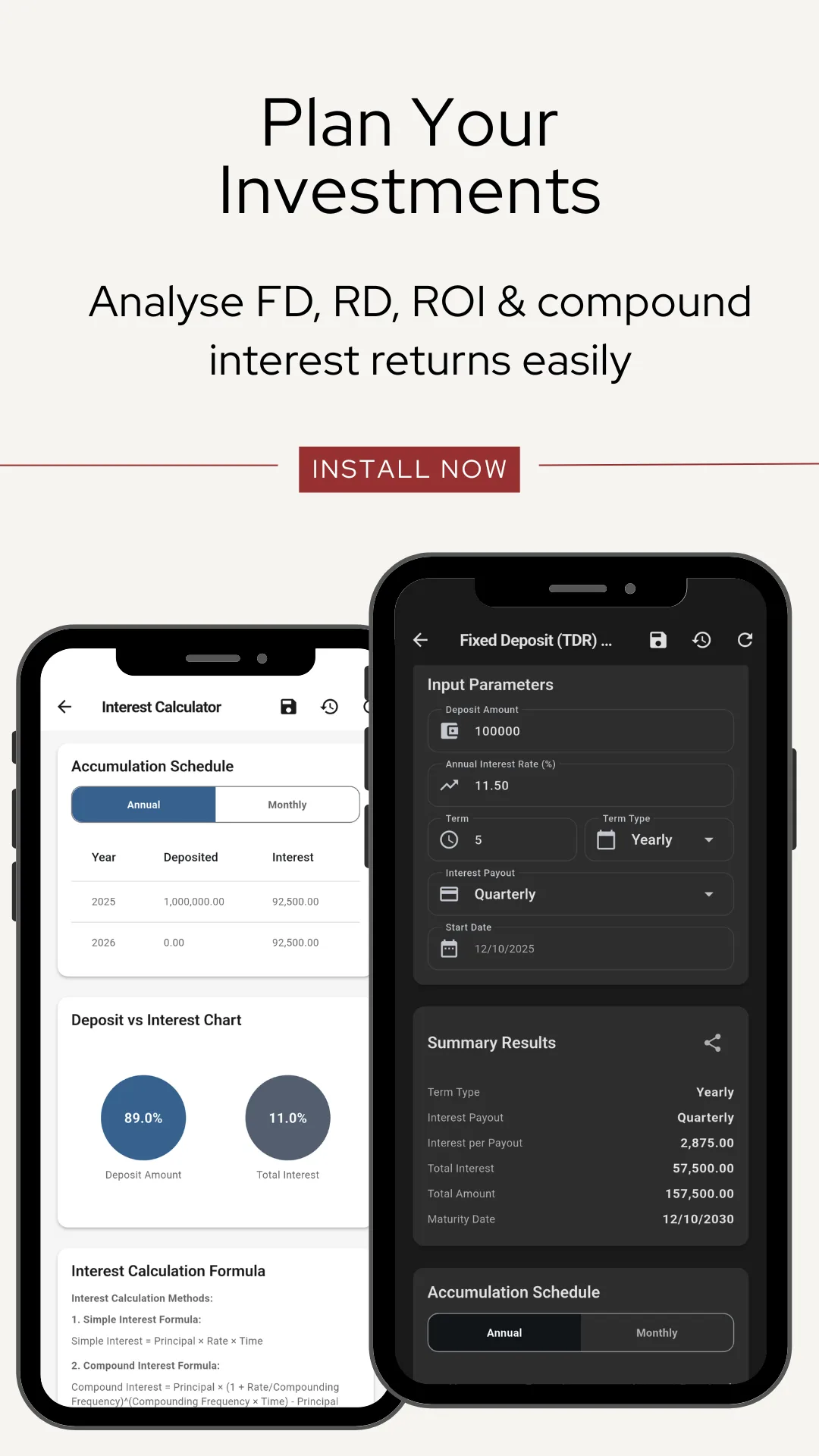
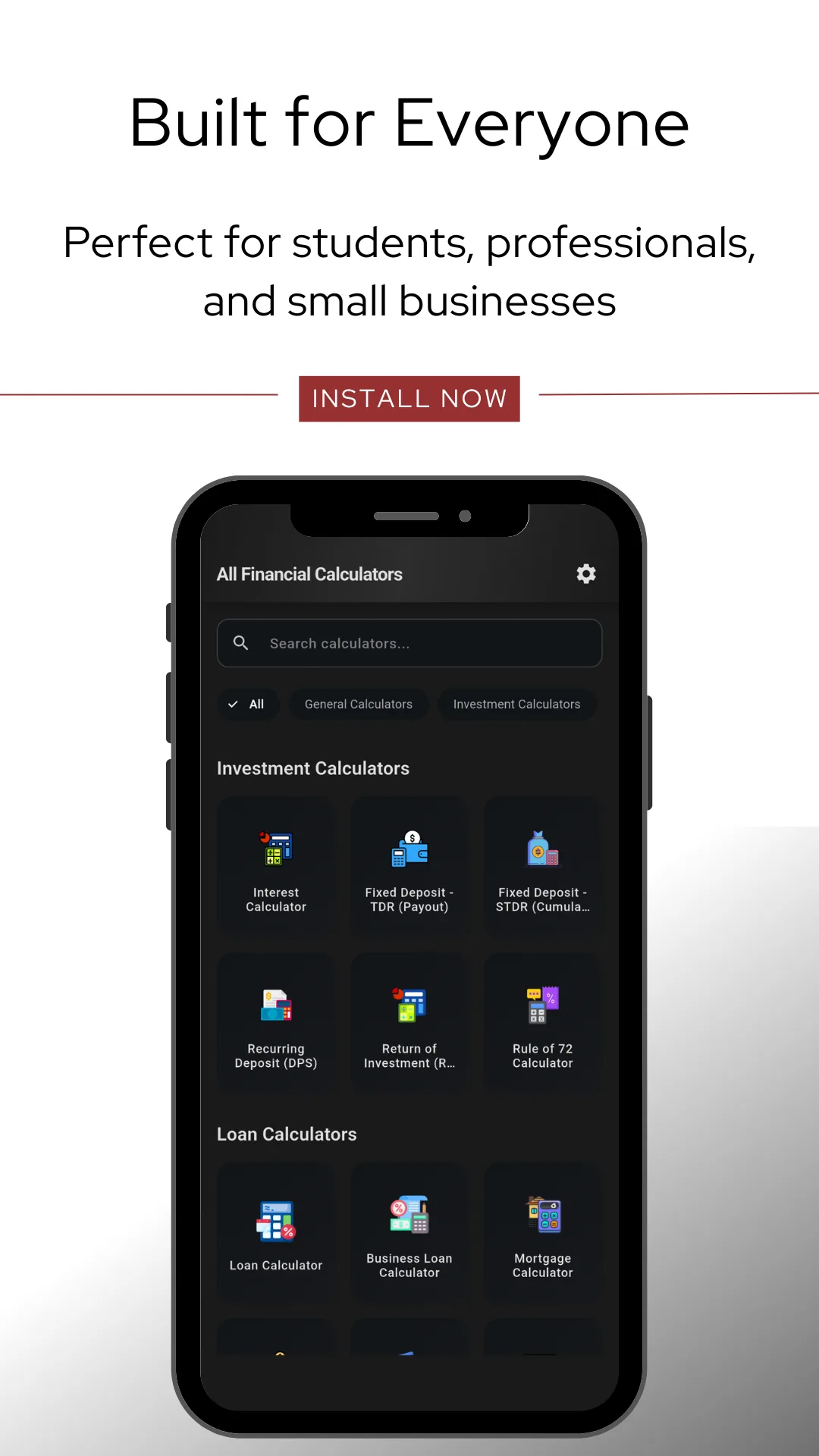
Nine screens from the current release, in the order they appear on Google Play.
Features
What the app does
Nothing to configure and nothing to sign up for. The app opens on the list of calculators.
Nineteen calculators, one app
Loan and EMI, mortgage, auto, personal and business loans, APR, credit card payoff and minimum payment, sales tax, tip, percentage, salary, fixed and recurring deposits, interest, ROI and Rule of 72.
Search by name
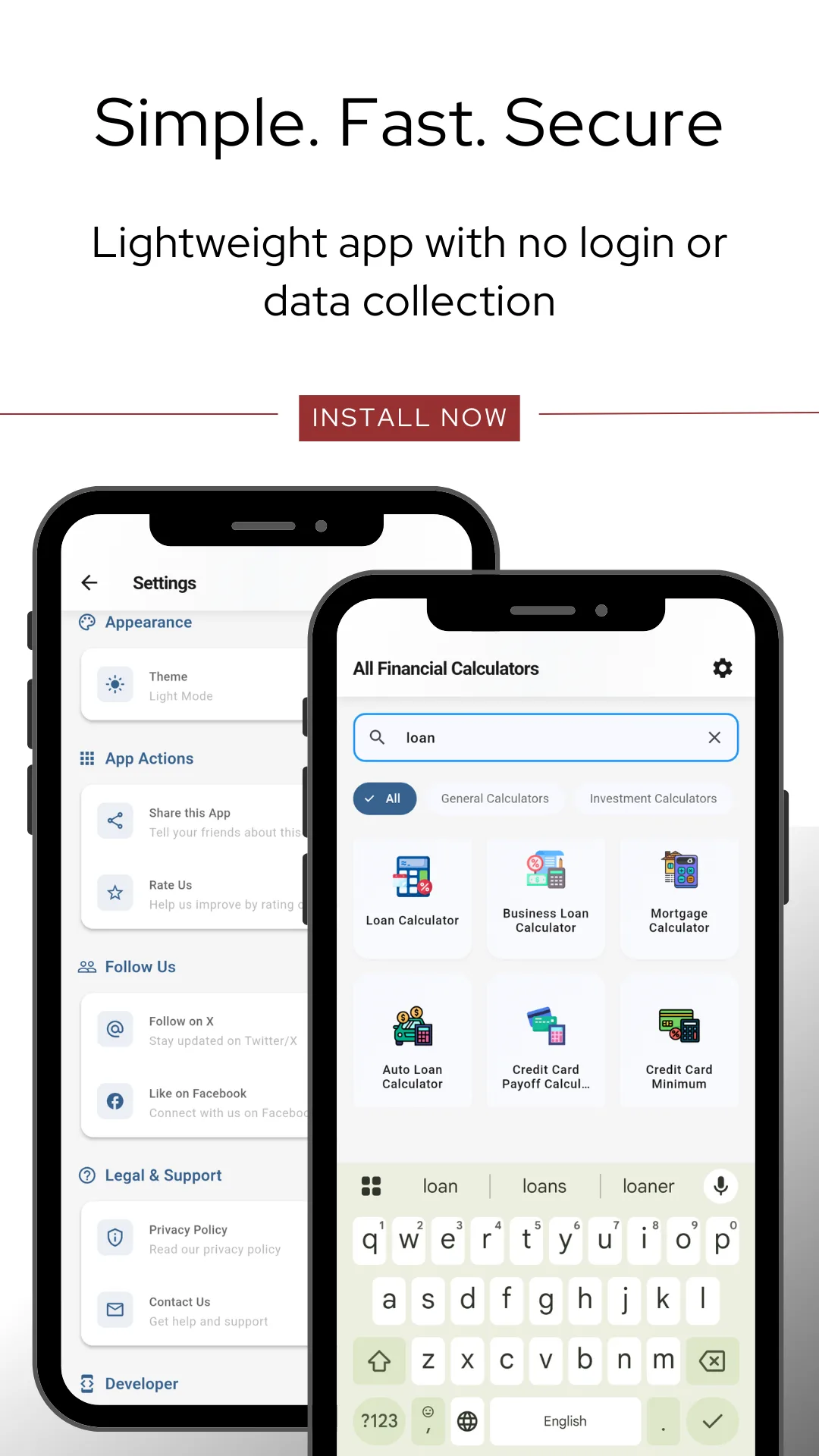
Type "loan", "tax" or "deposit" and the list narrows to the matching tools, so you are never hunting through a grid.
Full amortization schedules
Annual or monthly, with each installment split into principal and interest, and a chart showing how the two shift over the term.
Real mortgage inputs
Down payment as a percentage or an amount, property tax, home insurance, PMI, HOA fee and other costs — so the monthly figure is the one you will actually pay.
Compounding you control
Set the compounding and payback frequency — monthly, quarterly, yearly — rather than accepting one hard-coded assumption.
Before and after tax
The salary tools convert an hourly rate across nine pay periods and show both the gross and the post-tax figure at the rate you enter.
Saved history
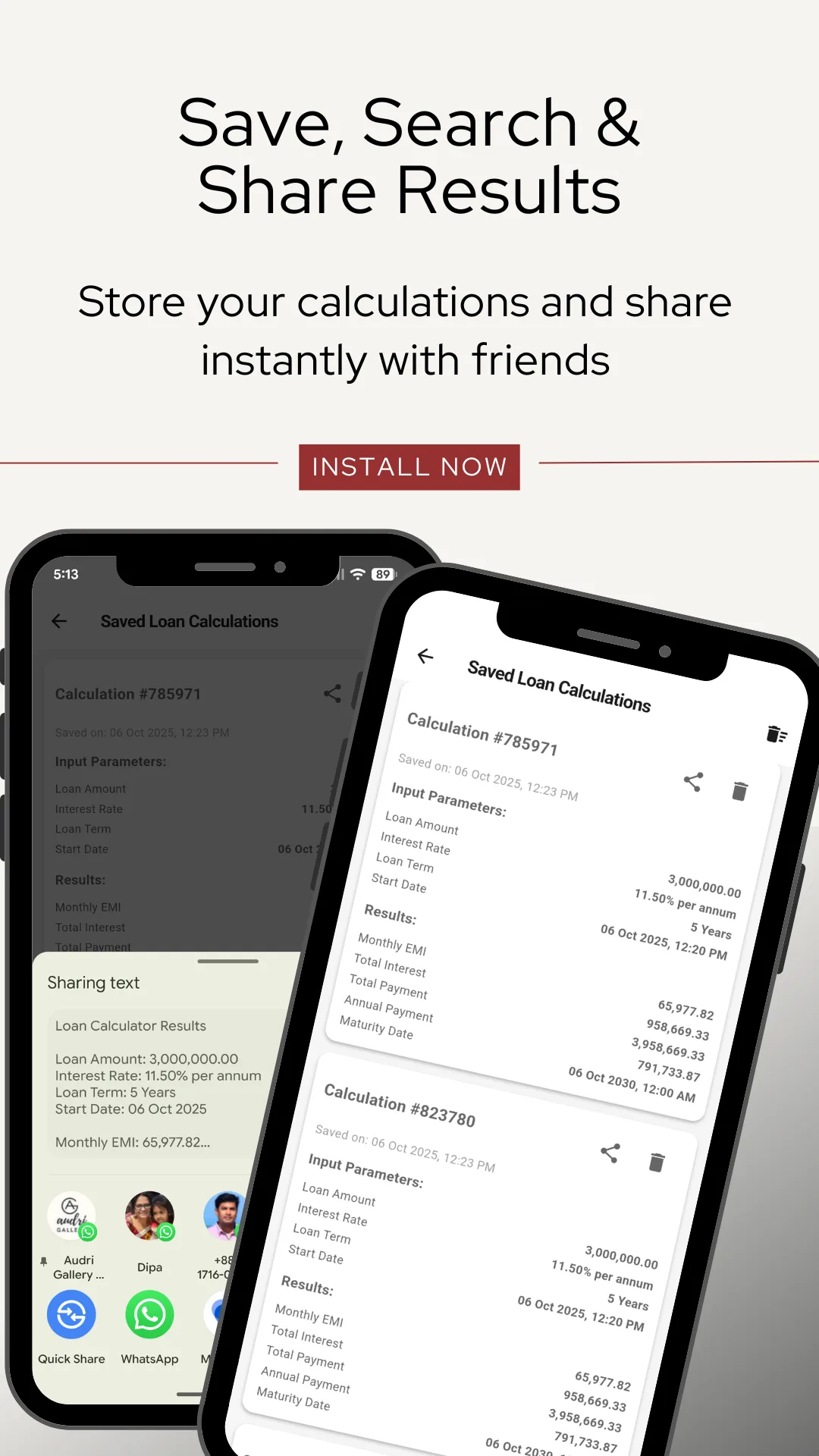
Every calculation is stored with its own reference number, date, inputs and results. Reopen it, share it or delete it.
Share as text
Send a result to anyone as readable formatted text — loan amount, rate, term, EMI and maturity date — through the standard Android share sheet.
The formula, written out
Each calculator carries its own definition, formula and reference notes, so you can check the method rather than trust a number.
Charts, not just tables
Loan breakdown and deposit‑versus‑interest charts show at a glance how much of the total is your money and how much is interest.
Works offline
Everything is computed on the device. It works on a plane, in a bank queue, in a classroom or anywhere with no signal.
Light and dark
A theme switch in Settings, applied across every screen including the schedules and charts.
No account, nothing collected
No sign‑up, no login, no email. No personal data collected and no data shared with third parties, as declared in the Play Data safety section.
Audience
Who uses this app
- Borrowers comparing home, car and personal loan offers before signing, and checking a lender's EMI quote against an independent figure.
- Small business owners pricing quotes and jobs, and working out what a business loan really costs once fees are counted.
- Savers choosing between a fixed deposit paid out quarterly, a cumulative deposit and a monthly recurring plan.
- Salaried workers checking a raise, or converting an hourly rate into a monthly and annual figure before accepting an offer.
- Students and teachers of finance, accounting and business studies, who need the formula as well as the answer.
- Accountants, agents and advisers who want a fast second calculation on the phone, with a record of it afterwards.
- Anyone splitting a bill or working out a discount, a tip or the tax on a purchase.
Questions
Frequently asked questions
What is Financial Calculator?
Financial Calculator is a free all-in-one financial calculator app for Android with 19 built-in tools for loans and EMI, mortgage, tax, interest, salary, fixed deposits and investment returns. Everything runs offline, with no sign-up and no subscription, and every result can be saved, reopened and shared.
Is Financial Calculator free?
Yes — all 19 tools, with no subscription and no paid unlock.
Does it work without internet?
Yes. Every calculation runs on your phone, so it works offline.
Can I use it as an EMI calculator?
Yes. The loan tool gives your monthly EMI, total interest payable and a month-by-month amortization schedule.
Which currencies does it support?
Any. You type the amount, so it works the same in dollars, euros, pounds, rupees or taka.
Can it calculate GST or VAT?
Yes. The sales tax tool adds or removes any percentage, so it covers GST, VAT and state sales tax.
Is my data collected?
No. The app collects no personal data and shares nothing with third parties. Results stay on your device.
What is the Rule of 72?
A shortcut for how long an investment takes to double: divide 72 by the annual rate. The app does it for you.
What is the difference between TDR and STDR?
Both are fixed deposits. A TDR pays the interest out to you at a set frequency — monthly, quarterly or yearly — and returns the original amount at maturity. An STDR is cumulative: the interest is reinvested and compounds, so nothing is paid out until the end but the maturity value is higher. The app has a separate calculator for each.
What is a DPS or recurring deposit calculator?
A recurring deposit — called a DPS by many banks in Bangladesh — is a plan where you pay in a fixed amount every month for a set term and receive the total plus compounded interest at the end. The calculator works out that maturity value from the monthly deposit, the rate and the term.
Does it show a full amortization schedule?
Yes. The loan and mortgage tools produce an amortization schedule you can read annually or month by month, with each installment split into principal and interest, alongside a chart of the loan breakdown.
Can I save and share a calculation?
Yes. Each result is stored with its own reference number, date, inputs and outputs, and can be reopened or deleted later. The share button sends it as readable formatted text through the Android share sheet — message, email, WhatsApp or anything else.
Do I need to create an account?
No. There is no sign-up, no login and no email address to give. The app opens straight to the list of calculators.
Does it work on tablets?
Yes. The app runs on Android phones and tablets.
How is this different from the calculators on this website?
The formulas are the same. The website versions run in any browser with nothing to install; the app adds offline use, a saved history of every calculation, one-tap sharing and light and dark themes. Many people use both — the browser at a desk, the app in a bank or a showroom.
Is this financial advice?
No. Financial Calculator is for educational and personal planning use. Results follow standard formulas and are estimates only — your bank's figures may differ. Confirm with your lender or a qualified adviser before making a decision.
Publisher
About OnlineWebToolkit
OnlineWebToolkit publishes free browser-based tools and calculators — financial, health, conversion, text and SEO utilities that run in the browser with nothing to install and no account to create. The financial calculators section is the web counterpart of this app: the same nineteen calculations, the same formulas, on any device with a browser. The Android app exists for the times you need them without a connection, and for keeping a record of what you worked out.
Important. Financial Calculator is a calculation tool for education and personal planning. It is not a bank, a lender, a broker or a financial adviser, it does not connect to any account, and nothing it produces is a recommendation. All results are estimates based on the figures you enter and standard published formulas; actual charges, interest and maturity values quoted by a bank may differ.
Report a wrong result, or suggest a calculator to add: [email protected]